imyPass iPhone Data Recovery 1.0.28 (x64) iOS Data Recovery Software Latest 2026
Summary
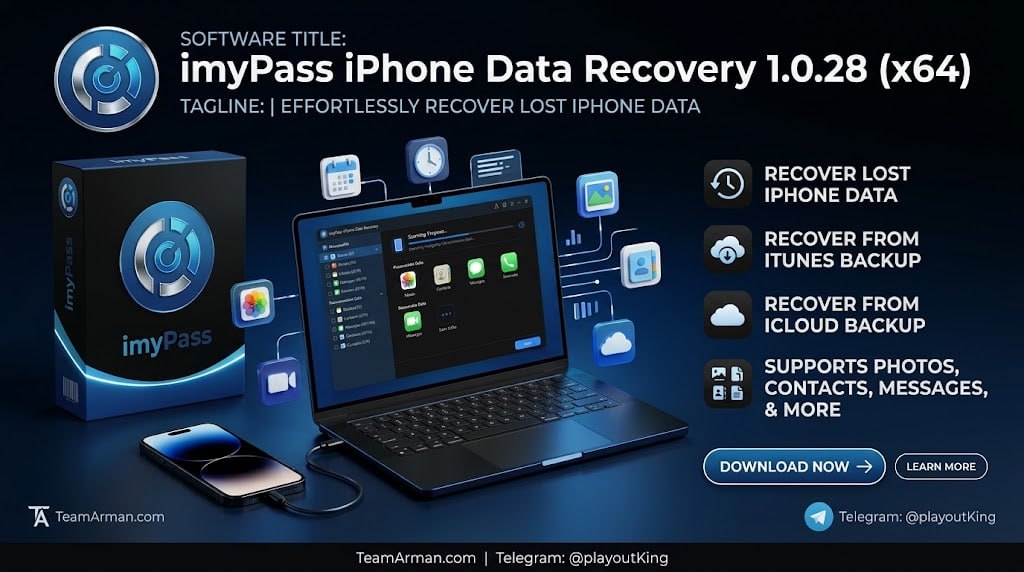
imyPass iPhone Data Recovery 1.0.28 (x64) is a 64-bit Windows utility designed by imyPass Studio to help users retrieve lost or accidentally deleted data from iOS devices. The software is built for iPhone and iPad users who have lost important data due to accidental deletion, system crashes, failed iOS updates, water damage, or device malfunction.
Whether you have accidentally deleted precious family photos, lost important business contacts, or experienced data loss after a software update, this tool provides a reliable way to recover your data without needing to visit a professional data recovery service. The software is particularly valuable for users who have not maintained recent backups or who need to recover specific files from existing backups.
Recover From iOS Device Directly
The primary recovery mode scans your iPhone or iPad directly over a USB connection to find deleted items like photos, text messages, contacts, and notes before they are overwritten. This direct scanning approach is particularly effective for recently deleted data, as the software can access data that is still present in the device’s storage but has been marked for deletion by the operating system.
The critical factor in successful recovery is timing: users should avoid using their device extensively after data loss to prevent the deleted data from being overwritten by new files. The software presents recovered items in an organized interface, allowing users to preview and selectively recover only the files they need.
Recover From iTunes Backup
The software extracts individual files and selected data from existing iTunes backup archives saved on your computer. This mode is valuable for users who have been regularly syncing their iOS devices with iTunes and have backup files stored locally. Instead of restoring the entire backup, which would replace all current data on the device, the software allows users to extract only specific files and selectively recover them.
This selective recovery capability is particularly useful when you need to retrieve a few specific photos, messages, or contacts from an older backup without disrupting the current state of your device. The software can extract various data types including photos, videos, messages, contacts, call history, notes, and more.
Recover From iCloud Backup
The third recovery mode pulls specific files down from your iCloud account storage safely, allowing users to access data stored in Apple’s cloud service without performing a full device restore. This mode is ideal for users who have iCloud backups enabled but do not want to restore their entire device to recover specific files.
The software connects to your iCloud account, downloads the backup data, and allows users to browse and selectively recover files. This approach is particularly useful when you have accidentally deleted data and need to retrieve it from a recent iCloud backup without disrupting your current device settings or other data.
Supported Data Types And Recovery Success Factors
iPhone Data Recovery supports recovery of a comprehensive range of data types including photos, videos, text messages, iMessages, WhatsApp messages, contacts, call history, notes, calendars, reminders, voice memos, and app documents. Recovery success depends on several factors including how recently the data was deleted, whether the device has been used extensively since deletion, and whether the data is still present in the device’s storage or available in a backup.
For best results, users should stop using their device immediately after data loss and initiate the recovery process as soon as possible. The software’s preview feature allows users to verify that the desired data is recoverable before committing to the recovery process.
Deep Scanning Technology And File Preview
imyPass iPhone Data Recovery uses advanced deep scanning algorithms that can locate deleted files even when they are no longer visible in the device’s standard storage view. The software presents recoverable items in a categorized tree structure, allowing users to browse through different data types and preview individual files before recovery.
Photos can be viewed as thumbnails, messages can be read in full, and contacts can be reviewed with all associated details, ensuring that users recover exactly what they need. This preview capability is essential for confirming that the desired data remains intact and recoverable before committing to the recovery process.
Handling Common Data Loss Scenarios
The software is designed to address a wide range of data loss scenarios that iPhone users commonly encounter, including accidental deletion of files, failed iOS updates that result in data loss, device water damage, system crashes, and factory reset mishaps.
For each scenario, the software applies the appropriate recovery strategy based on whether the data still exists on the device or in a backup. Users who have experienced multiple types of data loss can run different recovery modes in sequence, starting with the direct device scan and moving to backup recovery methods if needed, maximizing the chances of successful recovery.
System Requirements And Licensing
The software operates on Windows 7 through Windows 11 on 64-bit architecture, ensuring broad compatibility with modern Windows systems. The installation is lightweight and does not require significant system resources. The software operates on a free trial model that allows users to scan their device and preview recoverable data before purchasing a license.
The trial version typically limits the actual recovery of files until the software is registered, allowing users to verify that their data is recoverable before making a purchase decision. The full version unlocks all recovery features and allows users to save recovered data to their computer.
Frequently Asked Questions
Q1: What is imyPass iPhone Data Recovery 1.0.28 used for?
It is a 64-bit Windows utility that retrieves lost or accidentally deleted data from iOS devices through direct scanning, iTunes backups, or iCloud backups.
Q2: What types of data can be recovered?
Photos, videos, text messages, contacts, call history, notes, calendars, reminders, voice memos, and app documents can be recovered.
Q3: What are the three recovery modes?
Recover from iOS Device (direct USB scan), Recover from iTunes Backup (local backup extraction), and Recover from iCloud Backup (cloud backup download).
Q4: How can I improve my chances of successful recovery?
Stop using your device immediately after data loss and initiate the recovery process as soon as possible to prevent deleted data from being overwritten.
Q5: Is there a free trial available for iPhone Data Recovery?
Yes, a free trial of iPhone Data Recovery allows you to scan and preview recoverable data before purchasing a license.
Q6: What are the system requirements for this software?
Windows 7 through Windows 11 on 64-bit architecture.