imyPass iLocaGo 1.0.38 (x64) (Smart iOS GPS Location Spoofing Software) Latest 2026
Summary
imyPass iLocaGo 1.0.38 (x64) is a desktop software designed for Windows computers that lets you change the GPS location of your iPhone or iPad. The software is built for iOS users who need to spoof their position for location-based games, social media apps, dating applications, and other apps that rely on GPS coordinates.
Whether you want to access region-locked content, play location-based games without physically traveling, or protect your privacy by hiding your real location, iLocaGo provides a straightforward solution for changing your device’s reported GPS position. The version 1.0.38 release for 64-bit Windows includes enhanced stability and support for the latest iOS versions.
One-Click Location Spoofing Capabilities
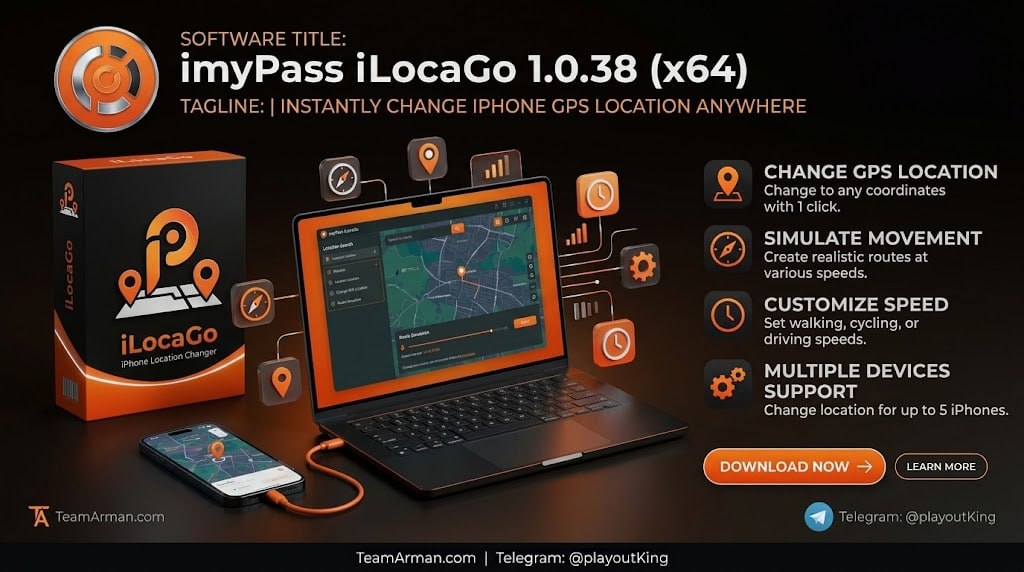
imyPass iLocaGo core feature is its ability to change your iOS GPS location with a single click, making the process accessible even to users with limited technical expertise. Users can search for any location worldwide by entering an address, coordinates, or landmark name, and the software will instantly update the device’s reported GPS position to that location.
This capability is particularly useful for accessing apps and services that are restricted to specific geographic regions, such as streaming platforms, games, and social media features that vary by country. The one-click operation eliminates the complexity that often accompanies GPS spoofing tools, providing a seamless experience for users of all skill levels.
Movement Simulation Along Customized Paths
Beyond static location changes, iLocaGo includes movement simulation capabilities that allow users to simulate movement along a customized path. Users can define a route by selecting multiple points on a map, and the software will simulate movement along that path at a customizable speed. This feature is essential for location-based games that require players to move between locations to collect items, hatch eggs, or complete tasks.
The movement simulation is smooth and realistic, ensuring that apps perceive the movement as genuine GPS data rather than detecting the spoofing attempt. Users can also set the simulation to loop, allowing continuous movement for extended periods.
App Compatibility And Use Cases
The software works with a wide range of location-based games and social media apps, making it a versatile tool for different use cases. Popular applications include location-based augmented reality games, dating apps where users want to explore matches in different cities, social media platforms where users want to check in at different locations, and region-locked streaming services.
The software is designed to work without requiring jailbreaking, preserving the device’s warranty and security. Users should be aware that some apps have anti-spoofing measures, and the software is regularly updated to maintain compatibility with the latest app versions.
Multi-Device Management And Route Planning
imyPass iLocaGo supports managing multiple iOS devices simultaneously, allowing users to control GPS locations across several iPhones or iPads from a single computer interface. The route planning feature lets users save customized movement paths for repeated use, which is particularly useful for players who follow the same routes in location-based games or testers who need consistent movement patterns.
Users can also schedule movement simulations to run automatically at specific times, enabling continuous gameplay or testing without manual intervention. These management features make the software suitable for advanced users who need more than basic location spoofing.
Joystick Control And Real-Time Navigation
The software includes a joystick control feature that allows users to navigate their virtual location in real-time using keyboard shortcuts or on-screen controls, providing a gaming-like experience for exploring maps and moving through locations. This real-time navigation is smoother than pre-planned routes for users who want to explore freely without defining a specific path.
The software also displays a live map view showing the current virtual location and surrounding areas, making it easy to see exactly where the device appears to be located. GPS signal strength and connection status indicators ensure that users can monitor the spoofing operation and troubleshoot any issues that arise.
System Requirements And Installation
imyPass iLocaGo 1.0.38 operates on Windows 11, Windows 10, Windows 8.1, Windows 8, or Windows 7, with support for both Intel and AMD processors running at 1 GHz or higher. The software requires at least 1 GB of RAM, making it accessible on a wide range of Windows computers including older machines. Installation is straightforward and does not require extensive technical knowledge.
Users need to connect their iOS device to the computer using a USB cable, and the software will detect the device and prepare it for location spoofing operations. The software is compatible with a broad range of iPhone and iPad models running modern iOS versions.
Important Considerations And Responsible Use
Users should be aware that location spoofing may violate the terms of service of some apps and games, potentially resulting in account restrictions or bans. The software is designed for legitimate uses such as privacy protection, testing app functionality, and accessing content in regions where users have legal rights.
Users should review the terms of service for any app they plan to use with spoofed locations and consider whether the benefits outweigh the risks. Additionally, some apps may detect spoofing attempts and refuse to function, requiring users to disable the software temporarily. Responsible use ensures a positive experience without jeopardizing accounts or violating agreements.
Frequently Asked Questions
Q1: What is imyPass iLocaGo 1.0.38 used for?
It is a desktop software that lets you change the GPS location of your iPhone or iPad for location-based games, social media apps, and other purposes.
Q2: Does the software require jailbreaking?
No, the software works without requiring jailbreaking, preserving the device’s warranty and security.
Q3: Can I simulate movement along a path?
Yes, the software allows you to define a route and simulate movement along that path at customizable speeds.
Q4: What are the system requirements?
Windows 11, 10, 8.1, 8, or 7 with a 1 GHz Intel or AMD processor and 1 GB or more RAM.
Q5: Is location spoofing safe?
Location spoofing may violate the terms of service of some apps, potentially resulting in account restrictions, so users should review the terms and use the software responsibly.
Q6: What apps work with imyPass iLocaGo?
The software works with location-based games, dating apps, social media platforms, and streaming services that rely on GPS coordinates.