PVS-Studio Enterprise v8.0.0.2280 Security-First Static Analyzer for C, C++, C#, and Java Delivering Strong Code Protection
Summary
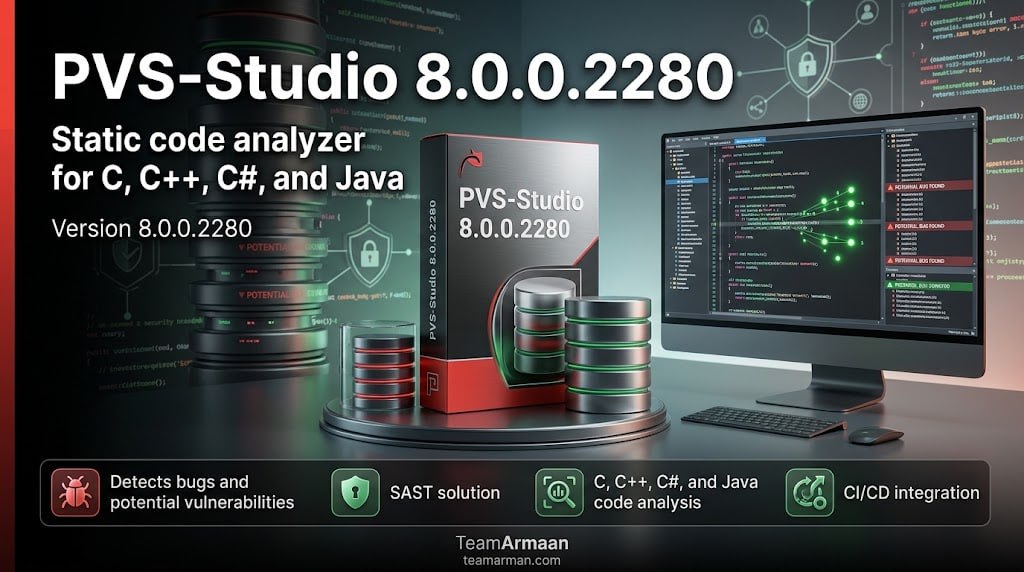
PVS-Studio Enterprise v8.0 is the major release of the renowned Static Application Security Testing (SAST) and code quality analyzer. While historically recognized for its powerful inspection of C, C++, C#, and Java, the v8.0 milestone fundamentally expands its ecosystem by introducing native support for JavaScript, TypeScript, and Go. This security-first utility assists enterprise development teams in identifying hidden typos, memory leaks, and severe security vulnerabilities before code hits production.
PVS-Studio is a static code analyzer (SAST) that detects errors and security weaknesses in source code written in C, C++, C#, and Java. It supports 64‑bit systems on Windows, Linux, and macOS, and can analyze code for 32‑bit, 64‑bit, and embedded ARM platforms.
The tool is built for developers, QA engineers, and security teams who need to improve code quality, meet safety standards, and reduce the risk of exploits. Whether you’re building a game engine, an embedded system, or a cloud service, PVS-Studio Enterprise helps you produce cleaner, safer, and more secure software.
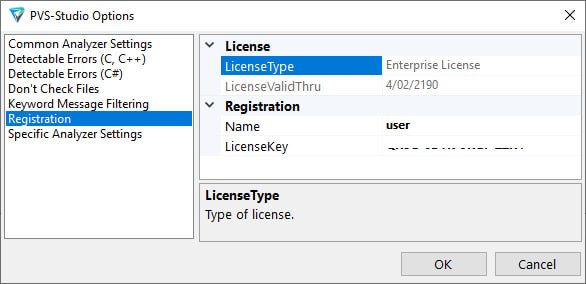
PVS-Studio Enterprise Activation Proof
Key Features
-
Multi‑language support – C, C++, C#, and Java including cross‑language analysis for mixed codebases.
-
Deep SAST capabilities – Maps warnings to CWE, OWASP Top Ten, CERT, and MISRA standards for complete security coverage.
-
New language analyzers (Beta) – Early access to static analyzers for JavaScript, TypeScript, and Go.
-
Standards compliance – Expanded support for MISRA C++ 2023, plus MISRA C 2012/2023 and MISRA C++ 2008.
-
IDE & build integration – Plugins for Visual Studio, JetBrains IDEs, Qt Creator, VS Code, and command‑line tools for CI/CD.
-
GameDev‑ready – Tailored diagnostic rules and seamless integration with Unreal Engine and Unity.
-
Incremental analysis – Server‑side incremental mode for large projects reduces re‑analysis time.
-
False‑positive suppression – Mass suppression mechanism for clean results in legacy code.
Commercial Tiers for Small and Large Teams
Evaluation Trials and Community Accessibility
Use Cases
-
Game Development – Unreal Engine and Unity projects benefit from custom rules and build system integration to reduce bugs and improve performance.
-
Embedded & Safety‑Critical Systems – MISRA and AUTOSAR compliance checks help meet regulatory requirements for industries like automotive, medical, and aerospace.
-
Enterprise Web Applications – A SAST tool integrated into CI/CD pipelines (e.g., Jenkins, GitLab CI) catches vulnerabilities before merge, lowering remediation costs and preventing security breaches.
-
Open‑Source Security Audits – Free licenses for open‑source projects let maintainers analyze entire codebases, improve trust, and protect users.
Target Audience and Ideal Workflows
Scenarios Where the Tool Is Inefficient
Market Alternatives and Competitive Edge
System Requirements
| Component | Requirement |
|---|---|
| Operating Systems | Windows (x64), Linux (x64), macOS (including Apple Silicon) |
| Architecture | x64 (native on Windows/macOS/Linux), ARM (via x64 emulation, native for macOS ARM64) |
| RAM | Minimum 1 GB per core, 2 GB or more recommended |
| Supported Languages | C, C++, C#, Java (beta: JS, TS, Go) |
| IDE Plugins | Visual Studio, JetBrains (Rider, CLion, etc.), VS Code, Qt Creator |
| Build Systems | MSBuild, CMake, Make, Ninja, etc. |
How to Use PVS‑Studio (Step‑by‑Step)
-
Download the installer from the official site and run it on your development machine.
-
Choose your license – request a free trial, a free open‑source license, or purchase a commercial one.
-
Install IDE plugins – for Visual Studio, JetBrains, VS Code, or Qt Creator.
-
Analyze your project – build it with the analyzer enabled, or run the command‑line tool on source files.
-
Review warnings – use the IDE plugin to navigate to problematic code lines and fix them with explanations.
-
Set up CI integration – run analysis on every commit or pull request using incremental mode (Enterprise only).
-
Track progress – use the web interface (or soon PVS‑Studio Atlas) to manage warnings and reduce technical debt.
Pros and Cons Balance
Best for Presenting to Management
PVS-Studio is easily one of the most comprehensive static analysis tools available for C/C++ and C#, especially for teams that must meet strict security or safety standards. For greenfield projects, run the analyzer early in your development process to avoid accumulating technical debt. For existing codebases, start by focusing on high‑severity warnings, using the false‑positive suppression mechanism to make results manageable.
Supported Specifications
| Feature | Supported Platforms / Specs |
|---|---|
| Supported OS | Windows (including ARM), Linux (64-bit), and macOS (Intel & Apple Silicon) |
| Core Languages | C, C++, C#, Java, JavaScript, TypeScript, Go |
| IDE Integration | Visual Studio (up to 2026), VS Code, CLion, Rider, Qt Creator, WebStorm, GoLand |
| Deployment | On-premises offline deployment, command-line utilities (PVS-Studio_Cmd.exe, pvs-studio-analyzer) |
Best Alternatives
-
SonarQube – A popular SAST platform with good multi‑language support, though C++ and C# coverage is less comprehensive than PVS-Studio Enterprise.
-
Coverity – Excellent for large C/C++ codebases, especially in safety‑critical industries, but cost and complexity are high.
-
Cppcheck – A fast, lightweight, open‑source analyzer for C/C++ that works well for smaller projects but lacks advanced security or multi‑language features.
-
CodeQL – Powerful semantic analysis for security researchers; integrates tightly with GitHub, but requires code to be in a GitHub repository.
FAQS
-
Is it free or paid?
PVS-Studio Enterprise is primarily a paid tool with Team and Enterprise licenses. However, free licenses are available for open‑source, security research, Microsoft MVP, and educational purposes. -
Is there a free trial?
Yes. You can request a free trial license from the official website and test the full functionality for a limited period. -
Is it safe and legal?
Absolutely. PVS-Studio Enterprise is a legitimate commercial software product distributed by its developer. All usage requires a valid license obtained through official channels. -
What are the best alternatives?
Alternatives include SonarQube (multi‑language SAST), Coverity (enterprise C/C++ analysis), and Cppcheck (free lightweight analyzer). -
Who should use it?
Developers, security engineers, and QA teams who work with C, C++, C#, or Java and need to improve code correctness, security, or compliance with industry standards.