CTC CIM Manager Suite (2027 27.1) Ultimate Civil 3D AutoCAD With Advanced Production Management
Summary
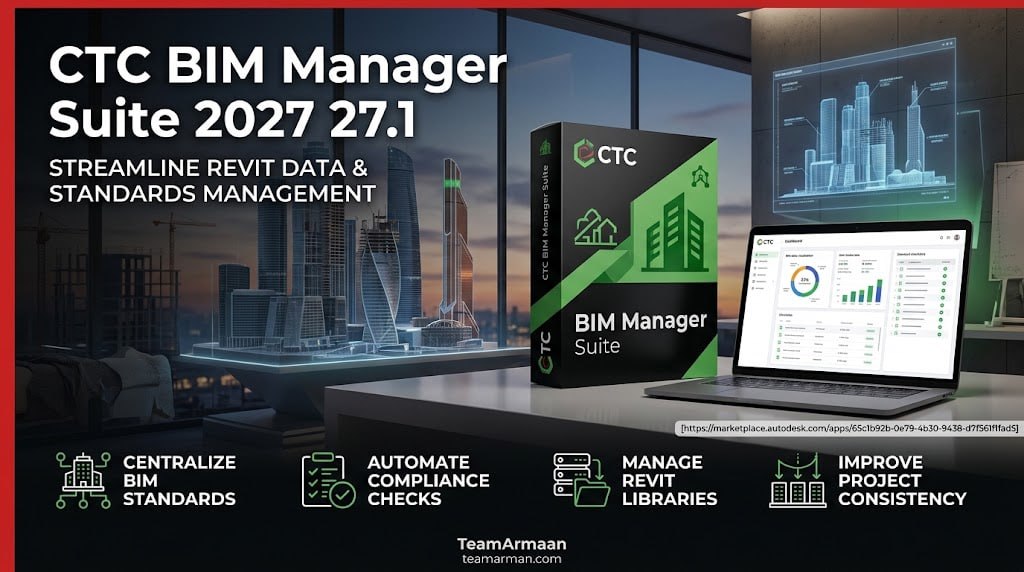
The CTC CIM Manager Suite (2027 version 27.1) is a specialized add-in application for Autodesk AutoCAD and Civil 3D designed to streamline CAD management, template creation, and production standardizations. In the world of civil engineering and infrastructure design, efficiency isn’t just a goal; it’s a requirement. CAD managers and production teams often find themselves bogged down by repetitive, time‑consuming tasks: managing layers, tracking styles, editing linetypes, and ensuring consistency across dozens of drawing templates. The CTC CIM Manager Suite is a professional add‑in collection developed by CTC Software specifically to address these challenges within Autodesk Civil 3D and AutoCAD.
CTC CIM Manager Suite is a set of productivity tools built for production management within Civil 3D and AutoCAD. Unlike design‑focused suites, CIM Manager Suite targets the day‑to‑day challenges faced by CAD managers, production leads, and survey teams: creating and enforcing standards, managing survey data, tracking template usage, and automating repetitive configuration tasks. The suite leverages Civil Information Modeling (CIM) principles to automate workflows, ensure data consistency, and reduce manual errors.
Key Features
The CIM Manager Suite includes a comprehensive set of tools for efficient CAD management:
-
01. Linetype Manager (Free): An intuitive, graphical editor for creating and editing AutoCAD linetype (.lin) files. Provides instant preview feedback and works across all AutoCAD platforms.
-
02. Layer Boss (Trial): Speed up Civil 3D layer management by syncing layer settings directly with an Excel spreadsheet. Supports export and import of layer states for external references.
-
03. Template Tracker (Trial): Track the use of layers, text styles, dimension styles, and leader styles across any drawing or template. Easily replace or edit embedded elements throughout a file.
-
04. Survey Template Manager (Trial): Automate the configuration of Description Key Sets and Figure Prefix Databases, greatly improving survey template management.
-
05.Export/Import to Excel: Export DWG layer properties, Civil 3D object layer settings, description key sets, and figure prefix databases to Excel spreadsheets, then sync changes back—making bulk edits simple and accurate.
-
06. Multi‑Platform Support: Commands like Linetype Manager, Export DWG Layers, and Create/Edit Drawing Layers work across all AutoCAD platforms; Civil 3D‑specific commands are available only within Civil 3D.
Use Cases
-
CAD Standards Enforcement: Use Template Tracker to ensure every drawing adheres to company layer, text, and dimension standards.
-
Bulk Layer Management: Manage thousands of layers across multiple drawings by syncing with Excel spreadsheets using Layer Boss.
-
Survey Data Configuration: Automate Description Key Sets and Figure Prefix Databases for consistent survey workflows.
-
Linetype Library Maintenance: Create and edit custom linetypes without manually editing .lin files, using the graphical Linetype Manager.
-
Production Team Support: Automate style, layer, and linetype creation to free production teams for higher‑value tasks.
CTC CIM Manager Suite vs Competitors
| Feature | CIM Manager Suite | Autodesk Civil 3D (Native) | AutoCAD LT |
|---|---|---|---|
| Excel Integration | Full sync for layers, styles, keysets | Manual entry only | Not available |
| Template Tracking | Automated tracking & replacement | Manual inspection | Not available |
| Linetype Editor | Graphical with preview | Text file editing | Not available |
| Survey Template Tools | Automated DKS & FPD management | Manual configuration | Not available |
| Bulk Operations | Spreadsheet‑driven across files | Per‑drawing only | Limited |
| Price | Commercial license (trial available) | Included with Civil 3D | Included with LT |
CIM Manager Suite excels where native Civil 3D tools fall short: bulk operations, cross‑drawing consistency, and Excel‑driven automation. While Civil 3D provides robust individual drawing management, CIM Manager Suite enables managers to enforce standards across hundreds of files in minutes rather than days.
System Requirements
| Component | Requirement |
|---|---|
| Operating System | Windows 10 or 11 (64‑bit) |
| Host Application | Autodesk Civil 3D® 2022, 2023, 2024, 2025, 2026, or 2027 |
| Alternative Host | Autodesk AutoCAD® 2022, 2023, 2024, 2025, 2026, or 2027 (limited commands) |
| RAM | As required by Civil 3D/AutoCAD (8 GB minimum recommended) |
| Disk Space | ~200 MB for the suite |
| Additional Software | Microsoft Excel (for spreadsheet sync features) |
How to Use CTC CIM Manager Suite
-
Download the official installer: Visit the CTC Software website or the Autodesk App Store to download the latest version (2027 27.1).
-
Run the installer: Double‑click the downloaded file. For multi‑user installations, administrator privileges are required.
-
Select your host application: Choose which Civil 3D or AutoCAD version(s) to install the add‑ins for (2022–2027 supported).
-
Launch Civil 3D or AutoCAD: The CIM Manager Suite tools will appear on the ribbon or can be accessed via the command line.
-
Start the 14‑day trial: Most tools (except Linetype Manager) operate in trial mode initially. Use this period to evaluate the full feature set.
-
Purchase a license: Contact CTC Software or an authorized reseller to obtain a permanent license. For network floating licenses, follow the configuration guide.
-
Activate the license: Enter your license information as instructed. Licenses are typically managed via a license server for multi‑user deployments.
Expert Recommendation
Choose CTC CIM Manager Suite if: you are a CAD manager, production lead, or survey team lead working with Civil 3D or AutoCAD in an environment with multiple users and established standards. The ability to sync layers, linetypes, and survey templates via Excel spreadsheets is transformative—what once took days of manual checking and editing can now be done in minutes.
Consider alternatives if: you work solo or on very small projects where built‑in Civil 3D tools are sufficient. If your primary need is design automation (grading, corridors, pipe networks), the CIM Project Suite may be a better fit.
Our advice: Start with the 14‑day free trial available through the Autodesk App Store or CTC Software website. Use the trial to test Template Tracker on a real project with multiple drawings. Calculate your potential time savings—most users find the suite pays for itself within months through reduced manual work. For firms with multiple CAD managers, the multi‑user installer and network floating license offer the best value.
Production Management Benefits
- Standardization: Enforces uniform enterprise-wide settings, styles, and layer configurations from project start.
- Time Savings: Reduces hours of manual template administration down to automated spreadsheet syncs.
- Compatibility: Supports modern platform releases (including Civil 3D versions through 2027).
Best Alternatives
| Alternative | Best For | Starting Price |
|---|---|---|
| CIM Project Suite (CTC) | Design automation (grading, corridors, pipe networks) | Contact CTC |
| AutoCAD Civil 3D (Native) | Basic CAD management without bulk operations | Included with Civil 3D |
| DWG Explorer (Third‑Party) | Batch DWG processing | Varies |
| Manual Excel + Scripts | Zero‑cost, high‑effort alternative | Free (labor‑intensive) |
FAQs
Q1. Is CTC CIM Manager Suite free or paid?
It is a paid suite, but one tool (Linetype Manager) is completely free with no limitations. A 14‑day free trial is available for all other tools. After the trial, a commercial license is required.
Q2. Is there a free trial?
Yes, a 14‑day free trial is available for all tools except Linetype Manager (which is always free). Download the official installer from the Autodesk App Store or CTC Software website to start your trial.
Q3. Is CTC CIM Manager Suite safe and legal?
Yes, when obtained from the official CTC Software website or Autodesk App Store. These are the only safe and legal sources. Avoid third‑party download sites offering “cracks” or “keygens”—these are illegal and often contain malware.
Q4. What are the best alternatives to CTC CIM Manager Suite?
The best alternatives include: CIM Project Suite (for design automation rather than production management), built‑in Civil 3D tools (free but less powerful), and custom scripts using Excel and AutoCAD automation (free but labor‑intensive).
Q5. Who should use CTC CIM Manager Suite?
CAD managers, production leads, civil engineering firms, and survey teams that need to enforce drawing standards, manage layers in bulk, and automate template configuration across multiple Civil 3D or AutoCAD drawings.