Design Master Software ElectroBIM v2.3.1.2 for Autodesk Revit 2027
Summary
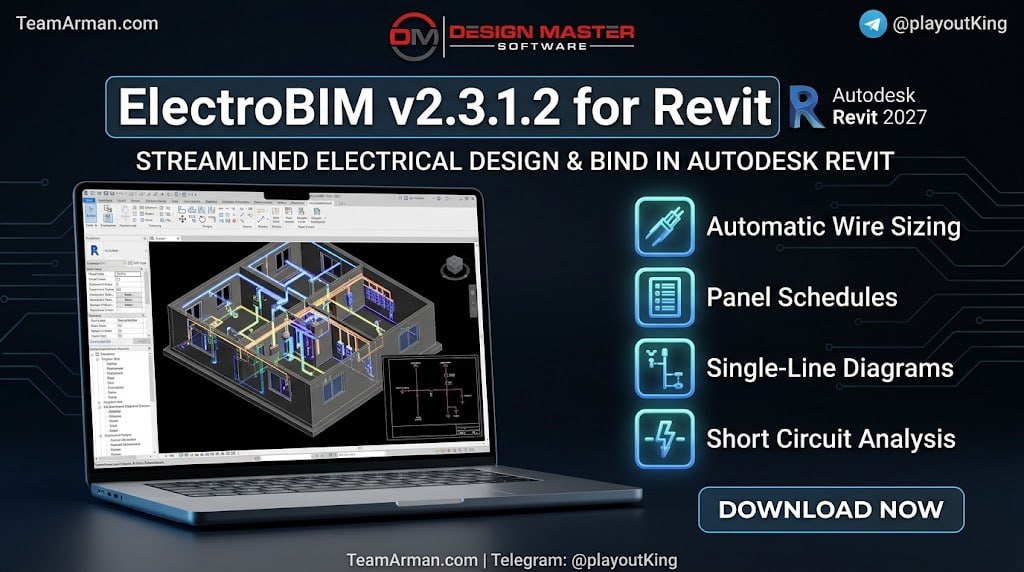
Design Master Software ElectroBIM v2.3.1.2 is an electrical engineering plugin built to automate circuit management, load calculations, and panel schedule creation inside Autodesk Revit 2027. The software is designed for electrical engineers, MEP designers, and design-build contractors who need to bring real electrical engineering calculations into their BIM workflow without leaving the Revit environment.
Unlike standard Revit tools that only manage parameters, ElectroBIM performs actual engineering calculations including feeder and branch circuit wire sizing, fault calculations, voltage drop analysis, and arc-flash calculations. The plugin is trusted by engineering firms across the United States, with users reporting productivity improvements of over 50 percent in their electrical design processes.
Core Electrical Engineering Capabilities
The software brings a comprehensive set of electrical calculations directly into Revit. The software performs automatic feeder and branch circuit wire sizing based on load requirements and code standards, eliminating the manual lookups and calculations that slow down design work. Fault calculations are displayed directly on circuits and devices, giving engineers immediate visibility into available fault current at every point in the distribution system.
Voltage drop calculations run in real-time across the entire distribution system, ensuring that feeders and branch circuits maintain acceptable voltage levels regardless of circuit length. Arc-flash calculations are automated using breaker curves, and the software supports selective coordination with multiple breaker curves displayed on time-current graphs. These capabilities transform Revit from a modeling tool into a complete electrical design environment.
Single-Line Diagrams And Circuit Management
One of its standout features is its ability to generate single-line diagrams automatically from the Revit model. These diagrams stay synchronized with the model and update dynamically when circuit changes occur, eliminating the duplication errors that plague manual diagram creation. The one-line diagram feature saves significant engineering time by ensuring that sheets always have the same information as the model, providing consistency in riser diagram drawings through shared parameters that update automatically with revisions.
Circuit management is handled through comprehensive tree-form panel dialogs that make it easy to see connections and edit circuit assignments. Panel schedules populate automatically from model data, with breaker and wire ampacity set separately for precise control over the design.
What’s New In ElectroBIM v2.3.1.2
The v2.3.1.2 release includes several enhancements that improve functionality and expand compatibility. Full support for Autodesk Revit 2027 is included, ensuring users can leverage the latest Revit features while maintaining their electrical design capabilities. Enhanced calculation features include custom transformer OCP sizes that allow engineers to define default overcurrent protection sizes, specific wire sizing options that enable different sizing methods for individual feeders, and double neutral wire sizing that accounts for current-carrying conductor adjustments per NEC 310.15(C)(1).
Ambient temperature settings now adjust conductor sizing based on NEC 310.15(B)(1), improving accuracy for installations in varying environmental conditions. The user interface has been improved with a Calculate Part of Project button that allows running commands without closing dialog boxes, Highlight Panel and Highlight Circuit buttons for locating devices in the Revit model, and pulldown menus for quick access to Design Master commands.
System Requirements And Installation
ElectroBIM v2.3.1.2 requires Windows 7 SP1 or later operating system and Autodesk Revit 2027, with support also extending to Revit 2021 through 2026. A screen resolution of 1360×768 or greater is required. The software is not compatible with any version of Revit LT and has limited compatibility with Revit MEP 2014-2020 on older software releases.
Installation involves downloading the plugin from the Autodesk App Store or the Design Master Software website, running the installer, and following the on-screen instructions. After installation, ElectroBIM adds two ribbon tabs to Revit containing all the commands needed for electrical design calculations and diagram creation. Updates are straightforward, requiring only that Revit be closed before running the installer, and existing customization and licensing remain unchanged.
Best Use Cases And Applications
The software serves a wide range of electrical engineering scenarios across different project types. Commercial building design benefits from automated panel schedules, feeder sizing, and voltage drop calculations, with the software handling complex distribution systems with multiple panels and circuits. Industrial facilities with specialized electrical requirements, including selective coordination and arc-flash analysis, are well-suited for ElectroBIM’s advanced calculation features.
MEP engineering firms use ElectroBIM to standardize electrical design workflows, ensuring consistent calculations across projects and team members. Projects requiring detailed BIM coordination benefit from ElectroBIM’s ability to maintain electrical data within the Revit model, supporting cloud collaboration through C4R and Revit Server. Design-build contractors use the software to produce accurate and comprehensive materials for complex industrial projects without requiring an in-house engineer.
Advantages And User Feedback
Understanding the strengths of the software helps practitioners evaluate whether it fits their workflow. The software completes what Revit cannot accomplish on its own, with users describing standard Revit as “clunky and incomplete” for electrical design. The easy tree-form panel dialog makes it simple to see different connections, whereas working with Revit alone leaves engineers “working blindly”. Feeder schedules, additional parameters, fault calculations, and voltage drop calculations are crucial for providing clients with complete and reliable products.
One user reported that the software improves personal productivity by over 50 percent. Another user noted that the software has a minimal learning curve, saying “Just push one button and the calculations start working”. The software is particularly valued by firms without dedicated engineers on staff, enabling them to produce professional-grade electrical designs.
Pricing And Licensing
This is available through several licensing options to suit different organizational needs. The Single-User license is priced at $2,500 per seat per year, intended for one operator on multiple computers. The Single-Site Floating license is $6,500 per seat per year with a five-seat minimum, designed for multiple operators in one office. The Multi-Site Floating license is $8,000 per seat per year with a five-seat minimum, intended for multiple operators across several offices. A 30-day free trial with full functionality is available for evaluation.
Frequently Asked Questions
Q1: What is ElectroBIM v2.3.1.2 used for?
It is an electrical engineering plugin for Autodesk Revit that automates circuit management, load calculations, and panel schedule creation within the Revit environment.
Q2: Does ElectroBIM work with Revit 2027?
Yes, ElectroBIM v2.3.1.2 is fully compatible with Autodesk Revit 2027, with support also extending to Revit 2021 through 2026.
Q3: What electrical calculations does ElectroBIM perform?
It performs feeder and branch circuit wire sizing, fault calculations, voltage drop calculations, arc-flash calculations, and selective coordination.
Q4: Can ElectroBIM generate single-line diagrams?
Yes, it automatically generates single-line diagrams that stay synchronized with the Revit model and update dynamically when circuit changes occur.
Q5: Is ElectroBIM compatible with Revit LT?
No, it is not compatible with any version of Revit LT.
Q6: What is the pricing for ElectroBIM?
Single-User is $2,500 per seat per year, Single-Site Floating is $6,500 per seat per year with a 5-seat minimum, and Multi-Site Floating is $8,000 per seat per year with a 5-seat minimum. A 30-day free trial is available.