DartiGeo v.1.0.0.0 Best Geotechnical Software for Soil Analysis and Foundation Design
Download the DartiGeo v.1.0.0.0 Best Geotechnical Software for Soil Analysis and Foundation Design from this link…

Summary
DartiGeo v1.0.0.0 is a comprehensive all-in-one geotechnical engineering software developed by DartisTech that integrates field investigations, laboratory testing, data interpretation, and foundation design into a single unified environment. Unlike traditional workflows that require juggling spreadsheets, separate logging software, and multiple design tools, DartiGeo provides a streamlined platform for geotechnical engineers and site investigation professionals.
The software centralizes critical data from boreholes, SPT (Standard Penetration Test), CPT (Cone Penetration Test), and DCP tests, ensuring accurate and organized project analysis. Its advanced interpretation engine applies correlations and correction factors to derive essential soil parameters such as bearing capacity, settlement, friction angle, and soil behavior type. This enables engineers to perform precise calculations and make informed design decisions.
Key Features
1. Integrated Geotechnical Workflow
DartiGeo eliminates the need to juggle spreadsheets, separate logging software, and design tools. The unified platform handles field data, lab tests, analysis, and reporting in one place.
2. SPT Processing and Correlations
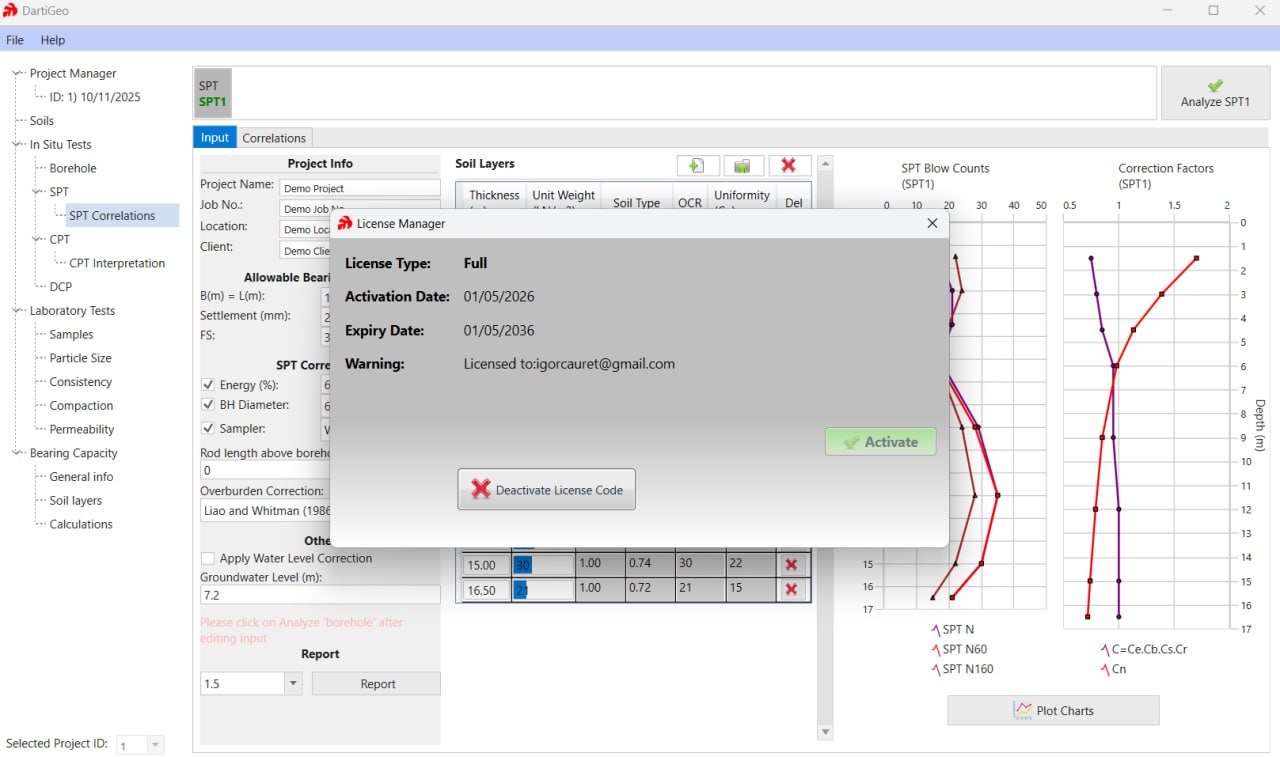
Process Standard Penetration Test (SPT) data with built-in correlations. Derive essential soil parameters including friction angle, soil behavior type, and correction factors.
3. CPT/CPTu Interpretation
Interpret Cone Penetration Test (CPT) and piezocone (CPTu) data. Generate soil behavior type (SBT) charts and derive geotechnical parameters.
4. DCP Support
Analyze Dynamic Cone Penetration (DCP) test data for pavement and shallow foundation evaluations.
5. Laboratory Testing Module
Support for grain size distribution, compaction tests (Proctor), permeability analysis, Atterberg limits (consistency limits), and other lab tests.
6. Bearing Capacity and Settlement Calculations
Calculate ultimate bearing capacity (shear failure) for shallow foundations. Compute total settlement including immediate and consolidation settlement using traditional methods and CPT-derived parameters.
7. Automated Borehole Log Generation
Generate professional, ready-to-print borehole logs instantly. Export logs in 1-page or 2-page formats.
8. Comprehensive Reporting
Create detailed technical reports in PDF, Word, and Excel formats. Standardized reporting improves client deliverables and project efficiency.
9. Excel Data Import
Import bulk data from Excel for large sets of SPT and CPT readings. Streamlines field data collection and integration.
10. Industry-Standard Compliance
Adheres to ASTM standards and widely accepted geotechnical methods. Ensures soil test results and analysis meet industry requirements.
11. Offline Functionality
Use the software offline for 100 days with a valid license. Online license check required after this period.
What’s New in DartiGeo v1.0.0.0
- Version 1.0.0.0 is the initial release with core mapping and geotechnical analysis features.
- Includes integrated workflow for field, lab, design, and reporting. Support for SPT, CPT, DCP, and borehole data analysis.
- Advanced soil parameter interpretation and correlations.
- Bearing capacity and settlement calculations.
- Laboratory testing modules.
- Automated report generation with multiple export formats.
- Excel data import and efficient data management.
System Requirements
To run DartiGeo v1.0.0.0 effectively, your system should meet the following specifications.
Minimum Requirements:
-
Operating System: Windows 7, Windows 8, Windows 8.1, Windows 10, or Windows 11
-
Processor: Any 64-bit processor
-
RAM: 2 GB minimum (4 GB recommended)
-
Storage: 300 MB free disk space
-
Display: 1024 x 768 resolution or higher
Installation Guide
Follow these steps to install DartiGeo v1.0.0.0.
-
Download the Installer: Obtain the official DartiGeo installer from DartisTech.
- Try Before You Buy: Download the official DartiGeo v1.0.0.0 14-Days Free Trial Version.
-
Verify System Compatibility: Ensure your system meets minimum requirements (Windows 7-11, 300MB disk space).
-
Close Other Applications: Close any other engineering or analysis software.
-
Run as Administrator: Right-click the installer and select “Run as Administrator.”
-
Follow the Setup Wizard: Complete license acceptance, installation directory selection, and component configuration.
-
Activate License: Enter license code. The software can be used offline for 100 days after activation.
-
Launch DartiGeo: Open the software and verify installation.
How to Use DartiGeo
Step 1: Import Field Data
Import SPT, CPT, DCP, and borehole data from Excel or enter manually. Use bulk import for large datasets.
Step 2: Process Soil Tests
Run SPT processing with built-in correlations. Interpret CPT/CPTu data for soil behavior type. Analyze DCP data for pavement evaluation.
Step 3: Perform Lab Testing
Input grain size distribution, compaction, permeability, and Atterberg limits test results. Software calculates soil classification and consistency parameters.
Step 4: Calculate Foundation Parameters
Compute bearing capacity for shallow foundations. Calculate total settlement (immediate and consolidation). Use traditional methods or CPT-derived parameters.
Step 5: Generate Borehole Logs
Create professional borehole logs automatically. Choose 1-page or 2-page format.
Step 6: Export Reports
Generate final technical reports in PDF, Word, or Excel. Include all analysis results, borehole logs, and foundation calculations.
Best Use Cases
| Use Case | Application | Key Benefit |
|---|---|---|
| Site Investigation | Borehole logging, SPT/CPT/DCP analysis | All field data in one place |
| Foundation Design | Bearing capacity, settlement calculations | Integrated workflow from soil to design |
| Laboratory Testing | Grain size, compaction, Atterberg limits | Complete soil characterization |
| Pavement Evaluation | DCP analysis, CBR correlation | Quick pavement layer assessment |
| Geotechnical Reporting | Automated borehole logs, final reports | Professional deliverables instantly |
| Small to Medium Projects | All-in-one replacement for 8+ tools | Cost-effective, no software juggling |
Advantages and Limitations
Advantages:
- It replaces 8+ tools with one license, making it more affordable than competing geotechnical software.
- The integrated workflow eliminates switching between spreadsheets, logging software, and design tools.
- Built with real geotechnical workflows to ensure accurate soil test results and analysis.
- SPT, CPT, DCP, and borehole data are all handled in one platform.
- Advanced interpretation engine applies correlations and correction factors automatically.
- Bearing capacity and settlement calculations are included.
- Laboratory testing modules cover grain size, compaction, permeability, and consistency limits.
- Automated report generation saves hours of manual drafting and formatting. Excel data import streamlines field data integration. The software adheres to ASTM standards.
- Offline functionality (100 days) allows use without constant internet.
Limitations:
- It is the initial release, so future features are expected.
- Online license check required after 100 days of offline use.
- Some advanced analysis features may be added in later versions.
- The software is Windows-only with no macOS or Linux version.
Alternatives to DartiGeo
| Software | Best For | Key Difference from DartiGeo |
|---|---|---|
| gINT (Bentley) | Borehole logging, reporting | No SPT/CPT correlations, lab attachments only |
| Novo Suite (NovoSPT, NovoCPT, NovoLab, PeySanj) | SPT, CPT, lab, bearing capacity | Separate modules, more expensive |
| CPeT-IT | CPT interpretation only | No SPT, DCP, lab tests, or foundation design |
| Spreadsheets + separate tools | Low-budget projects | Free but time-consuming, error-prone |
| Manual calculations | Simple projects only | No automation, no reporting |
Frequently Asked Questions
Q1. What is DartiGeo used for?
It is an all-in-one geotechnical engineering software for soil analysis, field data processing, borehole logging, laboratory testing, and foundation design.
Q2. What tests does DartiGeo support?
SPT (Standard Penetration Test), CPT (Cone Penetration Test), DCP (Dynamic Cone Penetration), grain size distribution, compaction tests, permeability analysis, Atterberg limits.
Q3. What calculations can DartiGeo perform?
Bearing capacity (shear failure) for shallow foundations, total settlement (immediate and consolidation), soil parameter correlations (friction angle, soil behavior type).
Q4. Can DartiGeo generate borehole logs?
Yes. It automatically generates professional, ready-to-print borehole logs in 1-page or 2-page formats.
Q5. What export formats are supported?
Reports can be exported to PDF, Word, and Excel.
Q6. Can I import data from Excel?
Yes. It provides Import from Excel functionality for bulk data entry of SPT and CPT readings.
Q7. Does DartiGeo work offline?
Yes. With a valid license, the software can be used offline for 100 days. An online license check is required after this period.
Q8. What are the system requirements for DartiGeo?
Windows 7 through 11, 300MB disk space, 1024×768 resolution, 2GB RAM (4GB+ recommended).
Q9. Is DartiGeo compliant with industry standards?
Yes. DartiGeo adheres to ASTM standards and widely accepted geotechnical methods.
Q10. How does DartiGeo compare to gINT or Novo Suite?
It is all-in-one (SPT, CPT, DCP, lab, bearing capacity, settlement, reporting). gINT has no SPT/CPT correlations. Novo Suite requires separate modules. It is more cost-effective.
Final Thoughts
The software delivers value across multiple use cases. For the site investigator, SPT, CPT, and DCP analysis are integrated. For the laboratory technician, grain size, compaction, permeability, and Atterberg limits tests are centralized. For the foundation engineer, bearing capacity and settlement calculations are built-in. For the project manager, automated reporting speeds deliverables.
What sets DartiGeo apart from competitors like gINT or Novo Suite is the all-in-one approach. The same software that processes CPT data also generates borehole logs and calculates foundation settlement. The same platform that handles lab tests exports professional reports. No separate modules, no additional licenses.
Looking for full-version software without limitations? You’re in the right place. Instead of wasting time on unreliable or outdated sources, unlock a powerful bundle of 10k+ premium tools covering marketing, SEO, broadcasting, automation, and business productivity — all in one place at an affordable price. This collection is specially curated for freelancers, agencies, and business owners who want fast, real results with professional tools.
 Direct contact: Telegram ID :
Join Us For Update Telegram Group :
Join Us For Updated WhatsApp group:
You Can test through AnyDesk before Buying,
And When You Are Satisfied, Then Buy It.
Unlimited PCs/Users.
 Join today and upgrade your workflow with premium tools.