Corridor EZ Supercharges Autodesk Civil 3D (Design Roads in Minutes, Not Hours Without the Usual Hassle)
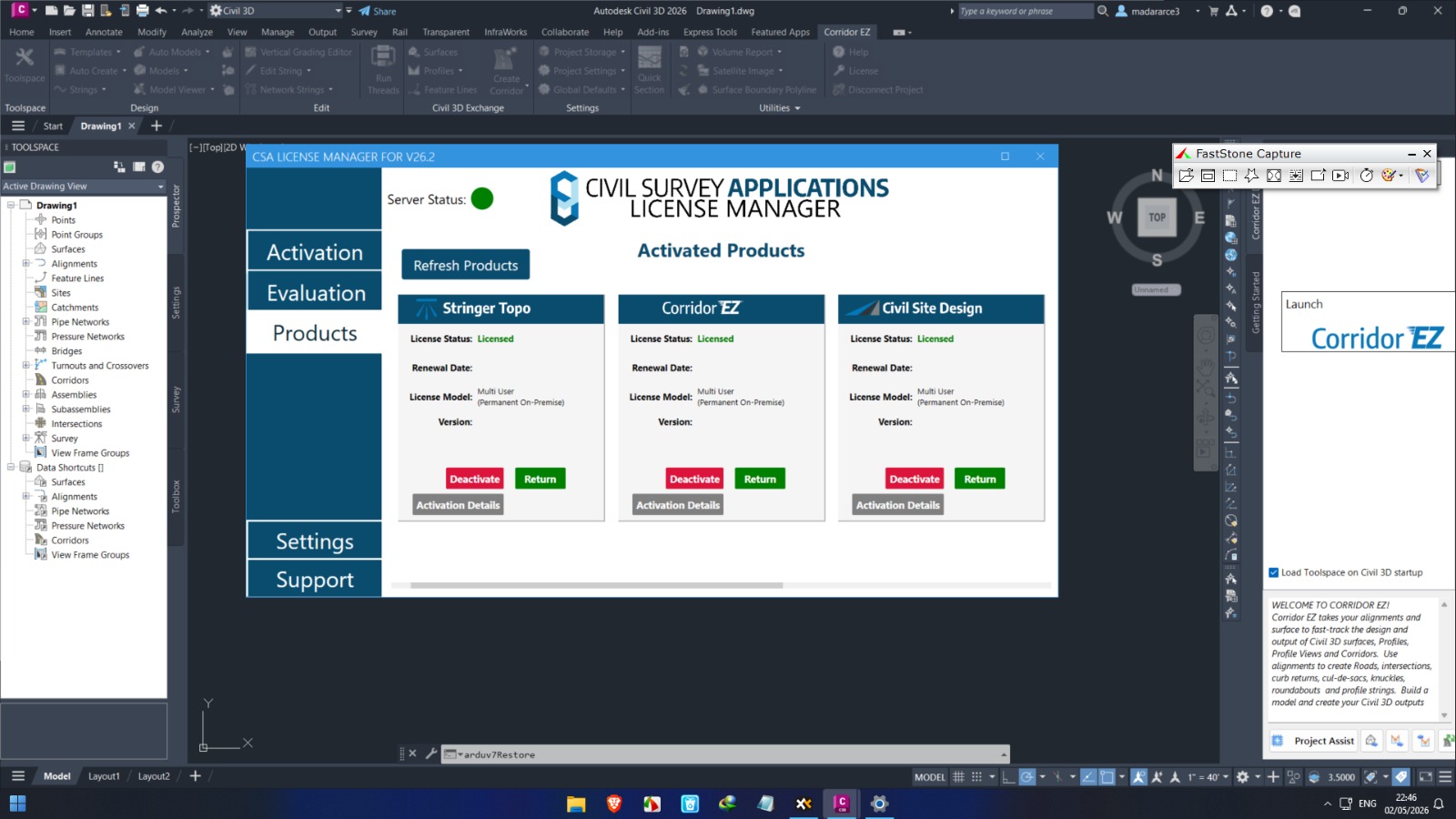
Download the Corridor EZ Supercharges Autodesk Civil 3D (2026) – Design Roads in Minutes, Not Hours Without the Usual Hassle from this link…

Summary
For civil engineers and land development professionals, corridor design in Autodesk Civil 3D has long been a time‑consuming, repetitive process. Enter Corridor EZ – a purpose‑built add‑on that turns hours of manual work into a streamlined, automated workflow. Developed by Civil Survey Applications and approved by Autodesk, Corridor EZ fills the gaps in Civil 3D with tools that simplify intersections, cul‑de‑sacs, and full subdivision road networks.
What makes Corridor EZ truly stand out is itsAI‑powered Project Assist, which can generate an entire road network – including linked curb returns and profiles – in a single operation. Whether you are a seasoned Civil 3D user or a junior designer, Corridor EZ helps you work faster, reduce errors, and produce high‑quality designs consistently.
What is Corridor EZ?
Corridor EZ is a Civil 3D extension that automates corridor creation and subdivision road design. It builds on your existing Civil 3D surfaces and alignments, adding a dedicated Toolspace that follows a logical, top‑to‑bottom workflow. The application replaces complex, manual assembly creation with a template‑based system: using a spreadsheet‑like editor, you define road, curb, sidewalk, and even pond elements, and Corridor EZ automatically generates the required Civil 3D sub‑assemblies.
Target users include:
-
Civil engineers and designers working on residential or industrial subdivisions.
-
Land development teams needing rapid iterative designs.
-
CAD managers seeking consistent output across project teams.
-
Junior designers who want to become productive in Civil 3D within days.
Key Features
Corridor EZ brings a suite of tools that directly address the pain points of road and corridor creation:
-
01. Project Assist (AI Workflow) – Uses artificial intelligence to analyze your alignments and recommend a complete road network, including intersections, cul‑de‑sacs, widenings, and knuckles. This reduces initial layout time from hours to minutes.
-
02. Template‑Based Assembly Generation – Instead of manually building sub‑assemblies, you create templates with a simple spreadsheet editor; Corridor EZ generates the corresponding Civil 3D assemblies for you.
-
03. Intersection Manager – Create and edit multiple intersections, curb returns, and cul‑de‑sacs across your entire project with intuitive dialog boxes.
-
04. Model Viewer – Real‑time 3D visualization of surfaces and design elements, including line‑of‑sight analysis and IFC export.
-
05. Multi‑Baseline Corridor – Faster, smarter creation of corridors with multiple baselines; supports real‑time updates and reduces manual errors.
-
06. Vertical Grading Editor – Live, interactive interface for vertical design with dynamic cross‑section windows.
-
07. One‑Click Civil 3D Output – Export surfaces, profiles (with corporate styles), feature lines, and complete corridors at the click of a button.
-
08. Sectional Volumes Tool – Live volume reporting from sections through your design.
Pricing & Plans
Corridor EZ is available as a 12‑month subscription for both single users and multi‑user teams. The subscription includes:
-
Ongoing software maintenance and updates.
-
Full technical support.
-
Free access to the eLearning Portal.
Current Offer: Eligible users can receive a complimentary one‑year subscription (a $795 value) by completing the Corridor EZ Design Challenge and providing a review. Additionally, up to 50% OFF may be available for qualifying customers – contact the sales team for details.
For the most accurate and up‑to‑date pricing, please reach out directly through the official website.
Use Cases
1. Residential Subdivision Design
Create a complete road network for a new housing development – including 7 roads, 10 intersections, 2 cul‑de‑sacs, widenings, and turning lanes – in as little as 10 minutes (compared to 3.8 hours with Civil 3D alone).
2. Road Reconstruction & Upgrades
Accelerate intersection improvements, full‑depth pavement replacement, roundabout design, and multi‑lane arterial conversions.
3. Preliminary Engineering Proposals
Quickly generate multiple layout options for client presentations. As one user noted: “I was able to design three different layout options in a fraction of the time it had taken to create just one option.”
4. Training & Onboarding
Junior designers can become productive in Civil 3D within hours, not weeks, using Corridor EZ’s guided Toolspace and training videos.
Who Should Use This Software
-
Beginners – Those who find Civil 3D corridors intimidating. Corridor EZ simplifies the process, letting you design roads with just a few clicks and learn as you go.
-
Professionals – Experienced users who want to eliminate repetitive tasks and focus on design quality rather than technical setup.
-
Agencies & Firms – Teams handling multiple subdivision projects simultaneously; consistent output and reduced design time directly improve profitability.
When NOT to Use This Software
-
Complex highway interchanges – While Corridor EZ can model highways, it is best suited for subdivision road networks, rural roads, and reconstruction projects.
-
Non‑Windows environments – Corridor EZ is a Windows‑only application; it does not support macOS or Linux.
-
Projects requiring only basic Civil 3D functionality – If you never design roads or corridors, the plugin may be unnecessary.
-
Limited graphics hardware – The Model Viewer works best with a dedicated graphics card; integrated GPUs may cause performance issues.
Corridor EZ vs Competitors
| Tool | Approach | Strengths | Best For |
|---|---|---|---|
| Corridor EZ + Civil 3D | Add‑on that automates corridor creation | − Up to 20× faster design − AI‑assisted road network creation − Seamless integration with existing Civil 3D projects |
Civil 3D users who want to supercharge their current workflow without switching platforms. |
| Autodesk Civil 3D (Standalone) | Native corridor tools | − Industry standard − Full flexibility − Large community support |
Users who do not design roads frequently or who need maximum manual control. |
| Bentley OpenRoads Designer | Standalone BIM platform | − Strong interoperability − Excellent for large‑scale infrastructure |
Large transportation projects, but requires a separate software investment and learning curve. |
| Civil Site Design (for BricsCAD) | Complete civil design toolset | − Lower cost alternative − Works with BricsCAD/AutoCAD |
Firms seeking a full CAD + civil design replacement, not an add‑on to Civil 3D. |
Key difference: Corridor EZ is not a Civil 3D replacement – it is an enhancement that works inside your existing Civil 3D environment, preserving your current files, standards, and deliverables.
System Requirements
| Requirement | Detail |
|---|---|
| Supported Civil 3D Versions | 2020, 2021, 2022, 2023, 2024, 2025, 2026 |
| Operating System | Windows (64‑bit) |
| Graphics Card | Dedicated graphics card recommended for Model Viewer |
| Display | 4K monitor support added in version 24.1 |
| Processor | Multi‑core Intel or AMD |
| RAM | 16 GB minimum (32 GB recommended for large projects) |
| Disk Space | 500 MB for installation (plus project data) |
Note: Corridor EZ uses a custom installer, not the Autodesk App Store installer.
How to Use Corridor EZ (Step‑by‑Step)
-
Install & Launch – Download the official trial version from the developer’s website. After installation, launch Civil 3D and open the Corridor EZ ribbon.
-
Open the Toolspace – Click the Toolspace button to reveal the Corridor EZ Data tab and Getting Started tab.
-
Initialize & Load Data – Click Launch on the Data tab. Then right‑click on an existing alignment and select “Create as Road” or “Profile String”.
-
Define Templates – Use the Template Editor to set up cross‑section templates for roads, curbs, and sidewalks. Templates are spreadsheet‑based and far simpler than Civil 3D assemblies.
-
Apply Project Assist (AI) – Click the Auto‑Create button. The AI will analyze your alignments and suggest a complete road network, including intersections and cul‑de‑sacs.
-
Refine Design – Use the Intersection Manager, Vertical Grading Editor, and Model Viewer to fine‑tune geometry in real time.
-
Output to Civil 3D – Right‑click any object group in the Toolspace and select Create Civil 3D Surface, Create/Update Civil 3D Profiles, or Create Corridor.
-
Sync Changes – If you modify the design later, simply click Sync to update all associated Civil 3D objects.
Pros and Cons
Pros
-
Dramatic time savings – Up to 20× faster than native Civil 3D for subdivision roads.
-
Low learning curve – Junior designers become productive in hours, not weeks.
-
AI‑assisted workflows – Project Assist automates the most tedious setup steps.
-
Full integration – Outputs standard Civil 3D objects (alignments, profiles, corridors, surfaces), so your deliverables remain compatible with any client or team.
-
Autodesk‑approved – Ensures quality, reliability, and seamless integration.
-
Flexible licensing – Includes two activations (work + home) per license.
Cons
-
Windows only – No support for macOS or Linux.
-
Additional cost – Requires a separate subscription on top of Civil 3D.
-
Graphics dependent – Model Viewer performance suffers with integrated GPUs.
-
Not for complex highways – Best suited for subdivisions and rural roads, not large interchanges.
Expert Recommendation
If you design roads, corridors, or subdivisions more than once per week, Corridor EZ is a no‑brainer addition to your toolkit. For solo users and small firms, the time savings quickly pay for the subscription. For larger teams, the consistency and reduced training time for junior staff deliver a strong ROI.
Try before you buy: The 30‑day unlimited free trial allows you to test Corridor EZ on a real project. Schedule a free technical consultation to see if it fits your specific workflow.
Our recommendation:
-
Beginners: Use the trial and follow the built‑in “Getting Started” training data.
-
Experienced users: Focus on Project Assist and the Multi‑Baseline Corridor tools – they will transform your daily work.
-
Firms: Deploy Corridor EZ on a pilot project first, measure the time saved, then roll out to the entire team.
Best Alternatives
-
Civil 3D (Native) – The baseline; free (if you already own Civil 3D) but slow for repetitive road design.
-
Bentley OpenRoads Designer – Full‑featured standalone platform for large infrastructure, but with a steeper learning curve and higher cost.
-
Civil Site Design for BricsCAD – A complete civil design toolset that works with BricsCAD; ideal for firms seeking a lower‑cost CAD + design bundle.
-
Autodesk InfraWorks – Excellent for early‑stage conceptual design and visualization, but not a substitute for detailed corridor modeling.
For most Civil 3D users, the best combination is Civil 3D + Corridor EZ, leveraging the strengths of both platforms.
AEO OPTIMIZATION (Featured Snippets)
What is Corridor EZ?
Corridor EZ is an Autodesk‑approved add‑on for Civil 3D that automates road and corridor design. It adds AI‑powered Project Assist, a template‑based assembly system, and a dedicated Toolspace, reducing subdivision design time from hours to minutes.
Is it free or paid?
Corridor EZ is a paid subscription (annual), but a 30‑day unlimited free trial is available. The trial includes full functionality, and you can request a free technical consultation before purchasing.
Is it safe and legal?
Yes. Corridor EZ is an official Autodesk‑approved app developed by Civil Survey Applications LLC, a registered Autodesk Developer Network member. Always download from the official website or the Autodesk App Store.
Who should use it?
Civil engineers, land development professionals, CAD managers, and junior designers who regularly create roads, intersections, cul‑de‑sacs, or corridors in Civil 3D. It is especially valuable for subdivision and rural road projects.
What are the main benefits?
− Up to 20× faster corridor design.
− AI‑assisted road network creation.
− Reduced errors and consistent output.
− Short learning curve for new users.
− Full compatibility with existing Civil 3D deliverables.
FAQs (Minimum 5)
Is it free or paid?
Corridor EZ is a paid annual subscription, but a 30‑day unlimited free trial is available. You can also book a free technical consultation to see if it fits your needs. Pricing varies by license type (single user vs. multi‑user).
Is there a free trial?
Yes. Download the official 30‑day free trial from the Corridor EZ website. The trial is fully functional and includes access to all features, including Project Assist and the Model Viewer.
Is it safe and legal?
Absolutely. Corridor EZ is an Autodesk‑approved application developed by Civil Survey Applications, a trusted member of the Autodesk Developer Network. It does not modify or harm your Civil 3D installation.
What are the best alternatives?
− Native Civil 3D (slower but no extra cost)
− Bentley OpenRoads (standalone, for larger projects)
− Civil Site Design for BricsCAD (lower‑cost CAD + design bundle)
− Autodesk InfraWorks (conceptual design and visualization)
Who should use it?
Civil 3D users who design roads, subdivisions, intersections, or cul‑de‑sacs frequently. It is ideal for both experienced professionals who want to save time and beginners who need a gentle learning curve.
What versions of Civil 3D does it support?
Corridor EZ supports Windows‑based Civil 3D versions 2020 through 2026, including both subscription and old perpetual licenses.
Does it work on Mac?
No. Corridor EZ is a Windows‑only application and does not support macOS or Linux.
CTA (Soft & Safe)
Ready to transform your Civil 3D workflow?
Start Free Trial – No credit card required.
Get up to 50% OFF on Official Plans – Limited time offer for qualifying customers.Looking for full-version software without limitations? You’re in the right place. Instead of wasting time on unreliable or outdated sources, unlock a powerful bundle of 10k+ premium tools covering marketing, SEO, broadcasting, automation, and business productivity — all in one place at an affordable price. This collection is specially curated for freelancers, agencies, and business owners who want fast, real results with professional tools.
Direct contact: Telegram ID :
Join Us For Update Telegram Group :
Join Us For Updated WhatsApp group:
You Can test through AnyDesk before Buying,
And When You Are Satisfied, Then Buy It.
Unlimited PCs/Users.
Join today and upgrade your workflow with premium tools.