ColorLogic CoPrA V11 – Best ICC Profiling Software for Professional Color Management 2026
Summary
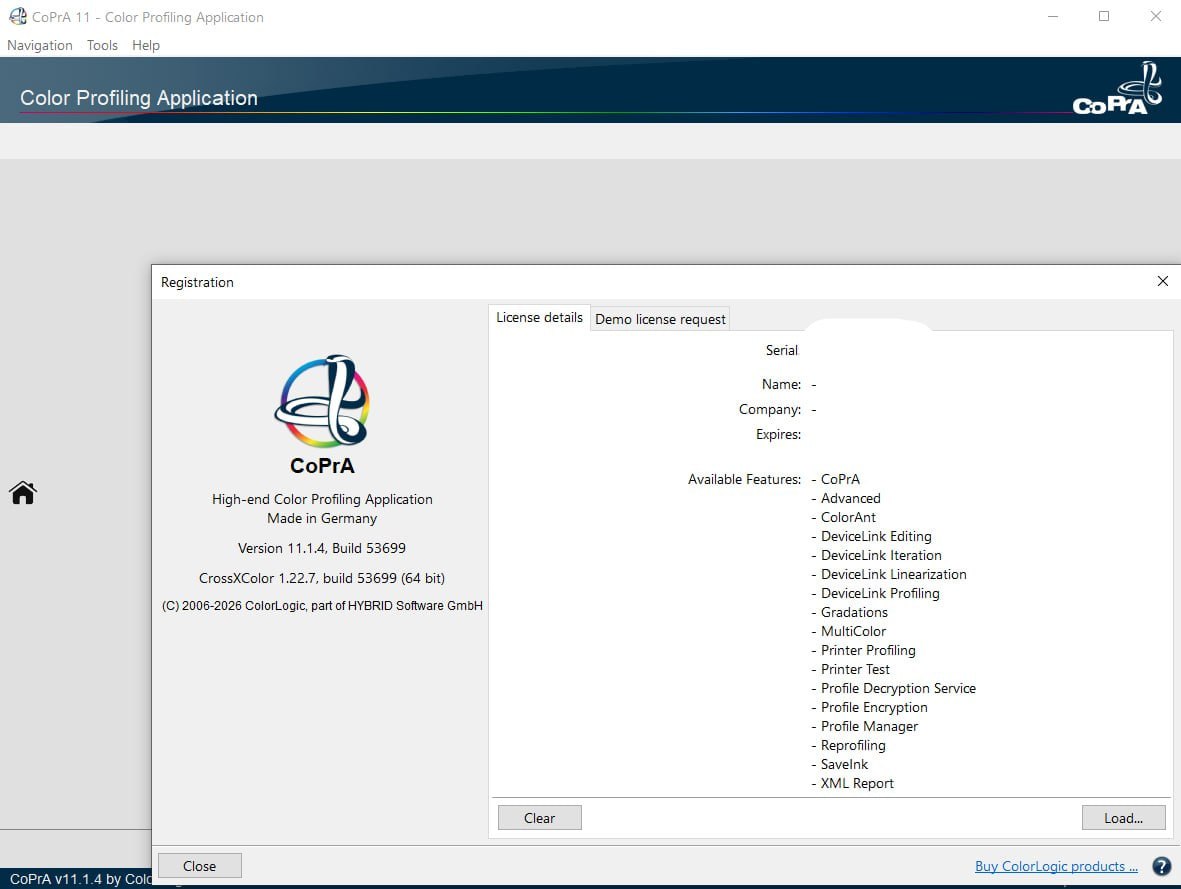
ColorLogic CoPrA is a professional ICC profiling software designed for color management experts, print service providers, prepress professionals, and industrial printing specialists. Unlike basic profiling tools that only create standard CMYK profiles, CoPrA generates advanced ICC profiles for multicolor printing (up to 7 channels), DeviceLink profiles for direct device-to-device conversion, and ink-saving profiles that reduce ink consumption while maintaining color accuracy.
The software is used in commercial printing, packaging, textile printing, ceramic decoration, flexographic printing, and fine art reproduction. It solves the problem of inconsistent color across different printing devices, substrates, and print conditions. With CoPrA, professionals can characterize their printers, presses, or proofing devices and create profiles that ensure predictable, repeatable color.
What This Software Actually Does
This software creates ICC profiles that translate color between devices. A profile characterizes how a printer prints a specific combination of ink, substrate, and screening. Once created, the profile is used in color management workflows (Adobe applications, RIP software, digital front ends) to ensure the printed result matches the intended color.
The profiling process involves printing a test chart containing hundreds or thousands of color patches. The chart is measured with a spectrophotometer (e.g., X-Rite i1iO, i1iSis, Barbieri Spectro LFP). The measurement data is imported into CoPrA. The software calculates the profile based on the measured values and selected options.
ICC Printer Profiles: These are the most common outputs. It creates profiles for any RGB or CMYK printer, including large-format inkjets, digital presses, offset presses, and proofing devices.
DeviceLink Profiles: These are CoPrA’s specialty. Instead of converting from a color space (e.g., AdobeRGB to CMYK), a DeviceLink profile converts directly from one device to another (e.g., proofing printer to production press). This eliminates the need for intermediate color spaces and preserves more color information.
SaveInk Profiles: I reduce ink consumption by replacing CMY build-ups with black or other dark inks. For example, a neutral gray created from 40C/30M/30Y can be replaced with 40K only. The SaveInk module calculates optimal ink reduction while maintaining visual appearance.
Multicolor Profiles: It handles extended gamut printing. For a 6-color press (CMYKOG), it creates a profile that uses all six channels to reproduce the widest possible color gamut.
Industries That Use It
- Commercial Printing and Prepress houses use CoPrA to create press profiles for offset and digital presses. They generate DeviceLink profiles to proof on inkjet printers that match the final press output.
- Packaging and Label Printing uses CoPrA for flexible packaging, folding carton, and label printing where substrate variations and spot colors are common. Multicolor profiles for extended gamut printing (CMYKOGV) reduce the need for expensive spot color inks.
- Textile Printing requires accurate color reproduction on fabrics with varying textures and white points. Its profiling algorithms handle non-uniform substrates and dye-sublimation processes.
- Ceramic Decoration uses CoPrA for digital ceramic printing where colors change significantly after firing. The software’s advanced colorimetric calculations account for color shifts during the firing process.
- Flexographic Printing benefits from CoPrA’s ability to handle the nonlinear characteristics of flexo presses, including dot gain, plate stretch, and anilox roll variations.
Workflow Experience
The typical CoPrA workflow follows a logical sequence from measurement to profile application.
Step 1: Print Test Chart: Select a chart from its library (e.g., IT8.7/4, ECI2002, TC1617). The chart includes color patches arranged in a specific order. Print the chart on the target device using the intended substrate, ink, and screening.
Step 2: Measure Chart: Use a spectrophotometer to read the printed chart. It supports direct connection to measurement devices via USB. The software reads each patch and records the Lab values.
Step 3: Load Measurement Data: Import the measurement file into it. The software displays a verification report showing if the chart was printed and measured correctly.
Step 4: Configure Profile Options: Select profile type (ICC, DeviceLink, SaveInk). Set rendering intent (perceptual, relative colorimetric, absolute colorimetric, saturation). Adjust black generation, total ink limit, and GCR (Gray Component Replacement).
Step 5: Generate Profile: Click Calculate. It performs the mathematical optimization to create the profile. A typical profile generates in 10-30 seconds.
Step 6: Verify Profile: Load the profile into CoPrA’s verification tool. Compare predicted colors against actual measured colors. Check gamut volume, gray balance, and primary color accuracy.
Step 7: Apply Profile: Save the profile as an ICC file. Install it in the operating system or RIP software. Use it in Adobe applications, color-managed workflows, or digital front ends.
Interface Design
Its interface is professional and task-oriented. The main window is divided into sections: Profile Calculation, Measurement Data, Profile Settings, and Verification.
The toolbar provides quick access to common tasks: New Profile, Open Measurement, Calculate, Verify, Save Profile, and Report.
The Measurement Data view displays the measured Lab values for each patch. It includes warnings for patches with out-of-gamut colors or measurement errors.
The Profile Settings panel contains tabs for General Settings (profile type, rendering intent, version), CMYK Settings (black generation, total ink limit, GCR), Multicolor Settings (channel order, ink limits, gamut mapping), and DeviceLink Settings (input/output device combinations).
The Verification view shows a delta-E report comparing predicted and measured colors. Colors are listed from best to worst match. The 3D gamut view displays the profile’s color volume in Lab space.
The interface is not beginner-friendly. Users need a solid understanding of color management concepts (ICC profiles, rendering intents, gamut mapping, black generation). Without this knowledge, the options are overwhelming.
Learning Curve
CoPrA has a steep learning curve. A beginner with no color management background will struggle. A prepress professional with ICC profiling experience will become productive in 1-2 weeks.
- For Absolute Beginners (1-3 months): Learn color management fundamentals: what is a profile, rendering intents, gamut mapping, black generation. Understand measurement devices and test charts.
- For Print Professionals (1-2 weeks): Users familiar with other profilers (i1Profiler, ProfileMaker) can learn CoPrA’s interface and advanced features quickly. The concepts are the same; only the implementation differs.
- For Color Management Experts (2-5 days): Experts appreciate CoPrA’s advanced controls for DeviceLink editing, SaveInk optimization, and multicolor channel handling.
ColorLogic offers training courses (online and in-person). The user manual is comprehensive. The company provides technical support via email and phone.
Output Quality
It produces industry-leading ICC profiles. The mathematical optimization engine is sophisticated, resulting in smooth gradients, neutral grays, and accurate spot color rendering.
- Gamut Volume: It profiles typically achieve larger gamut volumes than competitors when using the same measurement data. The multicolor module is particularly effective at utilizing all available channels.
- Gray Balance: The G7 calibration option produces neutral grays from highlights to shadows. The gray balance report shows delta-E values for each gray patch.
- Smoothness: Profiles from CoPrA exhibit minimal banding or contouring in gradients. The internal smoothing algorithms prevent abrupt color transitions.
- DeviceLink Accuracy: DeviceLink profiles are CoPrA’s strongest output. Direct device-to-device conversion preserves more color information than ICC-based workflows.
- SaveInk Efficiency: Ink reduction of 15-30% is typical without visible color change. ROI calculators show the SaveInk module paying for itself within months for high-volume printers.
Useful Tools
- SaveInk Module: Analyzes the profile and recalculates ink percentages to reduce consumption while maintaining color appearance. Ideal for high-volume printing where ink is a major cost.
- DeviceLink Editor: Directly edits DeviceLink profiles without recalculating. Adjust black generation, ink limits, and channel mapping. Preview changes in real-time.
- G7 Calibration: Implements IDEAlliance G7 grayscale calibration. Creates calibration curves that achieve near-neutral grays across the tonal range.
- Multicolor Module: Handles up to 7 channels (CMYK plus Orange, Green, Violet, or custom spot colors). Generates profiles for extended gamut printing.
- Verification Report: Produces detailed delta-E reports showing profile accuracy. Includes gamut volume, gray balance, primary color accuracy, and spot color rendering.
- Batch Processing: Processes multiple measurement files and generates profiles automatically. Useful for creating profiles for different substrates or screening conditions.
Alternative Solutions
| Software | Key Features | Best For |
|---|---|---|
| CoPrA | Multicolor profiling, DeviceLink, SaveInk | Professional print, packaging, flexo |
| i1Profiler | Basic ICC profiling, free with i1 devices | Entry-level, occasional profiling |
| ProfileMaker | Legacy ICC profiler | Older workflows, no longer developed |
| GMG ColorServer | DeviceLink profiles, ink saving | High-volume production, enterprise |
| Alwan ColorAnt | DeviceLink, ink optimization | Packaging, flexo |
| Manual curve adjustment | Free | Experts who prefer manual control |
Why Choose CoPrA Over i1Profiler? i1Profiler is limited to CMYK and RGB. CoPrA handles multicolor and DeviceLink. The optimization engine is more sophisticated.
Why Choose CoPrA Over GMG? GMG ColorServer is excellent but significantly more expensive. CoPrA offers similar capabilities at lower cost.
Final Thoughts
ColorLogic CoPrA V11 is the professional’s choice for ICC profiling when multicolor, DeviceLink, or ink-saving capabilities are required. For basic CMYK profiling, i1Profiler may be sufficient. For advanced color management in packaging, textile, flexo, or extended gamut printing, CoPrA is the tool.
The software is not for beginners. Color management knowledge is required. The learning curve is steep. The price is significant (thousands of dollars with modules). But for professionals who need the best, CoPrA delivers.
The SaveInk module alone can pay for the software within months for high-volume printers. The DeviceLink module improves proof-to-print matching, reducing remakes and customer rejections. The multicolor module enables extended gamut printing, reducing spot color ink inventory.
For any printing professional serious about color accuracy, consistency, and cost reduction, it is a worthwhile investment. The free trial allows testing on real production files. The results speak for themselves. Your customers will see the difference. Your accountant will see the savings. Your competitors will wonder how you do it.