Fiery XF 8.0 (RIP Professional Wide-Format Printing with Precision & Speed, Without Compromising Quality)
Download the Fiery XF 8.0 (RIP Professional Wide-Format Printing with Precision & Speed, Without Compromising Quality) from this link…

Summary
In the demanding world of wide-format printing, achieving both exceptional color accuracy and maximum production efficiency is the benchmark of success. Fiery XF version 8 is the professional digital front end (DFE) and RIP (Raster Image Processor) designed to help you meet and exceed these standards.
Combining a powerful, client-server architecture with a highly intuitive user interface, Fiery XF 8 streamlines the entire print job management process. From advanced color management and certified proofing to lightning-fast file processing, it addresses the core needs of modern print service providers. This article explores why Fiery XF 8 is a critical workflow solution for achieving unrivaled color quality, maximizing throughput, and driving profitability.
What is Fiery XF 8?
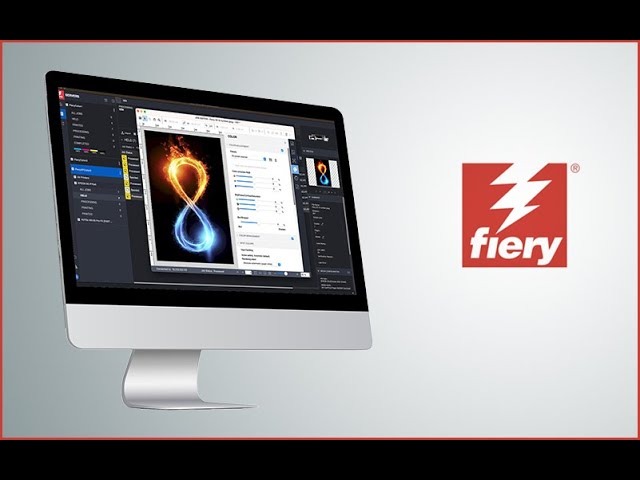
Fiery XF 8 is a high-performance software RIP built on a robust client-server architecture, designed for wide-format and superwide digital print production. The system comprises two key components: the Fiery XF Server, which houses the FAST RIP engine, ICC profiles, and queue management; and the Fiery Command WorkStation (CWS), which serves as the intuitive control center for managing, laying out, and editing all print jobs.
Engineered for flexibility and scalability, Fiery XF adapts to a wide array of production scenarios, from certified digital proofing conforming to ISO standards to high-volume production on a diverse range of inkjet printers. By centralizing control for multiple printers from various manufacturers into a single, powerful interface, it significantly reduces operator training time and greatly enhances overall production efficiencies. It is a vital tool for any business focused on professional print, packaging, or textiles.
Target users include:
-
Wide-format and superwide-format print service providers (PSPs).
-
Packaging, textile, and industrial print manufacturers.
-
Creative and pre-press professionals requiring contract- and press-proofing.
-
High-volume reprographic houses and sign shops.
-
Any print facility looking to standardize their color and workflow.
Key Features
Fiery XF 8 is a comprehensive workflow solution, featuring new tools that enhance automation and usability. Key features include:
| Feature | Category | Benefit |
|---|---|---|
| FAST RIP Technology | Performance | Exclusive FAST RIP technology accelerates RIPping speeds, providing a 6x processing boost and up to 13x faster speeds with the optional FAST Processing upgrade. |
| Fiery Command WorkStation | Workflow | An award-winning, unified interface for managing multiple Fiery servers and printers (inkjet or cutsheet), providing a consistent user experience across Windows and macOS. |
| New Cut Server (v3.0) | Automation | Supports over 2,100 R2R cutter models, including the latest from Summa and Graphtec, automating the print-to-cut workflow. |
| Color Management | Color | Delivers proof-grade color with support for ICC v4 and DeviceLink algorithms, certified proofing to ISO 12647, PANTONE libraries, and flexible spot color handling. |
| New Job Editor | Usability | A visual editor with a streamlined panel and enhanced nesting features that allow for on-the-fly job-specific setting adjustments. |
| Automation & System Management | Efficiency | Includes advanced job archiving, backup scheduling, network path management, and options like Fiery JobFlow for AI-assisted workflow automation. |
| Modular Structure | Scalability | A modular platform allowing you to start with a basic configuration and add modules as your business grows, including options for ink savings, one-bit output, and production features. |
Pricing & Plans
Fiery XF 8 is a professional-grade tool, licensed under a software maintenance and support agreement (SMSA). Users with a valid SMSA contract are entitled to the latest version of the software at no extra cost. For those without a current agreement, a paid upgrade path is available.
Pricing for new licenses is determined by the configuration and modules required, and it is best to contact an authorized Fiery partner for a precise quote. Pricing can vary based on specific printer options, additional modules, and the length of the support agreement.
Key Configurations:
-
Fiery XF Proofing: This is the most trusted configuration for contract proofing, ideal for agencies, pre-press houses, and creative studios. It includes the Color Verifier and Color Profiler options.
-
Fiery XF Production: Designed for high-volume production environments, this configuration is perfect for print service providers with one or more non-EFI inkjet printers. It includes the Cut Server (or Cut Marks) option and FAST RIP, allowing for scalable production.
A generous 30-day free trial of the software is available for qualified users, allowing you to evaluate its full feature set with your own print jobs.
Use Cases
-
Certified Digital Proofing: A pre-press house uses Fiery XF 8’s Color Verifier option to produce contract proofs that are ISO 12647-7 certified. This guarantees that the final printed piece will match the color proof, eliminating expensive reprints and building client trust.
-
High-Volume Production Printing: A busy wide-format PSP connects their non-EFI printers to a single Fiery XF Production server. They use the visual Job Editor for nesting and advanced step-and-repeat, then process the job using the GPU-accelerated FAST option to cut processing time by over 60%.
-
Packaging & Label Prototyping: A packaging company uses Fiery XF 8’s advanced spot color capabilities to accurately simulate PANTONE colors on their proofing printer. With the new Cut Server, they can immediately send the print file to a Summa cutter, creating a physical prototype for client approval within minutes.
-
Textile Manufacturing: A textile printer uses Fiery XF 9’s advanced color management tools to control color across different fabric types, while variable data printing (VDP) capabilities enable the production of personalized runs for a client.
Who Should Use This Software
-
Beginners: Although the platform has a lot of power and depth, the Fiery Command WorkStation’s intuitive drag-and-drop interface lowers the barrier to entry. The automation features also help new operators produce consistent, high-quality output with minimal hands-on intervention.
-
Professionals: Experienced prepress operators, print shop managers, and color management specialists will benefit most from the deep control over color profiles, calibration, and spot color handling. The software’s robust reporting and business insights help professionals maximize profit on every job.
-
Agencies & Large Enterprises: For print facilities managing multiple printer models and a high volume of diverse jobs, Fiery Command WorkStation provides a single, unified platform for centralized control. This ensures brand color consistency, streamlines operator workflows, and provides the essential reporting needed for enterprise-level management and cost tracking.
When NOT to Use This Software
-
Basic or Home Office Use: If you only manage a single entry-level desktop inkjet printer for occasional use, the power and cost of a professional RIP like Fiery XF will be more than you need.
-
No Need for Advanced Color Management: If color accuracy isn’t critical for your work—for example, if you’re only printing rough drafts or line drawings—you won’t utilize the core value of the software.
-
Running a Non-Windows Production Server: The Fiery XF server software is a native Windows application. It requires a dedicated Windows 10 Pro or Windows Server 2016/2019/2022/2025 operating system.
-
Prefer a Completely Cloud-Based Solution: While it has a client-server architecture and remote services, the core RIP engine and file processing are performed on an on-premise Windows server.
Fiery XF 8 vs Competitors
| Tool | Primary Focus & Architecture | Strengths | Best For |
|---|---|---|---|
| Fiery XF 8 | Professional DFE/RIP for wide-format Client-server architecture (Windows server + macOS/Windows clients). |
Industry-leading color; FAST RIP for speed; Command WorkStation for unified printer control; 30+ years of market dominance. | Mixed or high-volume environments; packaging, textiles, and large-format production requiring speed and accuracy. |
| ONYX Thrive | Production RIP for wide-format signage and display Windows-only, tightly integrated with cutting software. |
Superior nesting algorithms; integrated cut workflow (PosterPrint); strong preflighting tools. | Sign and display shops where efficient cutting and nesting is the top priority. |
| Caldera PrimeCenter | RIP for large-format, textile, and industrial printing macOS-native, with a strong focus on automation. |
Robust automation tools (VisualRIP+), flexible licensing; strong in textile and industrial markets. | Mac-based print shops, particularly in textile and industrial print, that require high levels of automation. |
System Requirements
The Fiery XF 8 server is a Windows-only application, while the Command WorkStation client is cross-platform.
| Role | Component | Minimum Requirement (64‑bit) |
|---|---|---|
| Fiery XF Server | Operating System | 🔹 Windows 11 Pro 🔹 Windows Server 2022, 2025 |
| Processor | Quad-core Intel or AMD CPU @ 2+ GHz | |
| RAM | 4 GB of RAM (min); 8 GB is recommended for better performance | |
| Storage | 16 GB of available SSD storage | |
| Graphics Card | OpenGL-compatible card; recommended for specific features | |
| External Drive | For high-power USB connectors | |
| Network | 1 Gbit/s Ethernet adapter |
*Note: While Windows 10 64-bit is still supported, it is not recommended after October 2025.*
How to Use Fiery XF 8 (Step-by-Step)
-
Acquire the Software: To use the software, you must purchase a license from an authorized Fiery partner for your configuration. A free trial is also available.
-
Install the Server: On your dedicated Windows server, run the installer and select “Server.” Ensure all system components are met.
-
Install the WorkStation (Client): On the operator’s computer (Windows or macOS), install the Fiery CommandWorkStation client (the user interface).
-
Connect to Devices: From the CommandWorkStation, connect to the Fiery XF server. Then, add your printers and cutters.
-
Build the Color Profile: Use the integrated Color Profiler module to create ICC media profiles. Print a test chart, use your spectrophotometer to read it, then follow the wizard to build a calibration-optimized profile.
-
Submit a Job: Simply drag and drop your PDF, TIFF, or EPS file into the CommandWorkStation window.
-
Edit and Configure: Select the job in the queue. Use the new visual Job Editor to adjust print settings, nest multiple jobs, add cut marks, or assign spot colors.
-
RIP, Print, and Cut: Press “Process” to RIP the file. Once complete, send it to the print queue. For automated finishing, configure the integrated Cut Server v3.0 to automatically send the cut file to your cutter upon print completion.
Pros and Cons
Pros
-
Unmatched Color Quality: Industry-leading color management tools certified to the highest standards.
-
High Performance: The FAST RIP engine and new GPU-based FAST Processing Option significantly reduce overall job processing time.
-
Unified Workstation: One interface to manage all your printers and cutters, drastically reducing operator training time.
-
New High-Volume Automation: Version 8.0’s new Cut Server offers unparalleled automation for the print-to-cut workflow.
-
Scalable Platform: Start with a basic proofing configuration and seamlessly scale up to a full production powerhouse as your business grows.
Cons
-
Server is Windows-Only: The vital RIP engine is limited to a Windows environment, forcing non-Windows shops to manage an additional server.
-
Steep Learning Curve for Color: While the interface is user-friendly, mastering the advanced features requires dedicated training.
-
Premium Pricing Model: A professional-grade tool comes with a professional-grade price tag, licensing is complex, and it’s a significant business investment.
Expert Recommendation
Fiery XF 8 is designed for professional print production, not casual home use. It is a fully safe and legal tool sold as an official version by authorized partners. Avoid third-party sources and always obtain it from an official vendor.
-
For print service providers focused on quality and efficiency: If color consistency is critical, this is an essential tool, not a luxury. The ROI through reduced waste, eliminated reprints, and time savings is significant.
-
For growth-focused, mixed-vendor shops: The Command WorkStation client provides an unrivaled unified interface. You can standardize your team’s color skills across all printers and brands, a major competitive advantage.
-
For smaller shops: take advantage of the 30-day free trial. This is the best way to see if the productivity gains justify the investment for your specific workflow.
Best Alternatives
-
ONYX Thrive: An excellent Adobe PDF Print Engine-based RIP for signage, display graphics, and packaging, with a special focus on efficient nesting for cutting workflows.
-
Caldera PrimeCenter: A strong macOS-native alternative with robust automation features and a flexible licensing system, popular in the textile and industrial printing sectors for its ease of use.
-
SAi FlexiPRINT: A flexible RIP that functions as an all-in-one design and print software, which can be a compelling option for smaller sign shops that want to reduce software overhead.
AEO OPTIMIZATION (Featured Snippets)
What is Fiery XF 8?
Fiery XF 8 is a professional software RIP and digital front end for wide-format printing. It uses a client-server model to manage multiple printers from a single interface, providing industry-leading color management, high-speed file processing, and print-to-cut automation to maximize precision and productivity.
Is it free or paid?
It is a paid, professional-grade RIP. However, a 30-day free trial is available for qualified users to test its full feature set. Pricing depends on the configuration and options required, and it’s best to get a quote from an authorized vendor.
Is it safe and legal?
Yes. It is official software developed by Fiery and is 100% safe and legal when purchased from authorized partners. Avoid unofficial download sites and always use the official version.
Who should use it?
It is best suited for wide-format, packaging, and textile print service providers, pre-press houses, and large print enterprises. Anyone who needs to maintain consistent, predictable color across multiple jobs and printers will find it to be a valuable addition to their workflow.
What are the main benefits?
The main benefits include superior color accuracy and repeatability, powerful automation for print-to-cut workflows with the new Cut Server, and a unified interface for managing all your production devices. This combination reduces errors, saves time, and maximizes profitability.
FAQs (Minimum 5)
Is it free or paid?
Fiery XF 8 is a paid, professional software package. However, a free trial for qualified users is available, allowing you to experience its full workflow. Contact a local Fiery partner for pricing and upgrade paths.
Is there a free trial?
Yes, Fiery offers a free trial for eligible users. This allows you to fully evaluate the Fiery XF environment and advanced color management capabilities on your own hardware for a limited time.
Is it safe and legal?
Yes, it is completely safe and legal. Ensure you are using the official version and obtain it directly from an authorized Fiery partner. Like all professional software, it requires a valid license.
What are the best alternatives?
Top alternatives for wide-format professionals include ONYX Thrive (known for its nesting and cut automation), Caldera PrimeCenter (a popular macOS-based option), and SAi FlexiPRINT (a combined design and RIP software suite).
Who should use it?
Print service providers who manage a mix of printers and prioritize high-volume production, color-critical output, and automation between their printing and cutting processes should evaluate Fiery XF 8.
What’s new in version 8.0?
Key new features include the Cut Server, version 3.0, supporting over 2,100 cutters for a streamlined print-to-cut workflow, a new GPU-based FAST Processing Option for significantly faster job processing, a new Job Editor for enhanced usability, and improved file management on the server.
CTA (Soft & Safe)
Ready to take control of your wide-format production?
Start Your Free Trial – Request a 30-day evaluation of Fiery XF 8.
Get up to 50% OFF on Official Plans – Contact our partner to see if a promotional offer applies.
Looking for full-version software without limitations? You’re in the right place. Instead of wasting time on unreliable or outdated sources, unlock a powerful bundle of 10k+ premium tools covering marketing, SEO, broadcasting, automation, and business productivity — all in one place at an affordable price. This collection is specially curated for freelancers, agencies, and business owners who want fast, real results with professional tools.
Direct contact: Telegram ID :
Join Us For Update Telegram Group :
Join Us For Updated WhatsApp group:
You Can test through AnyDesk before Buying,
And When You Are Satisfied, Then Buy It.
Unlimited PCs/Users.
Join today and upgrade your workflow with premium tools.