DJB Radio Studio Automation v9.5.1.0 (Powerful Broadcast Radio Automation Software) Latest 2026
Summary
DJB Radio Studio Automation is a professional broadcasting software suite created by DJB Radio Software that handles scheduling, on-air playback, satellite integration, and remote voice-tracking for radio stations. The software has been developed by broadcast professionals since 1994 and is used by small market stations, local-area clusters, and mid-to-sized radio groups worldwide.
Whether you are running a community internet radio station, a commercial FM broadcaster, or a college radio training facility, DJB Radio provides the tools needed to sound professional and operate efficiently. The suite is known for its lightweight technical requirements, allowing stations to use off-the-shelf PCs while maintaining broadcast-quality output.
Complete Ecosystem And Module Overview
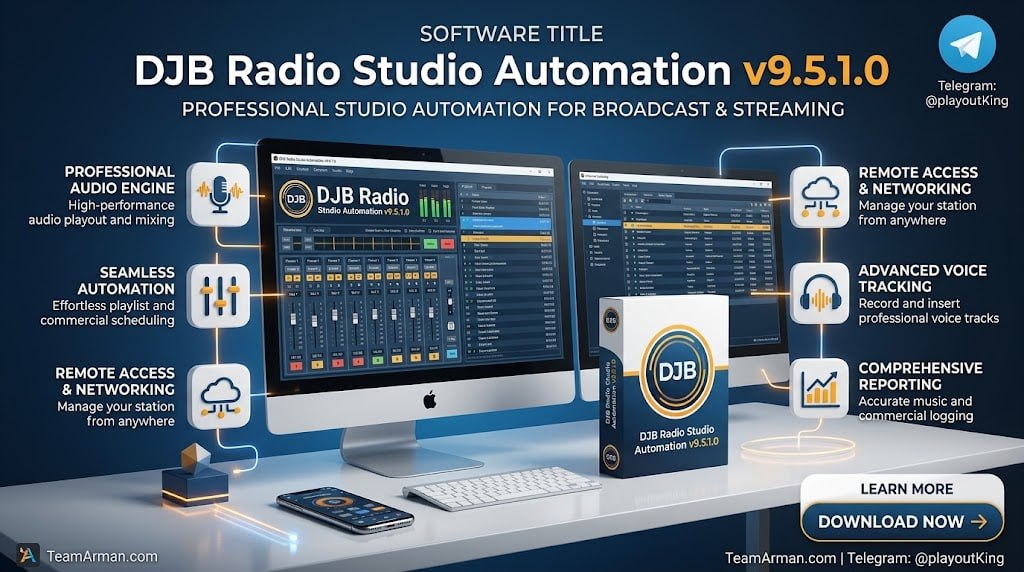
DJB Radio Studio Automation offers a comprehensive ecosystem of modules designed to address every aspect of radio station operations. DJB Radio On Air / ZONE handles live-assist, automated scheduling, and satellite grid switching, providing the core automation engine for professional broadcasting. DJB Radio Studio is a streamlined solution for smaller setups, home studios, and podcasting with a 10-channel virtual mixer, based on the wildly popular Button Box “infinite cart-wall” software.
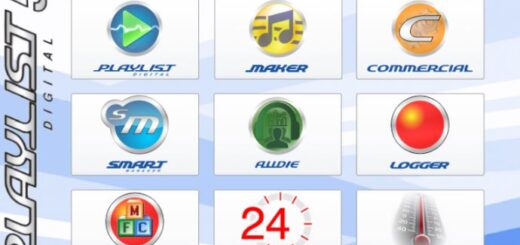
DJB Radio Spider automatically downloads and formats content retrieved from the web, enabling hands-off import of audio files straight to your Production library. DJB Radio Logger skims, monitors, and records up to 24 stereo channels for compliance or archiving purposes. Together, these modules form a complete solution for stations of any size.
On-Air Playback And Live-Assist Features
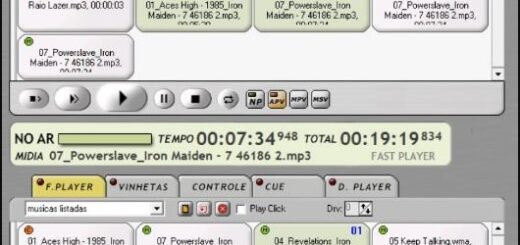
DJB Radio On Air is a bright and colorful interface that is both intuitive and easy to use with a mouse or a touchscreen, loaded with information for your air talent and putting all tools right at your fingertips. The software supports drag and drop items in the main play stack and allows operators to toggle between Hot Key, Local Weather, Audition, and Audio Library widgets.
Built-in Razor Blade editor enables recording callers and editing audio on the fly during live broadcasts. The interface is designed for live-assist operation, with large buttons and customizable Zones that make using DJB Zone On Air a dream on a touchscreen. An infinite number of hot key banks provides an endless soundboard for instant audio playback.
Production Suite And Audio Management
DJB Radio Production gives you full control over your audio universe, allowing you to add, delete, move, edit, and categorize your tracks. The software includes a built-in Razor Blade editor for recording new cuts or editing existing tracks, and you can set dayparts and create Multi-Cut rotators to handle ID and Promo traffic.
Metadata editing capabilities allow you to add tempo and gender coding for proper music rotation. The Production interface features a drop-down list of all stations within a radio group for seamless switching between markets in multi-station operations. Batch import features let you add multiple tracks at once, with auto segue marker preparation for air.
Voice Tracking Capabilities
DJB Radio VoiceTracking is designed for amateurs and pros alike, taking the guesswork out of laying down tracks same-day or a week out. The software’s promise of “the perfect voice-track, every time” is brought to life with timers and simple visual cues that tell your talent exactly how long to record, while auto-post and duck features handle the rest.
DJB Radio stores your voice tracks in their own database so there is never an “oops” moment a week or a month later. For remote operations, iVT (Internet Voice Tracker) takes the guesswork out of laying down tracks remotely, with recording, audition, and upload functions followed by automatic post and duck processing.
Scheduling And Log Management
DJB Radio’s built-in Scheduler allows you to put multiple logic and timing commands into one log to take and release satellite inputs, create fixed timing elements, schedule local spot and imaging fill, and even add your own music or long-form programs to run seamlessly with your satellite programming.
You can even schedule a URL right in the main log. The software’s Log Editor gives you full control over your station’s sound, allowing you to edit and massage your content all within the Production software. For satellite-fed stations, DJB Zone can log schedule and play out a web stream URL within a daily log or back-to-back URLs with breakaways and rejoins.
DJB Radio Studio – Podcasting And Internet Radio
DJB Radio Studio Automation allows you to connect up to 10 audio sources to a PC, laptop, or Windows tablet for instant, professional audio podcasting or long-form recording. The on-screen virtual mixer features per-channel VU and lets you mix the local cart-wall or play-stack audio with any external USB mic, audio interface, or analog device and simply record your podcast with the push of a button.
Pause and resume your recording as needed, then edit the final product in an easy-to-use waveform editor. The software includes a scheduler to rotate music, IDs, and other elements, a database editor to catalogue and categorize your audio, and drag-and-drop functionality to move tracks onto the cart-wall and clean them up with the waveform editor.
System Requirements And Technical Specifications
DJB Radio Studio Automation is known for its “skimp technical requirements” that save money while maintaining professional performance. Any off-the-shelf PC that meets the minimum specification (Intel i5, 16GB RAM, SSD Boot Disk, GB LAN) can act as an On Air, Production, or Server workstation. The DJB standard of “audio card freedom” means you can use an inexpensive USB audio interface or even on-board sound for flawless reproduction of WAV (PCM), MP3, MP2, FLAC, ACC, or iTunes m4a files.
The software supports most Windows Direct Audio or USB devices and supports AudioScience and Digigram professional cards, along with IP audio drivers for Dante, WheatNet, and Axia Livewire. For remote access, DJB Technical uses TeamViewer exclusively.
Frequently Asked Questions
Q1: What is DJB Radio Studio Automation used for?
It is a professional broadcasting software suite for radio stations that handles scheduling, on-air playback, satellite integration, and remote voice-tracking.
Q2: What modules are included in the DJB Radio ecosystem?
DJB Radio On Air/ZONE (automation), DJB Radio Studio (podcasting/internet radio), DJB Radio Spider (content retrieval), and DJB Radio Logger (compliance recording).
Q3: What are the system requirements for DJB Radio?
Minimum: Intel i5, 16GB RAM, SSD Boot Disk, GB LAN. The software works with USB audio interfaces or on-board sound for WAV, MP3, FLAC, and other formats.
Q4: Does DJB Radio support voice tracking?
Yes, DJB Radio VoiceTracking is designed for both amateurs and professionals, with timers and visual cues to ensure perfect voice tracks every time.
Q5: Can DJB Radio run automated 24/7 broadcasts?
Yes, the built-in Scheduler allows you to create clocks and rotate music, IDs, and promos for automated 24/7 operation.
Q6: Is there a free trial available for DJB Radio Studio Automation?
Contact DJB Radio directly for trial availability and pricing. The company offers subscription bundles starting at $89/month with a $595 initial setup cost.