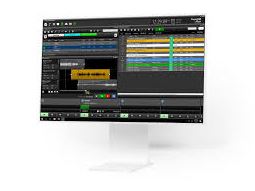
MobileEdit Forensic v9.8 Ultra (Smart Software for Data Extraction and Analysis) Download

Summary
MobileEdit Forensic is a professional mobile forensic software designed for law enforcement agencies, forensic investigators, private detectives, and corporate security teams. Unlike basic phone backup tools that only save contacts and photos, MobileEdit Forensic extracts deleted messages, call logs, chat histories from over 50 social media apps (WhatsApp, WeChat, LINE, Telegram, Viber, Facebook Messenger, Instagram), and recovers hidden or encrypted data directly from iOS and Android devices.
The software serves a critical role in digital evidence acquisition. Investigators use it to extract data from seized phones without altering the original evidence, maintain chain of custody, and generate court-admissible reports. The Ultra edition supports advanced features including physical extraction (bit-by-bit copy of device memory), bypassing screen locks on older devices, and recovering data from damaged or water-damaged phones that no longer boot normally.
For a forensic investigator, the software bridges the gap between physical extraction and logical extraction. It extracts deleted SQLite records, cached thumbnails, system logs, and artifacts that standard backup tools ignore. This makes it valuable for cases involving digital evidence where every piece of recoverable data matters.
Interface Comparison
MobileEdit Forensic presents a clean, two-panel interface that prioritizes workflow over aesthetics. The left panel displays the connected device tree showing partitions, applications, and file systems. The right panel shows detailed data for the selected item. This layout mirrors professional forensic tools like Cellebrite UFED and Oxygen Forensic Detective, which forensic examiners already understand.
Compared to open-source alternatives like Autopsy or commercial options like Magnet AXIOM, MobileEdit is significantly easier to navigate. Autopsy requires manual configuration of ingest modules and deep understanding of file carving. Magnet AXIOM offers a polished interface but costs several thousand dollars per license. MobileEdit Forensic sits in the middle, professional enough for serious investigations but accessible enough for smaller agencies or solo practitioners.
Speed And Optimization
Extraction speed depends on three factors: the device’s storage capacity, the amount of deleted data present, and the extraction method used. For a typical Android phone with 64GB storage and logical extraction, MobileEdit completes the process in 15 to 30 minutes. Physical extraction of the same device takes 1 to 3 hours depending on read speed and USB connection quality.
The software uses minimal system resources during extraction. A standard forensic workstation with 8GB RAM and an Intel Core i5 processor runs the software without slowdowns. The biggest bottleneck is USB transfer speed using USB 3.0 or USB-C ports significantly reduces extraction time compared to USB 2.0. For batch processing multiple devices, the software supports queuing. An investigator can connect a device, start extraction, move to the next device, and let the software process sequentially. This is useful for labs processing dozens of phones in a single operation.
Creative Flexibility
In forensic context, “creative flexibility” means the ability to customize extraction parameters, filter results, and search across datasets. It offers flexible keyword search across all extracted data messages, contacts, call logs, GPS locations, Wi-Fi networks, Bluetooth pairings, installed applications, and system logs.
The software allows investigators to create custom extraction profiles. For example, a profile could target only WhatsApp, WeChat, and Telegram data while ignoring photos and videos. Another profile could extract only call logs and SMS messages from the last 90 days. This reduces analysis time when investigators know exactly what evidence they need.
The software supports exporting data in multiple formats. A CSV export works for importing into Excel for further analysis. HTML export generates a browsable report. PDF export produces court-ready documentation. XML export allows integration with other forensic tools or case management systems.
Advanced Functions
MobileEdit Forensic includes several advanced functions that distinguish it from basic extraction tools.
Deleted Data Recovery is the most critical advanced function. The software recovers SQLite records marked as deleted but not yet overwritten. This includes deleted text messages, WhatsApp chats, LINE messages, WeChat conversations, Telegram chats, and Viber messages. Recovery success depends on how long ago the data was deleted and how much the device has been used since deletion.
Application Parsing extracts data from over 50 social media and messaging applications. Each app stores data differently; some use encrypted databases (WhatsApp, Telegram), some use plain SQLite (LINE, Viber), some use custom formats (WeChat). It includes parsers for each supported app, eliminating the need for investigators to manually decode database schemas.
Password Bypass works on older Android devices (Android 4-7) with known vulnerabilities. The software can bypass screen locks on these devices without wiping data. For newer Android versions and all iPhones, the software requires the device to be unlocked or in backup mode.
Physical Extraction creates a bit-for-bit copy of the device’s internal storage. This captures deleted data that logical extraction misses, including unallocated space and system partitions. Physical extraction requires more time and storage space but provides the most complete evidence capture.
Cloud Extraction retrieves data from Google Drive, iCloud, and manufacturer cloud backups. This is useful when the physical device is unavailable or damaged beyond repair. The investigator needs the target’s cloud credentials or legal authorization to access the account.
Similar Tools
| Software | Primary Use | Price | Key Difference |
|---|---|---|---|
| MobileEdit Forensic Ultra | Forensic extraction | $499-999 | One-time license, no hardware dongle |
| Cellebrite UFED | Law enforcement forensic | $8,000-15,000 | Hardware required, industry standard |
| Oxygen Forensic Detective | Full forensic analysis | $1,800-3,600/year | Subscription, more expensive |
| Magnet AXIOM | Digital forensics | $5,000-10,000/year | Enterprise focused, higher cost |
| Autopsy with plugins | Open-source forensics | Free | Requires technical expertise, manual configuration |
| Dr.Fone – Data Recovery | Consumer data recovery | $50-100 | Not forensic, no chain of custody |
MobileEdit occupies a unique position in the market. It offers professional forensic capabilities without the enterprise price tag of Cellebrite or Magnet AXIOM. It is more capable than consumer recovery tools like Dr.Fone. And it is significantly easier to use than open-source alternatives like Autopsy.
Strengths And Weaknesses
Strengths:
- One-time license pricing is a major advantage over subscription-based competitors.
- A forensic lab can buy MobileEdit Forensic and use it indefinitely without annual renewal fees.
- The software supports over 50 social media and messaging apps, covering most applications used in investigations.
- WhatsApp, WeChat, LINE, Telegram, Viber, Facebook Messenger, Instagram, Signal, Kik, and Snapchat are all supported.
- No proprietary hardware required. The software works with standard USB cables and any Windows PC.
- This is a significant cost saving compared to Cellebrite UFED, which requires $15,000+ hardware.
- Deleted data recovery works reliably on devices that have not been heavily used after deletion.
- The software recovers SQLite records, cached thumbnails, and system logs.
Weaknesses:
- Password bypass is limited to older Android versions (4-7).
- Modern Android devices and all iPhones require the device to be unlocked or in backup mode.
- The software does not include a built-in database viewer for manual SQLite analysis.
- Investigators who need to examine raw database files must export them to third-party SQLite browsers.
- Customer support is email-only. There is no phone support or live chat.
- Response times vary from a few hours to a few days.
- The software is Windows-only. Mac or Linux users must run it in a virtual machine or use alternative tools.
User Experience
Forensic examiners report that MobileEdit is straightforward to learn. A new investigator with basic understanding of mobile operating systems can perform a logical extraction within an hour of first using the software.
The installation process is simple. Download the installer, run it, accept the license agreement, and choose installation location. The software does not require separate driver installations for most devices; it automatically detects and installs required USB drivers when a device is connected.
The extraction wizard guides users through each step: connect device, enable USB debugging (Android) or trust this computer (iOS), select extraction type (logical or physical), choose applications to parse, select output format, and start extraction. Progress indicators show estimated time remaining and data volume extracted.
The main weakness in user experience is the lack of a built-in tutorial or walkthrough for first-time users. New examiners must refer to the PDF manual or online videos to understand advanced features like physical extraction and cloud extraction.
Report generation is simple but limited. The software produces basic PDF, HTML, or CSV reports with extracted data and metadata. It does not include timeline analysis, link analysis, or geographic mapping features found in premium tools like Oxygen Forensic Detective.
Final Verdict
MobileEdit Forensic v9.8 is an excellent choice for law enforcement agencies, forensic labs, private investigators, and corporate security teams that need professional mobile forensic capabilities without the enterprise price tag of Cellebrite or Magnet AXIOM.
However, the software has limitations. Password bypass works only on older Android devices. There is no built-in timeline or link analysis. Customer support is email-only. It is Windows-only.
The recommendation: start with MobileEdit for routine casework. If the caseload justifies the expense, add Oxygen Forensic Detective for advanced analysis. If the agency has the budget and needs industry-standard admissibility, invest in Cellebrite UFED.
Frequently Asked Questions
Q1. What devices does MobileEdit Forensic v9.8 Ultra support?
The software supports thousands of Android devices from Samsung, Xiaomi, Huawei, Oppo, Vivo, Google Pixel, OnePlus, LG, Sony, and others running Android 4 through Android 14. It also supports iPhones running iOS 7 through iOS 17.
Q2. Can MobileEdit Forensic recover deleted WhatsApp messages?
Yes. The software recovers deleted WhatsApp messages from both Android and iOS devices, provided the database records have not been overwritten. Recovery success depends on how long ago the messages were deleted and how much the device has been used since deletion.
Q3. Does MobileEdit Forensic require rooting or jailbreaking?
No. The software works on unmodified Android and iOS devices. Physical extraction on some Android devices may require unlocking the bootloader, but logical extraction works without any modification.
Q4. What is the difference between logical and physical extraction?
Logical extraction pulls data that the device’s operating system can access contacts, messages, call logs, photos, installed apps. Physical extraction creates a bit-for-bit copy of the device’s storage, including deleted data, unallocated space, and system partitions. Physical extraction is more thorough but takes longer and requires more storage space.
Q5. Is the software legally admissible in court?
MobileEdit generates reports with hash values, timestamps, and chain of custody documentation. The admissibility of extracted data depends on the investigator following proper forensic procedures (maintaining chain of custody, using write-blocking where applicable, documenting the extraction process). The software itself does not guarantee admissibility.