Bentley Microstation 2026 (26.00.02.039) 3D Infrastructure Design
Summary
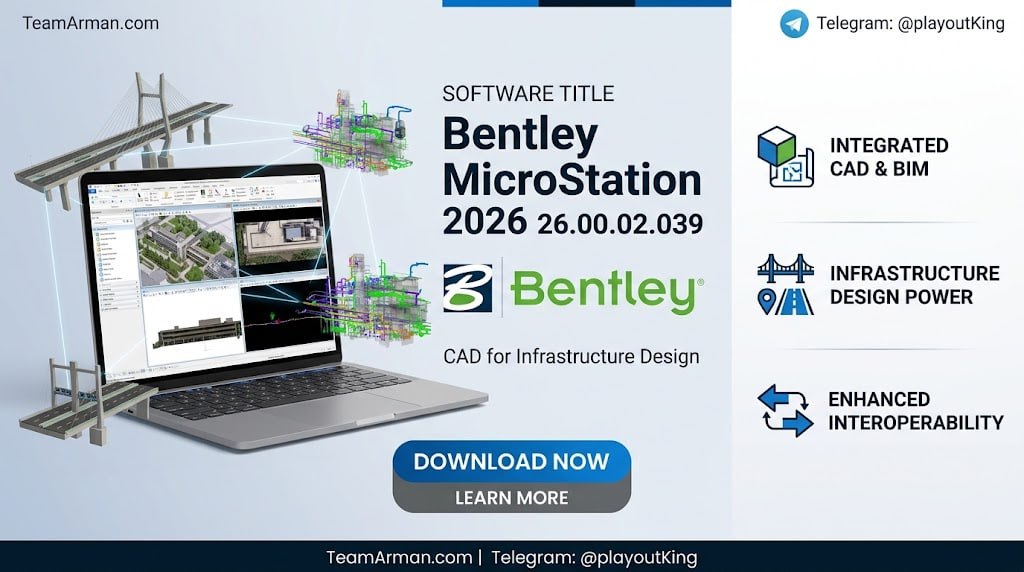
Bentley MicroStation 2026.2 (v26.00.02.039) is an advanced infrastructure design and 3D modeling CAD software released in August 2026. It is built for architects, engineers, construction professionals, and infrastructure owners who design and manage complex infrastructure projects including roads, bridges, buildings, utilities, and industrial facilities.
It provides a comprehensive environment for 2D drafting and 3D modeling, with interoperability across Bentley’s ecosystem of design and engineering applications. The 2026.2 release introduces several AI-powered features and enhanced geospatial capabilities that streamline workflows and improve design accuracy across disciplines.
Python Assistant And AI-Powered Automation
The software’s latest version 2026.2 introduces the Python Assistant (Tech Preview), an AI assistant designed to help users create Python scripts more easily. Python scripting and automation are now more accessible to a broader range of users, enabling beginners and experts alike to automate repetitive tasks, customize workflows, and unlock innovation with AI-generated scripts.
This feature simplifies coding, accelerates productivity, and opens limitless possibilities for extending MicroStation’s capabilities, turning automation into a powerful advantage for every user. Using Python Assistant in MicroStation automates repetitive tasks to boost efficiency, generates scripts quickly even for beginners, enables custom workflows and advanced integrations, unlocks innovation with Python’s vast ecosystem, and reduces manual effort, freeing time for high-value work.
Bentley Copilot – AI-Powered Onboarding And Help
Bentley Copilot (Tech Preview) is an AI-powered assistant embedded in it, designed to accelerate onboarding, eliminate friction when finding answers, and deliver contextual guidance in natural language. The feature bridges knowledge gaps, adapts to user background, and transforms every question into a learning opportunity, helping teams work smarter and faster.
Using Bentley Copilot reduces onboarding time from days to hours, provides contextual natural-language guidance inside MicroStation, bridges AutoCAD-to-MicroStation terminology gaps, learns company standards for personalized workflows, and improves productivity by eliminating downtime and guesswork. This is particularly valuable for firms transitioning from AutoCAD to MicroStation or for new team members who need to ramp up quickly.
3D Geospatial Context Dialog For Real-World Design
Its 3D Geospatial Context Dialog (Tech Preview) delivers immersive real-world visualization by integrating curated global datasets like Cesium World Terrain, OSM Buildings, and Google Photorealistic 3D Tiles. Built on open 3D Tiles standards, it ensures interoperability, efficient streaming, and enhanced design decisions for infrastructure projects worldwide.
The feature provides access to curated global datasets for real-world context, supports open 3D Tiles for interoperability, delivers immersive visualization for better design decisions, streams massive datasets efficiently for smooth performance, and enhances collaboration with standards-based workflows. For infrastructure projects, this real-world context is essential for site planning, environmental impact assessment, and stakeholder presentations.
Configurations Wizard And Component Center 2.0
The new Configurations Wizard delivers an intuitive, guided setup experience that removes scripting barriers and accelerates productivity in it. Using best-practice templates, teams can quickly create consistent, standard-ready configurations and get projects started faster without scripting. The wizard eliminates complex scripting from configuration creation, provides faster time to productivity with predefined templates, ensures consistent standards across projects, and simplifies configuration management for new setups or system resets.
This feature is particularly valuable for organizations that need to standardize their MicroStation configurations across multiple users and projects, reducing setup time and ensuring compliance with company standards. Component Center 2.0 is a smarter, cloud-based library for managing and reusing design components. With deeper integration, governance, and a modern UI, it ensures consistency, compliance, and scalability, connecting components from design to delivery and enabling iTwin-ready workflows for digital projects.
The feature centralizes approved components for consistency and compliance, integrates deeply with MicroStation and Bentley Infrastructure Cloud, enables connected and traceable components for digital delivery, improves collaboration and scalability for enterprise teams, and provides a modern intuitive UI for easy navigation.
Hardware Improvements And SpaceMouse Integration
The software includes significant improvements to the user interface and hardware integration. The updated Space Mouse integration delivers smooth, intuitive 3D navigation with advanced modes, SmartUI customization, and certified compatibility for all current and future devices. This enhancement improves performance for large models, accelerates workflows, and ensures a future-proof experience for professionals who demand precision and speed.
The integration enhances 3D navigation with modern modes and SmartUI, improves performance for large complex models, offers customizable workflows and certified compatibility, future-proofs integration with all current and upcoming devices, and boosts productivity through intuitive responsive controls. The software also introduces a new Windows 11 Light theme option, providing users with a modern interface that matches their operating system preferences.
Search Location Tool And GCS Enhancements
A new Search Location tool enables fast project setup via address lookups, simplifying the process of establishing geographic coordinates for infrastructure projects. Enhanced Geographic Coordinate System (GCS) dialogs provide more comprehensive control over coordinate system definitions and transformations, ensuring accurate positioning of design data in real-world locations. These tools are particularly valuable for infrastructure projects that span multiple jurisdictions or require precise alignment with existing geospatial data.
System Requirements And Availability
The software is available from Bentley Systems through their official website and authorized resellers. The software runs on Windows operating systems and requires a system that meets Bentley’s recommended hardware specifications for optimal performance. For detailed system requirements, users should consult the official Bentley MicroStation product page. The software is available through Bentley’s licensing programs, including perpetual licenses and subscription options. A trial version may be available for evaluation.
Frequently Asked Questions
Q1: What is Bentley MicroStation 2026.2 used for?
It is an advanced infrastructure design and 3D modeling CAD software for architects, engineers, and construction professionals working on roads, bridges, buildings, utilities, and industrial facilities.
Q2: What is Python Assistant in MicroStation 2026.2?
It is an AI assistant that helps users create Python scripts more easily, enabling automation of repetitive tasks, customization of workflows, and innovation with AI-generated scripts.
Q3: What is Bentley Copilot?
It is an AI-powered assistant embedded in MicroStation that provides contextual natural-language guidance, accelerates onboarding, bridges AutoCAD-to-MicroStation terminology gaps, and improves productivity.
Q4: What is the 3D Geospatial Context Dialog?
It is a feature that integrates curated global datasets including Cesium World Terrain, OSM Buildings, and Google Photorealistic 3D Tiles for immersive real-world visualization of infrastructure designs.
Q5: What is Component Center 2.0?
It is a cloud-based library for managing and reusing design components, ensuring consistency, compliance, and scalability with iTwin-ready workflows.
Q6: Does MicroStation 2026.2 support SpaceMouse devices?
Yes, the software includes updated Space Mouse integration with advanced modes, SmartUI customization, and certified compatibility for current and future devices.