IronCAD Design Collaboration Suite 2027 Complete Best CAD Software Overview
Summary
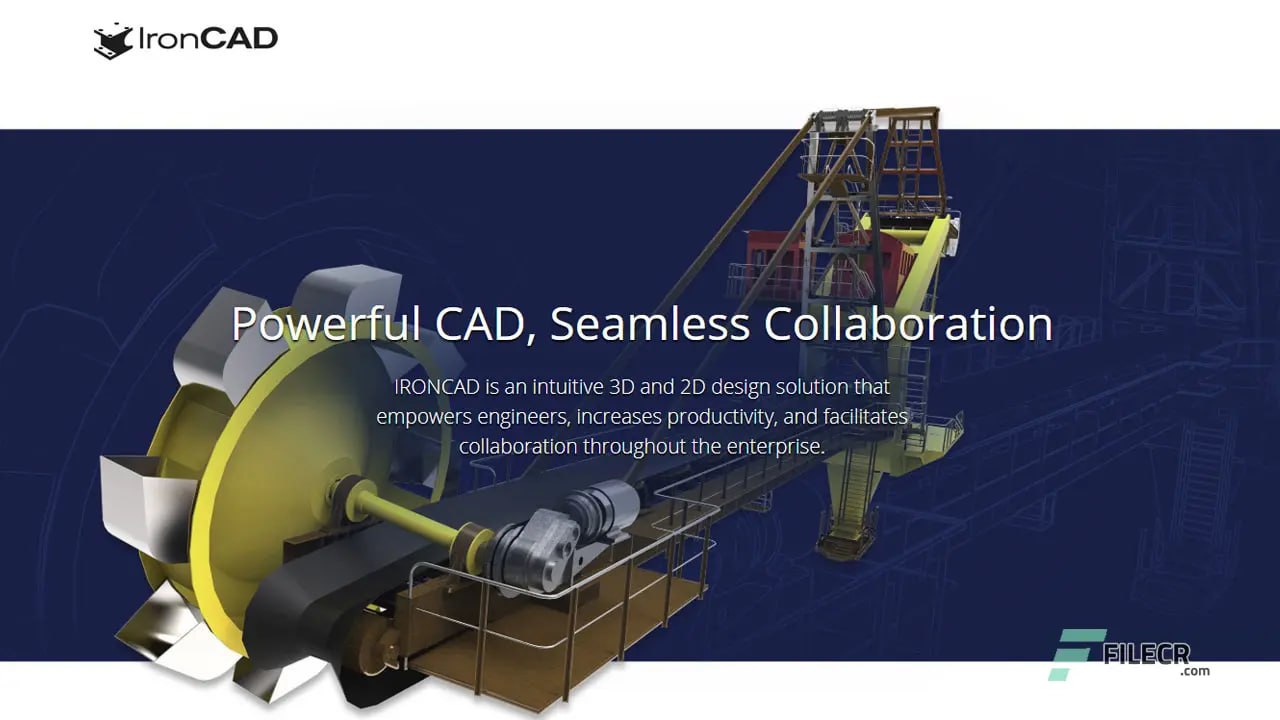
IronCAD Design Collaboration Suite 2027 is a comprehensive 3D and 2D CAD platform designed to connect engineering, sales, and manufacturing departments within an organization. Unlike traditional CAD software that focuses only on designers, IronCAD creates tools for everyone involved in product development. Engineers model the parts. Sales teams present interactive models to customers. Manufacturing shops extract drawings and BOMs for production. All of this happens without losing data or requiring advanced engineering expertise from non technical team members.
The suite includes several specialized modules. IRONCAD is the core desktop 3D modeling environment for engineers. IRONCAD COMPOSE is a free tool built specifically for non engineers like sales teams and customers to view and interact with CAD models. IRONCAD INOVATE is a cost effective 3D software that bridges the gap between basic viewers and full CAD seats, allowing users to modify design concepts without deep CAD backgrounds.
The 2027 version introduces major new features including AI Chatbot, AI Design Assistant, AI Drawing Assistant, and Python integration. These tools are available free to trial and commercial users through December 31st, 2026. The release also delivers substantial performance gains in load and save operations, improved linking capabilities for external files, flexible assembly support, and smart annotation enhancements in 2D drawings.
What This Software Actually Does
It solves a fundamental problem in product design. Most CAD software is designed for engineers only. When a salesperson needs to show a custom configuration to a client, they cannot use the CAD software. When a manufacturer needs to extract a drawing, they need the full software. It changes this by providing different tools for different roles, all working from the same data.
The 2027 version adds powerful new capabilities. The AI Design Assistant lets you describe what you need in natural language. For example, you type “create a stainless steel water tank that holds 500 gallons with a flat bottom and side access port” and the AI searches your catalog, configures components, and builds the complete model in seconds. The AI Drawing Assistant learns from your existing drawings and automatically applies your company annotation styles, dimensioning practices, and tolerances to new drawings. The Python integration exposes IronCAD entire API to Python, allowing users to automate repetitive tasks, batch process designs, and integrate with external systems.
Industries That Use It
This is optimized specifically for industrial equipment and machinery manufacturing, metal fabrication and tooling manufacturing, assembly layout and design of industrial facilities, and modular product manufacturers.
Heavy machinery manufacturers use IronCAD to design large assemblies with thousands of parts. The 2027 performance improvements mean these massive models open and respond significantly faster. Engineers can navigate complex equipment designs without waiting for the software to catch up. The flexible assembly support allows the same sub assembly like a robotic arm or conveyor module to appear in multiple configurations within one project with different behaviors. This is essential for designing production lines where the same component works differently at different stations.
Tooling and mold makers use IronCAD for precision tooling design. The feature recognition improvements help when importing foreign CAD files. The direct edit capabilities for limited link parts allow manufacturers to activate and edit external components while maintaining performance benefits. The improved linking architecture provides better internal data management.
Workflow Experience
The workflow in IronCAD starts with drag and drop. You open the software and see catalogs of intelligent components on one side. You drag a steel beam into the scene. It snaps to your grid. You drag another beam. It snaps to the first one automatically. You drag a connector. It snaps to the beams. This is not like traditional CAD where you draw lines and extrude shapes. This is assembling from pre built intelligent components.
When the model is ready, you switch to the drafting environment. It generates 2D drawings from the 3D model. Views, sections, and details are created with clicks. Dimensions can be added automatically using the smart annotation tools. The AI Drawing Assistant in version 2027 learns from your existing drawings. Once trained on your historical drawings, it automatically applies your annotation styles, dimensioning practices, tolerances, and notes to new drawings. This reduces detailing time by 50 to 80 percent.
For sales and clients, you export to IronCAD COMPOSE. This free tool runs on any Windows computer. The client loads the model, rotates it, zooms in, and even assembles modular configurations by dragging components. They see exactly what they will get. No surprises. No change orders.
Interface Design
The IronCAD interface is designed around productivity. The main window shows your 3D scene. On the left side, catalogs contain all your reusable components. You can create your own catalogs for company standard parts. On the right side, the scene browser shows the assembly tree. The top ribbon organizes tools into tabs for home, modeling, assembly, drafting, and analysis.
The 2027 version includes camera enhancements that make navigation faster. One handed camera controls use mouse button combinations. Middle button plus left button pans. Middle button plus right button zooms. Middle button click plus left button walks through the model. The visual orbit pivot shows a colored sphere that indicates the rotation center. Orange means the background or scene center. Cyan means the geometry center. This visual feedback helps you understand exactly what you are rotating around.
For users who prefer dark themes or light themes, this supports both. The interface is customizable. You can arrange toolbars, create keyboard shortcuts, and save workspace layouts for different tasks. Modeling workspace has different tools than drawing workspace. You can switch between them with tabs.
Learning Curve
This is known for being easier to learn than traditional parametric CAD software. There are several reasons for this.
First, the drag and drop catalog system means you do not need to model everything from scratch. Standard components like bolts, bearings, steel profiles, and hydraulic cylinders are already in catalogs. You drag them into your scene. They are intelligent. They know how to attach to other components. A beginner can assemble a simple machine in hours instead of days.
Second, the TriBall tool eliminates complex move and rotate commands. In traditional CAD, moving a component requires selecting the component, choosing a move command, selecting a start point, selecting an end point, and confirming. The TriBall reduces this to drag and drop. Select the component. The TriBall appears. Drag the arrow. The component moves. Anyone who has used 3D software can understand this immediately.
Third, the unified file structure means no external reference management. In traditional CAD, assemblies reference many external part files. If you move a file or rename it, the assembly breaks. Beginners struggle with this constantly. It keeps everything in one file. There is nothing to break. You share one file and it always works.
For beginners, the recommended learning path is first learn the catalog system. Drag components into a scene. Position them with the TriBall. Assemble a simple project like a workbench or cart. Second, learn sketch based modeling. Create a custom bracket using extrude and cut operations. Third, learn assembly constraints and flexible assemblies. Fourth, learn drawing generation and annotation. Most new users become productive within two to four weeks of regular use.
Output Quality
The 2027 version includes smart annotation improvements that produce more concise, standards compliant drawings with reduced manual cleanup. The system remembers simple modifications to attachment points for smart annotations during updates. Text and arrow placement during creation is improved. Automatic item bubble placement and positioning is better. The result is drawings that look professional and meet industry standards with less manual editing.
For hole callouts, the auto dimension tool now supports hole callout information directly. Cosmetic threads for through holes always use the primary line type. Isometric views support linear dimensions on piping and complex geometry. Section line arrow length can be adjusted with handles. Circular hole patterns are automatically detected for dimensioning.
For BOMs, the 2027 version includes bidirectional association between 3D BOM and 2D BOM. Changes in either environment update the other. Expressions can be added in batch across multiple rows in the 3D BOM. Batch renaming during save helps organize files systematically.
For sheet metal, the bend angle parameters give you control over bend geometry. Bend table improvements make it easier to define bend allowances and deductions. Closed corner support on mirrored parts ensures consistent corner treatments.
For rendering, It supports photorealistic visualization. The 2027 version includes camera settings that allow perspective view when not looking directly at orthographic directions. This makes rendered images look more natural. The visual orbit pivot helps frame shots precisely.
For 3D output, IronCAD exports to 3MF format for 3D printing. The web view improvements make it easier to share models through browsers. The native translators handle imports and exports with external CAD systems preserving design intelligence.
Useful Tools
This includes several specialized tools that make it more than just modeling software.
The TriBall tool is the most famous. It is patented and unique to IronCAD. When you select any component or face, the TriBall appears. Use it to move, rotate, or copy geometry. You can also use it to measure distances and angles. The TriBall alone saves significant time compared to traditional CAD move and rotate commands.
The catalog system is another key tool. You drag components from catalogs into your scene. But catalogs are not just libraries. They contain intelligent components with smart attachments. A steel beam knows how to connect to a column. A hydraulic cylinder knows how to extend and retract. You can create your own catalogs with your company standard parts. Once created, these parts are reusable across all projects.
The skeleton design feature introduced in 2027 brings top down modeling. You create a skeleton model that contains sketches, planes, axes, curves, and reference geometry. You mark geometry as public for controlled sharing. Then you use copy operations to propagate this geometry into other parts. Change the skeleton once and all dependent parts update. This is powerful for family of products where many variations share common reference geometry.
The AI Design Assistant is revolutionary. You describe what you need in natural language. The AI searches your catalog, understands the metadata including descriptions, engineering parameters, materials, and smart attachments, and proposes complete solutions. With one click, you accept and generate the fully built model. You can modify the configured modeling steps or ask follow up questions to refine the design.
The AI Drawing Assistant learns from your existing drawings. Once trained, it automatically applies your annotation styles, dimensioning practices, tolerances, symbols, and view preferences to new drawings. It recognizes components and features, then places dimensions, GD&T, surface finishes, weld symbols, and BOM callouts exactly where your team expects them.
The Python integration exposes the entire IronCAD API to Python. You can write simple Python scripts to automate repetitive tasks, batch process designs, generate complex models programmatically, integrate with PLM systems or ERP, or build custom add ons. This transforms IronCAD into a programmable platform.
Final Thoughts
IronCAD Design Collaboration Suite 2027 represents a significant evolution in CAD software. The addition of AI tools and Python integration moves it beyond traditional modeling into intelligent design assistance. The free AI chatbot available through December 2026 helps new users learn faster. The AI Design Assistant turns natural language descriptions into actual manufactured parts using your own catalog data. The AI Drawing Assistant learns your company standards and applies them automatically.
FAQ
Q1: What is IronCAD Design Collaboration Suite 2027?
It is a complete 3D and 2D CAD platform that connects engineering, sales, and manufacturing. It includes IRONCAD for engineers, IRONCAD COMPOSE for non engineers, and IRONCAD INOVATE for basic CAD users.
Q2: Is IronCAD COMPOSE really free?
Yes. IronCAD COMPOSE is completely free. It allows non engineers to load CAD data, interrogate geometry, review drawings, and assemble layouts from modular components.
Q3: What are the new AI features in IronCAD 2027?
It includes an AI Chatbot for real time help, an AI Design Assistant that builds models from natural language descriptions, and an AI Drawing Assistant that learns your annotation styles and applies them automatically.
Q4: Does IronCAD support Python programming?
Yes. It native support for the official Python Package (python-ironcad) that exposes the entire IronCAD API to Python for automation and customization.
Q5: What file formats can IronCAD import and export?
It can open and edit files from multiple external CAD systems including SolidWorks, Inventor, Creo, STEP, IGES, and more. Exports include STEP, IGES, DWG, DXF, 3MF, and many others.
Q6: Is IronCAD good for large assemblies?
Yes. The 2027 version includes performance improvements specifically for large scale industrial assemblies with thousands of parts. The unified file structure eliminates missing external file issues.
Q7: What is the TriBall tool?
The TriBall is a patented IronCAD tool that appears when you select any component. It provides visual axes and rings for moving, rotating, copying, and measuring geometry through simple drag and drop.
Q8: Is there a free trial available for IronCAD 2027?
Yes. Free trials are available through the official IronCAD website. The AI Chatbot is also free to all trial and commercial users through December 31st, 2026.
Q9: What industries is IronCAD best suited for?
It is optimized for industrial equipment manufacturing, metal fabrication, tooling manufacturing, assembly layout of industrial facilities, and modular product manufacturers.
Q10: Where can I buy IronCAD Design Collaboration Suite 2027?
Purchase directly from the official IronCAD website or through authorized resellers. Always buy licensed software. Do not use cracked or pirated versions.