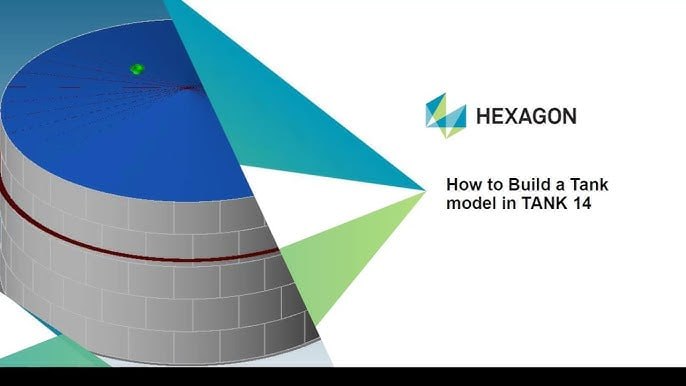
Hexagon TANK v14.00.00.0117 – Storage Tank Design and Analysis Software for Oil and Gas
Download the Hexagon TANK v14.00.00.0117 – Storage Tank Design and Analysis Software for Oil and Gas from this link…

Summary
Hexagon TANK is a professional storage tank design and analysis software developed by Hexagon (formerly COADE Inc.). It is specifically engineered for the oil and gas, petrochemical, power, and industrial sectors, enabling engineers to design, evaluate, and verify welded steel storage tanks with high precision while ensuring compliance with international standards.
The software uses the variable-point method (one-step method) or the method defined in API 650 to calculate shell thickness, wall thickness, and permissible liquid level. TANK can perform calculations for seismic and wind loads, internal pressure, nozzle flexibility, load limit calculations, wind-resistant ring determination, limit wall thickness, residual margin permissible calculations, shell fixation analysis, and minimum wall thickness calculation for the tank chassis. It also designs and analyzes supporting conical tank tops using recommended methods from Brownell & Young.
Key Features
1. Shell Thickness Calculation
Calculate shell thickness using the variable-point method or API 650 specified methods. Determine permissible liquid levels and optimize wall thickness for cost efficiency.
2. Seismic Analysis
Specify seismic parameters including Seismic Use Group (SUG I, II, or III), Importance Factor (typically 1.0 to 1.5), Earthquake Type (Mapped or Site Specific), and Site Class (A through F). Calculate tank sliding using friction factor (maximum 0.4 per API). Determine seismic allowable hoop stress according to API-650 Section E.6.2.4.
3. Wind Load Analysis
Perform comprehensive wind load calculations for tank stability. Determine wind-resistant ring requirements based on local wind conditions.
4. Internal Pressure Design
Design tanks for internal pressure conditions. Calculate nozzle flexibility and load limits.
5. Settlement Analysis
Evaluate shell settlement conditions to ensure structural integrity under varying soil conditions.
6. Anchorage Design
Define initial anchorage type as Self or Mechanical (bolts). Even with self-anchored tanks, the software will design bolting if Code requirements mandate anchor bolts.
7. Material Specifications
Define minimum yield strength of weld material (Fyweld) between shell courses. Compare weld material yield strength to plate minimum yield strength for seismic allowable hoop stress calculations.
8. Supported Design Codes
API 650 (Welded Steel Tanks for Oil Storage), API 620 (Design and Construction of Large, Welded, Low-Pressure Storage Tanks), and EN 14015 (European standard for storage tanks).
9. 3D Modeling and Visualization
Create detailed 3D tank models with various roof types, nozzles, and attachments. Visualize tank geometry and structural components.
10. Automated Reporting and BOM Generation
Generate detailed engineering documentation automatically. Create bills of materials for procurement and fabrication.
11. Unit System Management
Compatible with the same unit system management as CAESAR II. Convert existing work to new unit systems completely.
What’s New in Hexagon TANK v14.00.00.0117
- Version 14 brings significant updates focused on aligning with modern industry standards and improving user experience.
- Key enhancements include updated API 650, API 620, and EN 14015 code compliance.
- Improved seismic analysis with refined calculation methods.
- Enhanced wind load calculations for various tank configurations.
- Updated material databases with current industry standards.
- Improved 3D visualization tools.
- Enhanced reporting capabilities with additional output options.
System Requirements
To run Hexagon TANK v14.00.00.0117 effectively, your system should meet the following specifications.
Minimum Requirements:
-
Operating System: Windows 10 or Windows 11 (64-bit); Windows Server 2016 or newer
-
Processor: Intel Core i5 or AMD equivalent (2.5 GHz)
-
RAM: 8 GB minimum (16 GB recommended)
-
Graphics: Dedicated GPU with 2 GB VRAM for 3D visualization
-
Storage: 5 GB free space (SSD recommended)
-
Display: 1920 x 1080 resolution
Installation Guide
Follow these steps to install Hexagon TANK v14.00.00.0117.
-
Download the Installer: Obtain the official Hexagon TANK installer from the Hexagon website or authorized reseller.
- Try Before You Buy: A free 30-day trial is available.
-
Close Other Applications: Close any other engineering or analysis software to avoid conflicts.
-
Run as Administrator: Right-click the installer and select “Run as Administrator.”
-
Select Installation Type: Choose typical or custom installation based on your needs.
-
Follow the Setup Wizard: Complete license acceptance, installation directory selection, and component configuration.
-
Configure Unit System: Set preferred unit system (metric or imperial). The software is compatible with CAESAR II unit system management.
-
Activate License: Enter license key or connect to license server.
-
Launch TANK: Open the software and verify installation.
How to Use Hexagon TANK
Step 1: Define Tank Geometry
Specify tank dimensions including diameter, height, shell courses, roof type, and bottom configuration.
Step 2: Set Material Properties
Define material specifications for shell plates, bottom plates, and roof structures. Set minimum yield strength of weld material (Fyweld).
Step 3: Configure Seismic Parameters
Specify Seismic Use Group (1, 2, or 3), Importance Factor, Earthquake Type (Mapped or Site Specific), Site Class (A through F), and Friction Factor (max 0.4).
Step 4: Define Anchorage
Specify initial anchorage type (Self or Mechanical/bolts). The software will design bolting if Code requires anchor bolts.
Step 5: Run Calculations
Execute shell thickness calculations using variable-point method or API 650 methods. Perform seismic and wind load analysis. Calculate internal pressure effects.
Step 6: Review Results
Examine wall thickness results, permissible liquid levels, stress distributions, and settlement conditions.
Step 7: Generate Reports
Create engineering documentation including calculations, BOM, and fabrication drawings. Export reports in required formats.
Best Use Cases
| Use Case | Application | Key Benefit |
|---|---|---|
| Oil Storage Tanks | API 650 compliant design | Shell thickness optimization, seismic analysis |
| Petrochemical Facilities | Low-pressure storage (API 620) | Internal pressure design, nozzle flexibility |
| Power Plants | Fuel storage tanks | Wind load analysis, settlement evaluation |
| Industrial Storage | EN 14015 compliant design | International code compliance |
| Tank Refurbishment | API 653 evaluation | Service and maintenance calculations |
| Greenfield Projects | Complete tank design | Integrated workflow, automated BOM |
Advantages and Limitations
Advantages:
- Hexagon TANK reduces calculation time significantly compared to manual methods.
- The software supports multiple international codes including API 650, API 620, and EN 14015.
- Comprehensive seismic analysis includes Seismic Use Group categories, Importance Factor, and Site Class specifications.
- The variable-point method and API 650 method are both available for shell thickness calculations.
- Wind load analysis and wind-resistant ring determination are included. Nozzle flexibility and load limit calculations are automated.
- Unit system management is compatible with CAESAR II, allowing seamless workflow between applications.
- Files can be saved for different clients or projects. Context-sensitive online help is available for each data field.
- The software is widely trusted by engineers worldwide for tank design and evaluation.
Limitations:
- Hexagon TANK requires significant computational resources for complex models.
- Licensing can be expensive for small engineering firms.
- The software is Windows-only with no native macOS or Linux version.
- Learning curve for new users may be steep due to comprehensive features.
Alternatives to Hexagon TANK
| Software | Best For | Key Difference from TANK |
|---|---|---|
| Intergraph TANK | API 650/653 compliance | Similar features, different interface |
| PV Elite | Pressure vessel design | Vessel focus, less tank-specific |
| STAAD.Pro | General structural analysis | Not tank-specific, more general |
| SAP2000 | Structural analysis | Not tank-specific, requires manual setup |
| Manual calculation methods | Simple tanks only | Free but extremely time-consuming |
Frequently Asked Questions
Q1. What is Hexagon TANK used for?
Hexagon TANK is used for the design, analysis, and evaluation of welded steel storage tanks for oil, gas, petrochemical, and industrial applications.
Q2. What design codes does TANK support?
TANK supports API 650 (Welded Steel Tanks for Oil Storage), API 620 (Low-Pressure Storage Tanks), and EN 14015 (European standard).
Q3. What is the variable-point method?
The variable-point method (one-step method) is a calculation approach for determining shell thickness and permissible liquid levels, either using this method or the method defined in API 650.
Q4. What seismic parameters can be specified?
Seismic Use Group (SUG I, II, or III), Importance Factor (1.0 to 1.5), Earthquake Type (Mapped or Site Specific), Site Class (A through F), and Friction Factor (max 0.4).
Q5. What is initial anchorage type?
Initial anchorage type defines whether the tank is Self-anchored or uses Mechanical anchors (bolts). Even for self-anchored tanks, the software designs bolting if Code requirements mandate anchor bolts.
Q6. What is Fyweld?
Fyweld is the minimum yield strength of the weld material between shell courses. The software compares weld material yield strength to plate minimum yield strength when calculating seismic allowable hoop stress.
Q7. What are the system requirements for TANK?
Windows 10/11 64-bit, Intel Core i5 or better, 8GB RAM minimum (16GB+ recommended), dedicated GPU for 3D visualization, SSD storage.
Q8. Does TANK generate bills of materials?
Yes. TANK includes automated bill of materials generation for procurement and fabrication.
Q9. Is TANK compatible with CAESAR II?
Yes. TANK uses the same unit system management as CAESAR II, allowing seamless workflow between applications.
Q10. What is API Seismic Use Group classification?
Seismic Use Group I has Importance Factor 1.0, SUG II has 1.25, and SUG III has 1.5 according to API Table E.5.
Final Thoughts
Hexagon TANK is the industry standard for storage tank design and analysis in the oil and gas sector. For engineers responsible for API 650 or API 620 compliant tanks, it eliminates the time-consuming manual calculations that traditionally dominated tank design workflows.
The software delivers exceptional value across multiple applications. For the tank designer, variable-point method calculations optimize shell thickness while maintaining safety. For the seismic engineer, comprehensive earthquake parameters ensure tanks survive in active zones. For the project manager, automated BOM generation and detailed reports reduce documentation effort. For the fabricator, clear outputs specify materials and weld requirements.
Looking for full-version software without limitations? You’re in the right place. Instead of wasting time on unreliable or outdated sources, unlock a powerful bundle of 10k+ premium tools covering marketing, SEO, broadcasting, automation, and business productivity — all in one place at an affordable price. This collection is specially curated for freelancers, agencies, and business owners who want fast, real results with professional tools.
 Direct contact: Telegram ID :
Join Us For Update Telegram Group :
Join Us For Updated WhatsApp group:
You Can test through AnyDesk before Buying,
And When You Are Satisfied, Then Buy It.
Unlimited PCs/Users.
 Join today and upgrade your workflow with premium tools.