Gigasoft ProEssentials Pro 11.0.0.2 (Advanced High-Performance Charting Library) Download
Summary
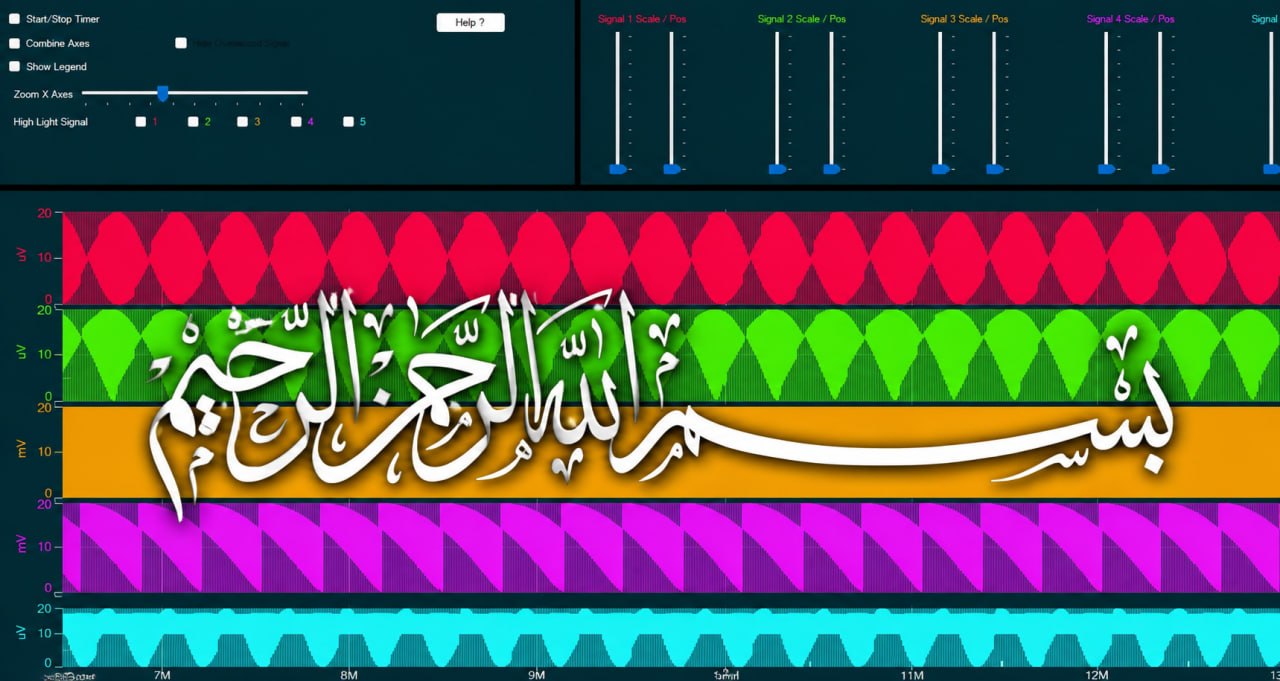
Gigasoft ProEssentials Pro 11.0.0.2 is a high-performance, GPU-accelerated charting and data visualization library released in July 2026 for .NET, WPF, WinForms, WinUI 3, and C++/MFC. This professional-grade charting SDK is designed for developers building scientific, engineering, financial, and industrial data visualization applications that require rendering massive datasets with exceptional speed and precision.
Built on a native C++ engine refined since 1993, ProEssentials serves as an engineering tool for every engineering discipline, enabling developers and engineers to create stunning charting solutions without requiring extensive software expertise. The library is trusted by leading engineering companies worldwide and installed on millions of devices.
Native WinUI Charting And ARM64 Support
Version 11 brings Gigasoft’s 30-year native C++ charting engine to WinUI for the first time, rendering directly to a Direct3D composition swap chain instead of through managed XAML. This native rendering path aligns with Microsoft’s vision for WinUI as the modern, native, performant interface and delivers exceptional performance.
The release also introduces a native ARM64 engine, allowing ProEssentials to run natively on Microsoft’s Windows on Arm and Copilot+ PCs. ARM64 NuGet packages are available for WinUI, WPF, and WinForms interfaces, making the library ready for the next generation of Windows devices.
Built-In End-User Interface And Localization
Gigasoft ProEssentials includes a modern built-in menu and dialog UX that can be enabled or disabled with a single property, providing end-users with powerful chart manipulation tools without additional development effort. The interface supports localization in 19 languages without requiring satellite assemblies, making it suitable for global applications.
End-users can right-click on charts to access a comprehensive context menu with options for exporting images, printing, adjusting chart properties, modifying axis scales, and more. This built-in functionality reduces development time significantly while providing professional-grade interactivity that users expect in modern applications.
GPU-Accelerated Performance And Zero-Copy Data Binding
Gigasoft ProEssentials leverages Direct3D compute shaders to render 100 million data points losslessly in approximately 15 milliseconds, with a fully fresh 100M-point frame on screen in about 65 milliseconds. The library uses zero-copy data binding, reading your float[] array directly in place without duplication, ensuring no memory overhead.
The GPU activates only when data changes, keeping CPU and power usage minimal between updates unlike competitors that continuously output frames like video games and drain battery life. Rendering is done on-demand rather than on a continuous loop, making ProEssentials power-efficient for real-time applications.
Chart Types And Five Core Chart Objects
Gigasoft ProEssentials delivers over 1,000 features through five core chart objects that cover every scenario from simple bar charts to 3D surfaces with 4D color mapping. The supported chart types include line, bar, area, scatter, spline, bubble, OHLC/candlestick, histogram, step, stacked, pie, doughnut, polar, Smith, radar, 3D surface, 3D wireframe, 3D scatter, 3D waterfall, contour, heatmap, 4D color mapping, and Delaunay triangulation. The library also provides intelligent date-time X-axis construction with a discontinuous linear calendar and automatic label density optimization for clear readability.
AI Code Assistant For Faster Development
ProEssentials v11 includes a built-in AI Code Assistant system that transforms how developers implement charts. The pe_query.py tool gives AI assistants on-demand access to the complete ProEssentials API over 1,200 properties, 169 enumerations, and 116 working code examples. A built-in validation layer cross-checks every property path against DLL ground truth, eliminating the hallucinated code that plagues generic AI coding.
This AI integration allows developers to describe what they need in plain English and generate validated, working charting code that works with Claude, ChatGPT, Gemini, GitHub Copilot, Cursor, and any AI tool that supports custom instructions.
Supported Interfaces And Deployment
ProEssentials supports WinUI 3, WPF, WinForms, WebForms/ASP.NET, C++/MFC DLLs, ActiveX/OCX (Visual Basic 6), and Delphi/C++ Builder VCLs. One engine drives all these frameworks, so a chart moves between frameworks by changing the control type, not the charting code. The library operates under a royalty-free distribution model for compiled applications with no subscription fees or activation servers required. Deployment is compact at 5-8 MB, with no external runtimes needed. The evaluation version is fully functional, with only a watermark appearing on chart images.
Development Support And AI-Assisted Coding
ProEssentials provides a complete AI-assisted development environment where engineers can describe what they need in plain language and receive validated, working charting code. The pe_query.py tool integrates with Claude, ChatGPT, Gemini, GitHub Copilot, and Cursor, giving AI assistants on-demand access to the complete ProEssentials API.
This AI assistance transforms the development experience, allowing anyone with an idea, not just experienced developers, to build functional charting applications. The Gigasoft team also offers custom starter projects with instructions, plus inexpensive help on larger ideas, ensuring engineering teams can overcome implementation hurdles quickly.
FAQs
Q1: What is Gigasoft ProEssentials Pro 11.0.0.2 used for?
It is a high-performance, GPU-accelerated charting and data visualization library for .NET, WPF, WinForms, WinUI 3, and C++/MFC applications.
Q2: What’s new in version 11?
Version 11 introduces native WinUI charting with Direct3D composition swap chain rendering, native ARM64 support, .NET 10 support, and an AI Code Assistant.
Q3: How fast is ProEssentials 11?
It renders 100 million data points losslessly in approximately 15 milliseconds, with a fully fresh 100M-point frame on screen in about 65 milliseconds.
Q4: What chart types does ProEssentials support?
It supports over 30 chart types including line, bar, area, scatter, OHLC, candlestick, 3D surface, contour, heatmap, 4D color mapping, and Delaunay triangulation.
Q5: Does ProEssentials require a subscription?
No, ProEssentials operates under a perpetual license with no subscription fees, no renewal, and no activation server requirements.
Q6: Is there an AI Code Assistant included?
Yes, ProEssentials v11 includes an AI Code Assistant that generates validated, working charting code from plain English descriptions.