Chaos V-Ray 7 Update 3 (Build 7.30.00) for Rhinoceros 7 – 9 & SketchUp 2021 – 2026 Download
by Ali Haider · April 23, 2026
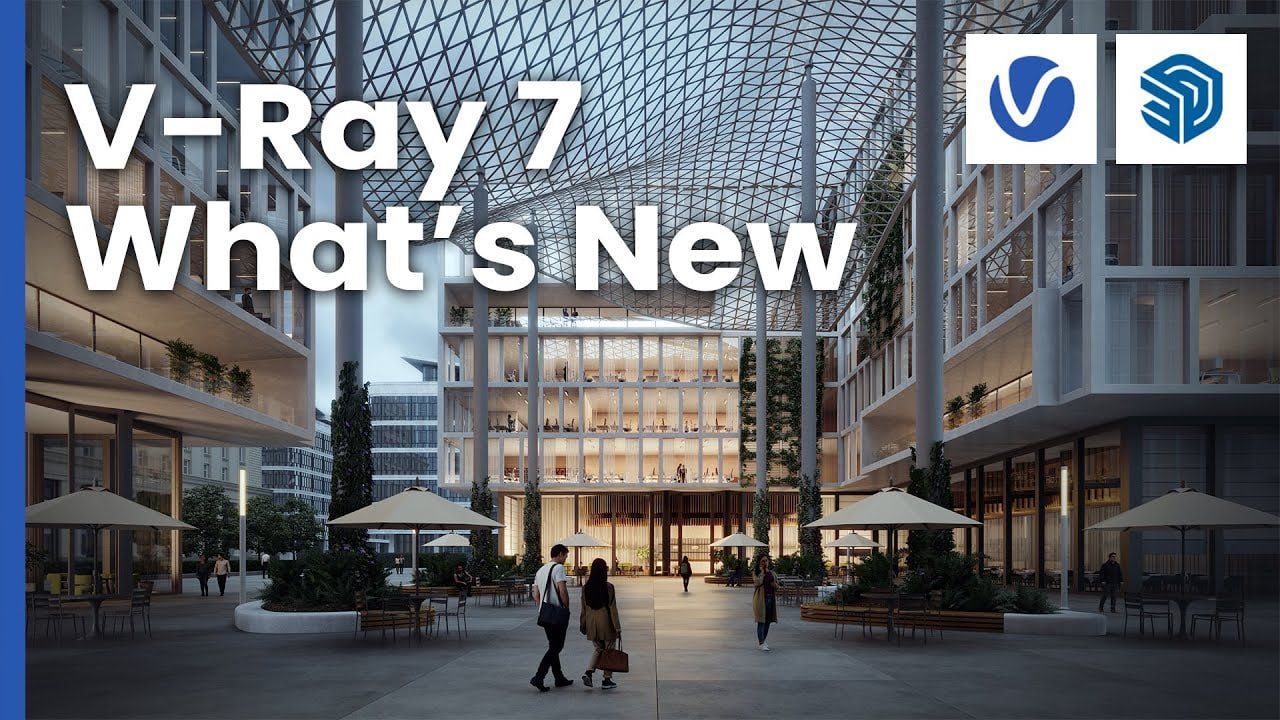
Download the Chaos V-Ray 7 Update 3 (Build 7.30.00) for Rhinoceros 7 – 9 & SketchUp 2021 – 2026 from this link…

Table of Contents
ToggleSummary
Chaos V-Ray 7 Update 3 (Build 7.30.00) is a professional rendering plugin for Rhinoceros (Rhino 7, 8, 9) and SketchUp (2021 through 2026). As the world’s number one rendering software for architectural visualization, V-Ray bridges real-time and final-frame rendering by introducing advanced AI features, enhanced material capabilities, and improved workflow tools. The April 2026 update brings real-time rendering at final-frame quality, node-based visual material editing, AI-powered lighting matching, faster caustics, and new tools that make adding realism simpler and more predictable.
The plugin is designed for architects, industrial designers, 3D artists, and visualization professionals who need photorealistic renders directly from their CAD models. V-Ray supports CPU, GPU, and hybrid rendering, with real-time preview through V-Ray Vision. The integration with Chaos Cosmos provides access to a rich library of ready-to-use 3D assets including furniture, vegetation, people, and HDR skies.
Key Features
1. Real-Time Rendering at Final-Frame Quality
Users with an active Chaos Vantage or V-Ray Collection license can explore and render their scenes in real time at final-frame quality directly in the V-Ray viewport. Immediate visual feedback, no extra windows, and a unified workflow enable faster iteration and more confident design decisions. Vantage’s full ray tracing simulates how light behaves in the real world without rasterization or approximations.
2. AI Mood Match (Preview)
This feature uses a reference photo to automatically align your scene’s environmental lighting with the look and atmosphere of the image. By analyzing the lighting conditions in the reference photo, it configures V-Ray’s Sun and Sky or image-based lighting to produce a closely matched mood. Auto Match Angle automatically aligns HDR rotation with the current camera view.
3. Parallax Interiors
Parallax texture mapping simulates 3D space behind a surface without modeling or heavy geometry. Lightweight to render, easy to apply, and adjustable per window, parallax interiors make buildings feel alive especially in night scenes while keeping performance fast and production-ready. New parallax interior assets are available in Chaos Cosmos.
4. Node Material Editor (Beta)
A new visual tool for constructing advanced shaders and managing complex materials through a graphical interface. By working with connected nodes, artists can better understand material logic and create more complex shaders with greater control. This feature is available in preview for SketchUp and Rhino.
5. Quick Caustics
The new quick caustics are easier to control and faster to render, removing the complexity traditionally associated with photon-based setups. For common scenarios like pools and water features, quick caustics deliver believable light patterns without the cost of full photon tracing, making caustics accessible, predictable, and practical for everyday visualization.
6. Scatter Cluster Painting
Scatter Clusters give finer control over how assets are distributed across a surface. With the new Cluster Painting mode, you can paint areas of higher density—such as flower patches in a lawn—while keeping surrounding regions more sparse or uniform. Improved Scatter Performance includes enhanced altitude limitation with a curve editor for fine-tuning height distribution falloff.
7. Cosmos Sets and 700+ New Assets
New Cosmos Sets group compatible assets into ready-made arrangements that can be placed in a scene as a single unit. From furniture groupings to decorative details, sets provide a fast way to populate scenes with assets that naturally work together. Each set can be easily rearranged after placement.
8. AI Enhancement of Large Surfaces
AI Enhancer now brings realistic detail to large, uniform surfaces such as floors, walls, asphalt, and terrain. By adding natural variation like wear, dirt, and subtle imperfections at the correct scale, expansive areas gain depth and realism without manual re-texturing.
9. AI Materials with 4K Support
Materials generated by the AI Material Generator now support high-resolution 4K textures, delivering sharper detail and higher-quality results. An enhanced interactive 3D preview lets users fine-tune normal and roughness settings, adjust tiling, and preview materials on different objects before saving them to the library.
10. 3D Gaussian Splats
Native support for rendering Gaussian Splatting (3DGS) data allows for high-quality photorealistic reconstructions of real-world scenes from source photos or video. This is particularly useful for creating detailed background environments in architectural visualization and VFX.
11. V-Ray GPU Improvements
HIP support for AMD GPUs has been added. V-Ray GPU now includes support for caustics, bringing it closer to feature parity with the main CPU render engine. On macOS, V-Ray GPU natively supports Apple’s Metal graphics API, significantly improving rendering performance on Apple Silicon processors.
12. V-Ray Frame Buffer (VFB) Enhancements
The VFB includes a new histogram widget for clear view of color distribution, an improved Background layer called Image layer, and support for polygonal region rendering. Users can now stop renders midway while preserving post effects including denoising.
13. Chaos Cloud Reviews and Collaboration
The new Reviews feature in Chaos Cloud provides a structured workflow for design approvals. Files are organized on a visual Kanban board and tracked through stages from draft to review to approval. Chaos Cloud Collaboration now supports video files for presenting and reviewing animations, walkthroughs, and camera flythroughs.
14. V-Ray Luminaires
Support for V-Ray Luminaires enables realistic, efficient interior lighting. Users can import baked lighting data for real-world light fittings in .vlw format, making it possible to recreate the illumination they create more accurately in interior scenes.
What’s New in V-Ray 7.30.00 (April 2026)
- This update introduces several major features. AI Mood Match (Beta) added to Light Gen allows matching scene environmental lighting to a reference photo using HDR-based setups.
- Auto Match Angle automatically aligns HDR rotation with the current camera view.
- Scatter Cluster Painting enables cluster-based distributions that follow painted strokes on host geometry.
- Improved Scatter Performance includes enhanced altitude limitation with curve editor and better support for displacement on scattered guests.
- Parallax Interiors implements parallax texture mapping to simulate 3D space behind a surface, with new parallax interior assets in Cosmos.
- Node Editor (Beta) provides a visual tool for constructing advanced shaders.
- Real-time rendering in V-Ray viewport is now available for users with active Vantage licenses.
- Quick caustics deliver believable light patterns for pools and water features without complex photon tracing.
System Requirements
To run Chaos V-Ray 7.30.00 effectively, your system should meet the following specifications.
For SketchUp:
-
SketchUp Version: SketchUp 2021, 2022, 2023, 2024, 2025, or 2026
-
Operating System: Windows 10 or Windows 11 (64-bit); macOS 10.15 or newer
-
Processor: Intel Core i5 or AMD equivalent (Intel Core i7/i9 or AMD Ryzen 7/9 recommended)
-
RAM: 8 GB minimum (32 GB or more recommended for complex scenes)
-
Graphics: NVIDIA or AMD GPU with 4 GB VRAM (8 GB+ recommended for GPU rendering)
-
Storage: 2 GB free space
For Rhinoceros:
-
Rhino Version: Rhino 7, Rhino 8, or Rhino 9
-
Operating System: Windows 10 or Windows 11 (64-bit); macOS 10.15 or newer
-
Processor: Intel Core i5 or AMD equivalent (Intel Core i7/i9 or AMD Ryzen 7/9 recommended)
-
RAM: 8 GB minimum (32 GB or more recommended)
-
Graphics: NVIDIA or AMD GPU with 4 GB VRAM (8 GB+ recommended)
-
Storage: 2 GB free space
For V-Ray GPU Rendering:
-
NVIDIA: CUDA-capable GPU with Compute Capability 5.0 or higher, NVIDIA RTX for RTX acceleration
-
AMD: HIP-capable GPU (AMD Radeon RX 6000 series or newer)
-
macOS: Apple Silicon (M1, M2, M3) with Metal support
Installation Guide
Follow these steps to install Chaos V-Ray 7.30.00 for SketchUp or Rhino.
-
Download the Installer: Obtain the official V-Ray 7 installer from the Chaos website or your Chaos account portal.
-
Try Before You Buy: A free trial version is available for evaluation. Test rendering, materials, and AI features before purchasing.
-
Verify Host Application: Ensure SketchUp or Rhino is installed before running the V-Ray installer.
-
Close Host Applications: Close SketchUp or Rhino completely before installation.
-
Run the Installer: Double-click the downloaded file. Administrator privileges may be required.
-
Select Host Application: Choose SketchUp, Rhino, or both if installing for multiple platforms.
-
Choose License Type: Select licensing method (online, cloud, or legacy license server).
-
Follow the Setup Wizard: Complete license acceptance and installation directory selection.
-
Launch Host Application: Open SketchUp or Rhino. V-Ray toolbar should appear.
-
Activate License: Sign in to your Chaos account or enter license key. Trial users can begin immediately.
How to Use V-Ray for SketchUp or Rhino
Step 1: Set Up Your Scene
Model your geometry in SketchUp or Rhino. Assign materials using V-Ray material system. Place lights or use V-Ray Sun and Sky for natural lighting.
Step 2: Configure Camera
Set up your camera angle using the V-Ray Physical Camera. Adjust exposure, white balance, depth of field, and other camera settings.
Step 3: Apply Materials
Use the Material Editor to create or assign materials. For complex shaders, use the Node Material Editor (Beta). Access Chaos Cosmos for ready-made materials and assets.
Step 4: Set Up Lighting
Use V-Ray Sun and Sky for exterior scenes. For interiors, use V-Ray Luminaires, IES lights, or mesh lights. Use AI Mood Match to match lighting to a reference photo.
Step 5: Add Scatter Elements
Use V-Ray Scatter to distribute vegetation, people, or details across surfaces. Use Cluster Painting for variable density distribution.
Step 6: Render
Choose CPU, GPU, or hybrid rendering. For real-time preview with active Vantage license, render directly in V-Ray viewport. For final output, use V-Ray Frame Buffer.
Step 7: Post-Process
Use VFB layers for color correction, vignette, and denoising. Use AI Enhancer for large surface detail. Save as EXR, PNG, JPG, or other formats.
Step 8: Collaborate via Chaos Cloud
Submit renders to Chaos Cloud for remote rendering. Use Cloud Reviews for client approvals and feedback.
Best Use Cases
| Use Case | Platform | Key Benefit |
|---|---|---|
| Architectural Visualization | SketchUp | Photorealistic renders from architectural models |
| Interior Design | SketchUp | Realistic lighting, materials, and furniture placement |
| Industrial Design | Rhino | High-quality product renders with precise materials |
| Landscape Architecture | Both | Scatter for vegetation, terrain rendering |
| Real Estate Marketing | SketchUp | Fast, photorealistic property visualizations |
| VFX and Film | Both | 3D Gaussian splats for background environments |
Advantages and Limitations
Advantages:
- V-Ray is the industry standard for architectural visualization, trusted by top studios worldwide. The plugin integrates seamlessly with SketchUp and Rhino, maintaining native workflows.
- Real-time rendering with Vantage (active license) provides immediate feedback at final-frame quality.
- AI features including AI Mood Match, AI Enhancer, and AI Material Generator accelerate workflows and reduce manual effort.
- Parallax interiors add realistic depth without heavy geometry. Quick caustics make water effects accessible and practical.
- Node Material Editor provides advanced material control for complex shaders. Chaos Cosmos offers thousands of ready-made assets.
- Chaos Cloud enables remote rendering and client collaboration. V-Ray GPU supports NVIDIA, AMD, and Apple Silicon for flexible hardware options.
Limitations:
- Real-time viewport rendering requires an active Vantage or V-Ray Collection license (additional cost).
- Node Material Editor is in beta and not fully featured.
- GPU rendering requires compatible NVIDIA, AMD, or Apple Silicon hardware.
- Some advanced features (cloud rendering, team collaboration) require additional subscriptions.
- High-quality renders require significant RAM and GPU resources for complex scenes.
Alternatives to V-Ray
| Software | Best For | Key Difference from V-Ray |
|---|---|---|
| Enscape | Real-time rendering | Faster but less photorealistic, integrated with SketchUp |
| Lumion | Architectural visualization | Real-time, easier learning curve, less material control |
| Twinmotion | Real-time visualization | Free for Unreal Engine users, less advanced lighting |
| Corona | Photorealistic rendering | Similar quality, simpler interface, CPU-only |
| Thea Render | SketchUp rendering | Less expensive, smaller user base |
| KeyShot | Product rendering | Best for industrial design, not architecture-focused |
Frequently Asked Questions
Q1. What versions of SketchUp does V-Ray 7 support?
V-Ray 7 supports SketchUp 2021, 2022, 2023, 2024, 2025, and 2026.
Q2. What versions of Rhino does V-Ray 7 support?
V-Ray 7 supports Rhinoceros 7, Rhinoceros 8, and Rhinoceros 9.
Q3. What is AI Mood Match?
AI Mood Match uses a reference photo to automatically align your scene’s environmental lighting with the look and atmosphere of the image. It configures V-Ray’s Sun and Sky or image-based lighting to produce a closely matched mood.
Q4. What are 3D Gaussian Splats?
3D Gaussian Splats (3DGS) is a technique for creating and rendering high-quality photorealistic reconstructions of real-world objects or scenes from source photos or video. V-Ray 7 includes native support for rendering 3DGS data.
Q5. Does V-Ray 7 support GPU rendering?
Yes. V-Ray GPU supports NVIDIA CUDA and RTX, AMD HIP, and Apple Silicon Metal. Hybrid CPU/GPU rendering is also available.
Q6. What is the Node Material Editor?
The Node Material Editor is a new visual tool (in Beta) for constructing advanced shaders and managing complex materials through a connected node graph. It provides greater control and understanding of material logic.
Q7. What is Chaos Cosmos?
Chaos Cosmos is a library of ready-to-use 3D assets including furniture, vegetation, people, HDR skies, and materials. V-Ray 7 includes access to Cosmos with new Cosmos Sets for grouped arrangements.
Q8. Can I try V-Ray before buying?
Yes. A free trial version is available for evaluation. Test rendering, AI features, and materials before purchasing.
Q9. What is the difference between V-Ray CPU and V-Ray GPU?
V-Ray CPU uses the processor for rendering and supports all features. V-Ray GPU uses graphics cards for faster rendering but may have minor differences in feature support. V-Ray 7 GPU now includes caustics and HIP support for AMD.
Q10. Does V-Ray include cloud rendering?
Yes. Chaos Cloud allows users to render projects online without relying on high-end local hardware. Cloud Reviews provides structured workflow for design approvals.
Final Thoughts
Chaos V-Ray 7 Update 3 (Build 7.30.00) represents a significant evolution in rendering technology for SketchUp and Rhino users. By bridging real-time and final-frame rendering, V-Ray 7 allows architects, designers, and artists to iterate faster, make more confident decisions, and deliver production-quality results with less effort.
The software delivers exceptional value across multiple dimensions. For the architectural visualization artist, AI Mood Match and Parallax Interiors add realism without complexity. For the industrial designer, the Node Material Editor provides precise material control. For the landscape architect, Scatter Cluster Painting enables natural vegetation distribution. For the studio, Chaos Cloud Reviews streamlines client approvals.
Looking for full-version software without limitations? You’re in the right place. Instead of wasting time on unreliable or outdated sources, unlock a powerful bundle of 10k+ premium tools covering marketing, SEO, broadcasting, automation, and business productivity — all in one place at an affordable price. This collection is specially curated for freelancers, agencies, and business owners who want fast, real results with professional tools.
 Direct contact: Telegram ID :
Join Us For Update Telegram Group :
Join Us For Updated WhatsApp group:
You Can test through AnyDesk before Buying,
And When You Are Satisfied, Then Buy It.
Unlimited PCs/Users.
 Join today and upgrade your workflow with premium tools.