Be.Smart T4R (Tools for Revit) 4.3.0.1 Complete Guide For Revit Productivity Suite
Summary
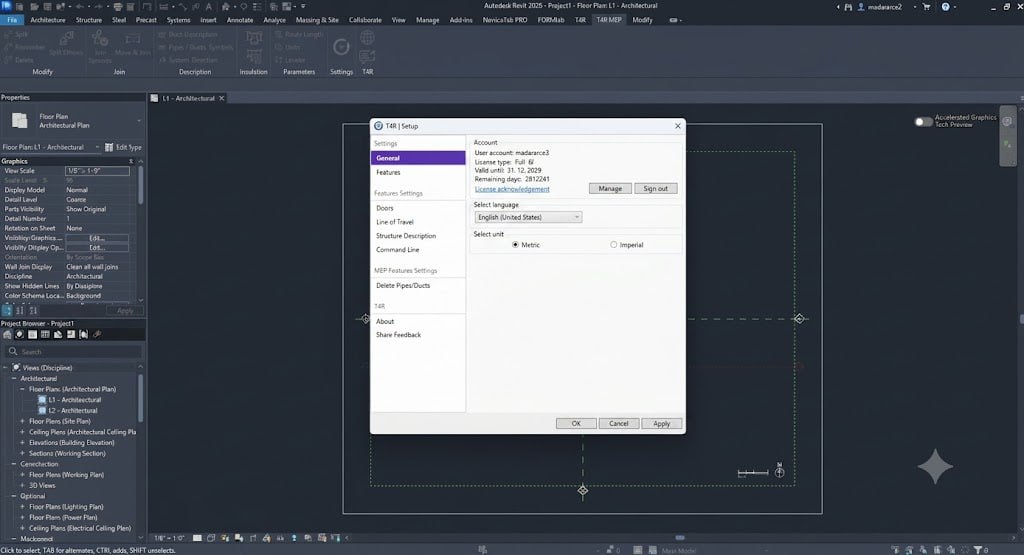
Be.Smart T4R (Tools for Revit) is an extensive productivity suite designed to automate workflows and handle repetitive tasks that native Revit cannot perform. It provides essential features for project management, external reference monitoring, and custom dimensioning across architectural and engineering disciplines. Developed as a comprehensive toolkit, T4R expands standard Revit functionalities through specialized toolsets that streamline project documentation, family management, and coordination workflows, making it an indispensable asset for BIM professionals looking to enhance efficiency and accuracy in their daily work.
Revit is a powerful BIM platform, but it lacks many features that professionals need for efficient daily workflows. Tasks like bulk-upgrading families, automatically creating structural openings, or tracking time spent on projects are either impossible or require tedious manual work. This gap forces users to develop workarounds, wasting hours on repetitive tasks that could be automated. Without specialized tools, teams struggle with inconsistent documentation, coordination errors, and inefficient project management. T4R addresses these challenges by filling the missing functionality gaps, enabling users to work smarter and faster.
What This Software Does And Who Needs It
Be.Smart T4R is a comprehensive toolkit that automates workflows and handles tasks that native Revit cannot perform. The suite provides essential features for project management, external reference monitoring, and custom dimensioning across all disciplines. It includes specialized toolsets such as Smart Browser for content management, Smart Documentation for accelerated document generation, and BIMSign for safeguarding project templates. This software is ideal for BIM managers, project coordinators, architects, structural engineers, and MEP professionals who want to streamline their Revit workflows and eliminate tedious manual tasks.
Advanced Family Content Management
The Smart Browser tool provides synchronous management, bulk-upgrading, and data editing of Revit family content. This feature allows users to efficiently organize, update, and standardize their family libraries across multiple projects. Instead of manually upgrading each family individually, T4R enables bulk operations that save hours of work. The synchronous management capability ensures that all team members are working with the latest family versions, reducing coordination issues and maintaining consistency across the project. This tool is essential for firms that maintain extensive family libraries and need to enforce standardization.
Accelerated Document Creation
Smart Documentation accelerates project document generation, automated dimensioning, and tag placement. This toolset streamlines the creation of construction documents by automating repetitive tasks such as adding dimensions, placing tags, and generating views. Users can create consistent, professional documentation in a fraction of the time required by manual methods. The automated dimensioning feature ensures that all elements are properly sized and located, reducing the risk of errors. This capability is particularly valuable for large projects with numerous sheets and extensive documentation requirements.
Automated Structural Openings
Cut Opening automates the creation of structural openings for ducts, pipes, and cable trays. This feature eliminates the tedious manual process of creating openings in structural elements such as floors, walls, and beams. By automatically detecting MEP elements and creating corresponding openings, T4R ensures accurate coordination between structural and MEP models. This automation significantly reduces the time required for coordination and prevents coordination errors that can lead to costly rework during construction.
Document Security And Protection
BIMSign watermarks documents with an invisible signature to safeguard templates and projects. This security feature helps protect intellectual property by embedding ownership information directly into Revit documents. The invisible watermark ensures that authorship is preserved even when files are shared or modified. This tool is particularly valuable for consultants and design firms that need to protect their work and assert ownership of their templates and project files.
Project Management And Monitoring Tools
T4R provides comprehensive project management features that simplify level management, bulk element removal, and tracking authors of editing operations. Users can efficiently manage multiple levels in a project, removing unused levels and cleaning up the project structure. The bulk element removal feature allows users to delete large numbers of elements quickly, saving time on cleanup tasks. The author tracking feature helps identify who made specific changes, improving accountability and project coordination.
Job Time Monitoring
The Tracker feature automatically tracks time spent on editing a particular project. This functionality is essential for consultants who bill by the hour or firms that need to monitor project profitability. The automatic time tracking eliminates the need for manual time sheets, providing accurate data on how time is allocated across projects. This feature helps firms manage their resources more effectively and ensure that projects stay within budget.
Licensing And Availability
Be.Smart T4R 4.3.0.1 is available through the Be.Smart Download Center. The software is offered under commercial licensing for professional use. Academic licenses may be available for educational institutions. The suite is compatible with Autodesk Revit, and a free trial is available to test the software before purchase. Installation is straightforward through the Be.Smart dock application, and comprehensive documentation is available through the Be.Smart help portal.
Frequently Asked Questions
Q1: What is Be.Smart T4R (Tools for Revit) used for?
It is a comprehensive productivity suite that automates workflows and handles repetitive tasks that native Revit cannot perform, including project management, family content management, and documentation.
Q2: What are the key features of T4R?
Key features include Smart Browser, Smart Documentation, Cut Opening, BIMSign, project management tools, Tracker, Extended Filter, Join Geometry, and various modification tools.
Q3: What is Smart Browser in T4R?
Smart Browser provides synchronous management, bulk-upgrading, and data editing of Revit family content.
Q4: How does Cut Opening work?
Cut Opening automates the creation of structural openings for ducts, pipes, and cable trays.
Q5: What is BIMSign?
BIMSign watermarks documents with an invisible signature to safeguard templates and projects.
Q6: Does T4R include time tracking?
Yes, the Tracker feature automatically tracks your time spent on editing a particular project.
Technical Specifications
| Specification | Details |
|---|---|
| Software Name | Be.Smart T4R (Tools for Revit) 4.3.0.1 |
| Category | Revit Productivity Suite |
| Developer | Be.Smart |
| Primary Use | Workflow automation and repetitive task handling |
| Key Features | Smart Browser, Smart Documentation, Cut Opening, BIMSign, Tracker |
| Platform | Autodesk Revit |
| License Type | Commercial |