AbleSet 3.0.11 The Easiest Way to Control Professional Ableton Live Sets
Summary
AbleSet, If you are a musician playing live shows with Ableton Live, you already know the struggle. You have to manage your setlist, launch songs, control playback, and sometimes even show lyrics to your band members. AbleSet 3.0.11 solves all of these problems by turning any device with a browser into a remote control for your Ableton Live session.
Beginners love it because it works right out of the box without complex MIDI mapping or hardware setup. You simply install it, connect your phone or tablet to the same WiFi network as your computer, and you are ready to control your set. No need to buy expensive controllers or learn complicated software.
First Impression of AbleSet
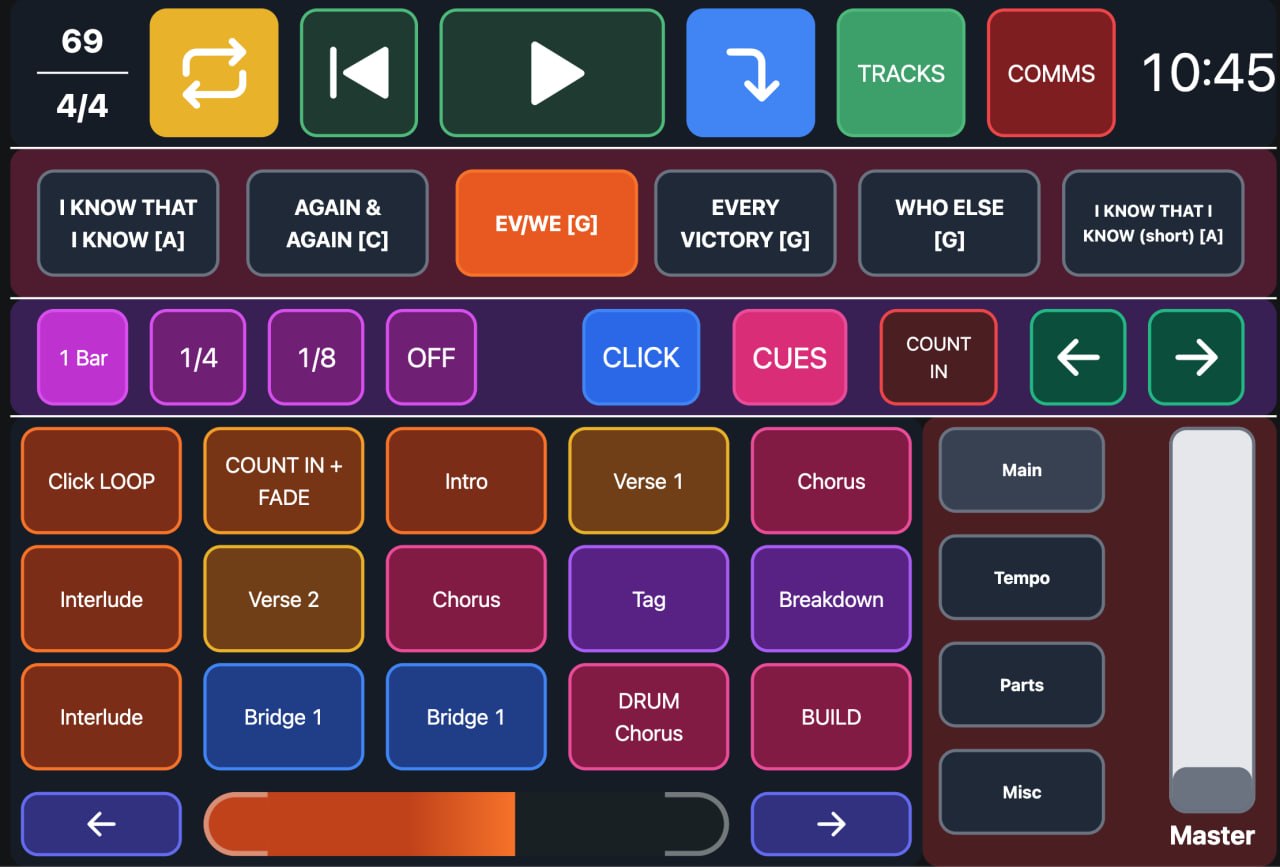
The first time you open it, you will notice how clean and simple the interface looks. It opens in your web browser, not as a separate application window. The design is minimal but powerful. You see your setlist created automatically from the locators in your Ableton project. Each song appears as a button. Clicking a song launches it immediately.
The response is instant with no noticeable delay. What impressed me most is that AbleSet works without any internet connection. It only needs your local WiFi network. This means you can use it reliably on stage even if the venue has no internet. The free trial lets you test everything with a simple limitation – playback stops every 15 minutes. This is generous because you can try all features before buying.
Main Editing Workspace
The main workspace in AbleSet is your setlist view. All your songs appear in order. You can drag and drop songs to reorder them without touching Ableton Live. This is a huge time saver during rehearsals when the band decides to change the setlist order. You can add colors to songs for visual grouping. You can add notes that only you see.
The total duration of your set updates automatically, which is perfect for festival slots where you have exactly 45 minutes. For each song, you see its sections. If you have a song with intro, verse, chorus, bridge, and outro, all these sections appear as sub buttons. Click any section to jump directly to that part of the song. This is essential for rehearsals when you need to practice just the chorus.
Important Settings to Know
Before your first show, you should understand a few key settings. The audio device selection lets you choose which outputs AbleSet uses. Make sure this matches your stage setup. The MIDI mapping section allows you to assign physical buttons on your controller to AbleSet functions. Even if you plan to use a tablet, having a physical backup controller is smart.
The web app password setting in Standard and Pro editions lets you password protect your setlist view. This is useful if you have multiple devices on stage and only want the band leader to control playback. The lyrics track selection lets you choose which MIDI track contains your lyrics. Once set, AbleSet displays lyrics synchronized with your song playback. This is perfect for singers who need reminders.
Daily Usage Experience
In daily use, it becomes the central hub of your live performance workflow. You start by preparing your Ableton project with locators marking each song and section. This takes a few minutes per song but saves hours during rehearsals. When you open it, everything appears automatically. During rehearsal, you might decide to move a song from position 5 to position 2. You simply drag it in AbleSet.
The change takes effect immediately. Your band members can connect their own phones or tablets to see the setlist and lyrics without controlling playback if you set the right permissions. The mixer view in Pro edition lets you adjust track volumes right from your tablet. This means your sound engineer is not the only one who can make adjustments during soundcheck.
Performance During Live Shows
The most critical question for any live performance tool is reliability. This software delivers. It runs in your browser, which means it is lightweight and stable. Even if the browser crashes, you can reopen it instantly and it remembers the state. The communication with Ableton Live happens through a local connection. There is no cloud dependency. No external servers. Just your computer, your network, and your devices.
Artists playing stadium tours use AbleSet without issues. The redundant playback feature in Standard edition lets you control two computers simultaneously. If one crashes, the other keeps playing. The quantized section looping feature allows you to loop a section of a song on the fly while keeping click track and timecode running for lighting and video. This is essential for improvisation during live shows.
Helpful Tips for New Users
- Start with the free trial even if you plan to buy. Use it for a few rehearsals to understand the workflow.
- Create a test Ableton project with three songs. Add locators for intro, verse, chorus, and outro.
- Open it and see how your setlist appears automatically. Practice reordering songs.
- Practice jumping to specific sections. Connect your phone to the same network and open this software there.
- See how both devices stay synchronized. This test will show you if there are any network issues in your rehearsal space.
- Most issues are caused by firewalls blocking the connection. The documentation has clear instructions for allowing AbleSet through Windows Defender or Mac firewall.
- Save your setlist as a file. This lets you recall the exact order and colors for future shows without redoing your work.
What Famous Artists Use AbleSet
It is trusted by some of the biggest names in music. Here is a partial list of artists using it for their live shows:
-
Bad Bunny, Harry Styles, Tame Impala, Twenty One Pilots
-
Foo Fighters, Bastille, Jonas Brothers, Avril Lavigne
-
Earth, Wind & Fire, Blur, Depeche Mode, Snow Patrol
-
The Chemical Brothers, Jacob Collier, Jon Batiste, Justice
-
Hot Chip, Editors, Enter Shikari, Purity Ring
-
Cirque du Soleil, Pendulum, Phoenix, Sigrid
-
Kesha, Charlie Puth, Shawn Mendes, Benson Boone
-
Black Eyed Peas, ROSALÍA, P!NK, 50 Cent
-
Troye Sivan, Noah Kahan, Zara Larsson, Luke Combs
-
And many more professional touring acts
These artists use AbleSet because it works reliably night after night on tour.
FAQ
Q1: What is AbleSet 3.0.11 used for?
It is used to control Ableton Live sets from any device on the same network. It lets you launch songs, reorder setlists, view lyrics, and control playback without touching your computer.
Q2: Do I need internet connection to use AbleSet?
No. It works entirely over your local WiFi network. No internet connection is required. This makes it reliable for live shows in venues with poor internet.
Q3: Is there a free trial of AbleSet?
Yes. You can use the trial for as long as you want. The only limitation is that playback stops every 15 minutes. This is generous and lets you fully test the software.
Q4: What is the difference between Intro, Standard, and Pro editions?
Intro ($129) works on one computer with basic setlist and lyrics features. Standard ($179) works on two computers with redundancy and unlimited lyrics. Pro ($269) works on three computers with mixer, Canvas, and OSC features.
Q5: Can I use AbleSet with my phone?
Yes. It runs in any browser. Open it on your phone, tablet, laptop, or any device on the same WiFi network as your computer running Ableton Live.
Q6: Does AbleSet work with Stream Deck?
Yes. It has full support for Elgato Stream Deck. You can build customized control surfaces to fit your needs.
Q7: What happens if my computer crashes during a show?
Standard and Pro editions include AbleNet redundancy. You can run this software on two computers simultaneously. If one crashes, the other keeps playing.
Q8: Can I show lyrics to my band members?
Yes. It supports lyrics tracks. Each band member can connect their own device. You control who sees lyrics and who has playback control.
Q9: Can I reorder songs during a show?
Yes. You can drag and drop songs to reorder them at any time. The change takes effect immediately. This is perfect for adapting to crowd response.