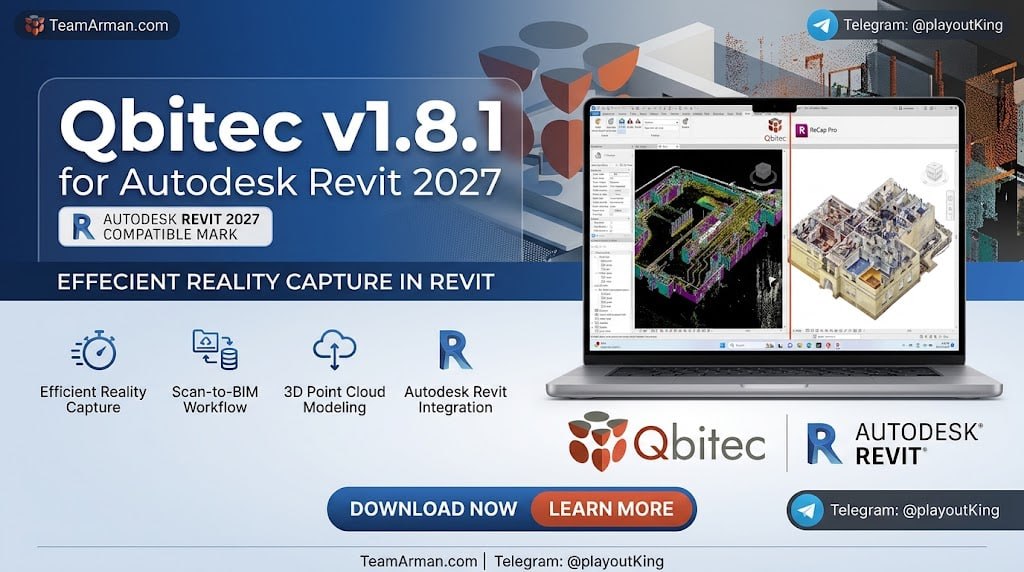
Qbitec v1.8.1 for Autodesk Revit 2027 Latest 2026
Summary
Qbitec v1.8.1 is a point cloud management and QA/QC plugin designed specifically for Autodesk Revit, with compatibility extending up to Revit 2027. The software is built for BIM managers, surveyors, VDC teams, and construction professionals who work with laser scan data and need to verify that the as-built reality matches the designed model. The biggest problem with working with point clouds is that data and model often live in separate places, forcing users to jump between software for comparison. Qbitec eliminates this problem by bringing the entire workflow inside Revit, where the BIM model already exists.
This plugin is particularly valuable for renovation and retrofit projects, where existing conditions must be captured accurately before new design work begins. It is also widely used on new construction projects for quality assurance, where the contractor needs to prove that the built work matches the specification. Whether you are working with a single scan of a small room or managing billions of points across a large facility, it provides the tools to handle the data without overwhelming your workstation.
When Billions of Points Would Otherwise Overwhelm Your Computer
The most significant achievement of version 1.8.1 is its ability to handle massive datasets with dramatic improvements in rendering speed and reduced memory footprint. It can stream billions of points from local drives, network storage, or cloud platforms like NavVis IVION, without requiring the entire dataset to be loaded into RAM at once. This means that even a modest workstation can work with scans that previously required high-end hardware or forced users to decimate the data before import.
For teams working on large-scale projects such as industrial plants, hospitals, or multi-story commercial buildings, this performance improvement transforms what was once a frustrating bottleneck into a smooth workflow. Users can navigate through the point cloud at full resolution, zoom into specific areas of interest, and switch between viewpoints without the delays that plagued earlier versions of point cloud software. The reduced memory footprint also means that point cloud work can coexist with the rest of the Revit model without causing the application to slow down or crash.
A New Way to Crop – See Only What You Actually Need
The software introduces advanced cropping capabilities that give users precise control over which portions of the point cloud are visible and active. Users can crop point clouds using fences, windows, or circles, and the software supports 2D crop regions that honor level heights. This level-aware cropping is particularly important in multi-story buildings, where each floor’s scan data needs to be isolated from the floors above and below.
The software also supports storable region combinations, meaning that users can define a crop configuration and save it for later use. This is valuable for recurring QA/QC tasks where the same regions need to be checked repeatedly throughout the construction process. Instead of manually recreating the crop every time, users simply load the saved combination and proceed with their analysis. The flexibility of crop shapes also means that irregular areas of interest, such as a specific room layout or a complex mechanical installation, can be isolated without unnecessary data cluttering the view.
The Moment When Scan and Model Finally Collide
The core value of its lies in its real-time QA/QC capabilities. The software performs instant deviation analysis, comparing the as-built scan data against the BIM model to identify where construction differs from design. Tolerance mapping allows users to set acceptable deviation limits and immediately see which areas fall outside those limits. Clash detection identifies where scanned elements intersect with designed elements, catching problems that would otherwise be discovered only during physical inspection.
Visual comparison between the scan and the model is presented in a way that makes discrepancies immediately obvious, with color-coded overlays highlighting areas of concern. This real-time feedback loop is essential for construction quality control, because it allows issues to be caught and corrected while the work is still ongoing. If problems are left until final inspection, the result is often costly rework and schedule delays.
Every Scanner’s Data, All in One Place
It supports a comprehensive range of point cloud formats, allowing users to work with data from virtually any scanning platform. The software handles E57, ReCap, Riegl, Z+F, Potree (versions 1.7 and 2.0), and Entwine formats directly. This broad format support means that teams are not locked into a single scanning vendor or software ecosystem. Data from different scanners and different software platforms can all be brought into the same Qbitec environment within Revit, where they can be compared against the model and against each other.
The Potree format support is particularly notable, as Potree is widely used for web-based point cloud visualization and is produced by several open-source and commercial tools. Entwine support extends this to large-scale datasets that are stored in a distributed format. For organizations with diverse scanning equipment or with historical scan data in various formats, this comprehensive format support eliminates the need for intermediate conversion steps that can degrade data quality or introduce errors.
When Scan Data Travels with the Model
It installs as a plugin within Autodesk Revit, adding its tools to the Revit ribbon interface. Once installed, users can import or link point clouds into their Revit project and begin working with them using Qbitec’s tools. The software is designed to integrate smoothly with existing Revit workflows, meaning that teams do not need to change their project setup or file management practices to adopt Qbitec. The point cloud data is managed within the Revit project, keeping everything in one place and ensuring that the scan data travels with the model when the project is shared or archived.
For teams already using ReCap or other Autodesk point cloud tools, it extends the capability rather than replacing it. The software works alongside existing tools, adding the QA/QC and advanced management features that standard Revit point cloud support lacks. This makes Qbitec a natural addition for firms that have already invested in scan-to-BIM workflows and are looking to improve the quality and efficiency of their verification processes.
When Design and Reality Speak to Each Other
Thinking of scan-to-BIM as merely a technical process is a mistake. In reality, it is a conversation between design and reality, and Qbitec makes that conversation possible inside Revit. When the architect’s design and the site’s truth sit on the same screen, decisions happen faster and errors become rarer. For BIM managers, this is not just a plugin but a verification framework that increases the reliability of the model at every project phase.
Frequently Asked Questions
Q1: What is Qbitec v1.8.1 used for?
It is a point cloud management and QA/QC plugin for Autodesk Revit that enables deviation analysis, clash detection, and visual comparison between as-built scans and the BIM model.
Q2: Can Qbitec handle very large point cloud datasets?
Yes. Version 1.8.1 includes large dataset handling with massive rendering speed improvements and reduced memory footprints for billions of points streamed from local drives, network storage, or cloud platforms like NavVis IVION.
Q3: What point cloud formats does Qbitec support?
It supports E57, ReCap, Riegl, Z+F, Potree (1.7 and 2.0), and Entwine formats directly.
Q4: Does Qbitec support level-aware cropping?
Yes. The software supports 2D crop regions that honor level heights, along with fence, window, and circular cropping options, with storable region combinations.
Q5: Does Qbitec work with cloud-hosted point clouds?
Yes. It can stream point clouds from cloud platforms like NavVis IVION in addition to local and network storage.
Q6: Which Revit versions is Qbitec v1.8.1 compatible with?
It is compatible with Autodesk Revit versions up to and including Revit 2027.
Q7: Does Qbitec replace standard Revit point cloud tools?
No. Qbitec works alongside standard Revit tools and adds features that are not available there, such as real-time QA/QC, tolerance mapping, and advanced cropping.
What Makes Qbitec Different
This software is not just another Revit plugin that adds a few buttons to the ribbon. It changes the fundamental relationship between scan data and design data. In most workflows, scan data is treated as a reference that sits outside the model, something to look at occasionally but never fully integrate. It treats scan data as a first-class citizen of the Revit project, on equal footing with the model itself. This shift in perspective has several practical consequences that matter on real projects.
-
Verification becomes continuous, not periodic. Instead of scanning once and checking once, teams can check progress at every phase of construction, catching deviations while they are still cheap to fix.
-
Data integrity stays intact. Because the point cloud is managed inside the Revit project, it does not get lost when files move between systems or teams, and it does not need to be re-imported every time someone opens the model.
-
Coordination happens where design happens. Issues found in the scan can be immediately discussed and resolved within the Revit environment, without exporting screenshots or transferring data to a separate coordination tool.
-
Scale does not limit ambition. Billion-point datasets that would have required expensive workstations or cloud processing can now be handled on standard hardware, which means smaller firms can take on larger projects.
For firms that already work with laser scanning and want to move from “scanning as documentation” to “scanning as quality control,” it offers a path that does not require replacing existing tools or workflows. It adds the missing layer of verification that turns scan data into actionable information, and it does so inside the environment where design decisions are already being made.