NXPowerLite Server/Desktop 10.3.1 Windows (Best File Optimization Software) Download
Summary
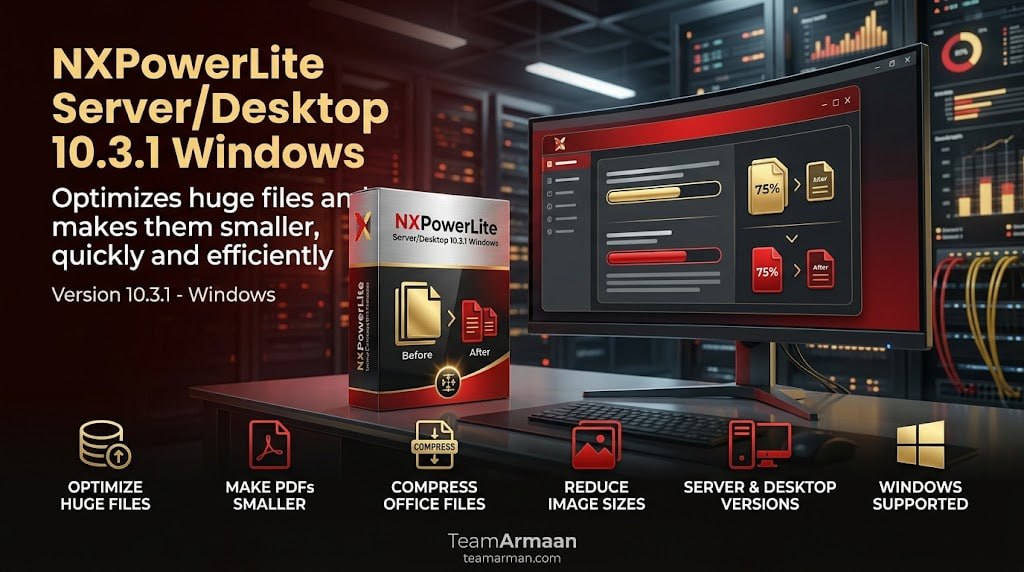
NXPowerLite 10.3.1 for Windows is a professional file optimization tool designed to compress Microsoft Office documents, PDFs, images, and other formats while preserving their original file types and structure. The software is widely used by IT administrators, document managers, and business professionals who need to reduce file sizes for easier sharing, storage, and email delivery.
Unlike generic compression tools that change file formats or degrade quality, NXPowerLite intelligently removes redundant data from files, achieving significant size reductions without compromising visual quality or document functionality. The software is available in both Desktop and Server editions, catering to individual users and enterprise environments respectively.
Supported File Types And Optimization Capabilities
NXPowerLite optimizes a comprehensive range of file formats commonly used in business environments. Microsoft Office documents including Word (.docx), Excel (.xlsx), and PowerPoint (.pptx) are fully supported, with version 10 introducing optimized algorithms for cleaning excess cell structures in Excel files and handling modern embedded objects. PDF files can be compressed without altering their layout or content, making them easier to share and store.
Standard image and video formats are also supported, and the software works without altering file extensions, ensuring compatibility with existing systems and workflows. The optimization process removes hidden data, redundant formatting, and embedded elements that contribute to file bloat while keeping all visible content intact.
Desktop Edition – Integration And Ease Of Use
The Desktop edition of NXPowerLite integrates directly into Windows Explorer with context menus for right-click compression, making file optimization a seamless part of daily workflows. Users can simply right-click on any supported file or folder and select the compression option, with customizable settings for different file types. Optional add-ins are available for Microsoft Outlook, automatically compressing attachments before they are sent, which helps users avoid email size limits and improve deliverability.
The desktop application also provides a user-friendly interface for batch processing, allowing users to optimize multiple files at once with consistent settings. This edition is ideal for individual users, small teams, and departments that need to manage file sizes on their local workstations.
PDF Optimization And Image Compression Capabilities
NXPowerLite provides advanced PDF optimization that intelligently analyzes and compresses PDF files without affecting their layout, fonts, or embedded content. The software is particularly effective with image-heavy PDFs created from scanned documents or design files, where it can reduce file sizes by 50-80% while maintaining acceptable visual quality for business use.
For images, NXPowerLite applies smart compression algorithms that preserve color accuracy and sharpness while stripping unnecessary metadata and redundant color profiles. This makes the software ideal for organizations dealing with large volumes of scanned documents, design files, and marketing materials that need to be shared internally or with external partners.
Server Edition – Enterprise-Grade Automation And Auditing
NXPowerLite Server runs as a background service on Windows environments, enabling systematic auditing and shrinking of files across network storage systems. This enterprise-focused edition is designed for organizations that need to manage storage space efficiently across shared drives, document management systems, and file servers. The Server edition can be configured to run on schedules, automatically identifying and compressing files that meet specified criteria such as age, size, or file type.
It provides detailed reporting on storage savings and optimization activities, giving IT administrators visibility into the impact of file optimization across the organization. The server edition is particularly valuable for organizations with limited storage capacity or those looking to reduce backup and archiving costs.
Deployment Control And Enterprise Management
NXPowerLite is available via standard MSI installers that support custom configuration profiles and silent bulk deployments across enterprise machines. This makes it easy for IT teams to deploy the software across large fleets of computers without manual intervention on each device. Administrators can pre-configure optimization settings, file type preferences, and compression levels using configuration files, ensuring consistent performance across the organization.
The deployment tools also support remote management and monitoring, allowing IT teams to track optimization activities and storage savings from a central console. This enterprise-ready deployment model ensures that NXPowerLite can be integrated into existing IT management workflows with minimal disruption.
Security And Data Protection Features
Version 10 introduces enhanced security features that ensure file optimization does not compromise sensitive information. The software can detect and preserve encryption, password protection, and other security settings applied to original files, maintaining document security throughout the optimization process.
For organizations with strict data protection requirements, NXPowerLite can be configured to audit files for sensitive content before compression, providing an additional layer of security. The software also includes detailed logging capabilities, allowing administrators to track which files have been optimized and by whom, which is essential for compliance with data protection regulations.
Version 10 Highlights And Key Enhancements
Version 10 of NXPowerLite introduced several significant improvements over previous releases. The enhanced engines include optimized algorithms for cleaning excess cell structures in Excel (.xlsx) files, which can dramatically reduce file sizes without affecting formulas or data integrity. Support for modern embedded objects has been improved, ensuring that files created with the latest versions of Microsoft Office are optimized correctly.
Later incremental updates, such as v10.3.2, address internal library and 7-Zip component patches, making it recommended to pull the latest stable build from the official Neuxpower Downloads Page. Version 10 also includes improved security features and better integration with cloud storage services, making it suitable for modern digital workplaces where files are stored and shared across multiple platforms.
Licensing And Pricing Options
NXPowerLite is available through various licensing options to suit different organizational needs. The Desktop edition is licensed per user, with volume discounts available for larger teams. The Server edition is licensed based on the number of servers or the volume of data to be processed, with flexible pricing for different organizational sizes.
Both editions are available through the official Neuxpower website, where users can also download free trials to evaluate the software before purchase. The software includes regular updates and technical support, ensuring that users always have access to the latest features and security patches.
Frequently Asked Questions
Q1: What is NXPowerLite 10.3.1 used for?
It is a professional file optimization tool that compresses Microsoft Office documents, PDFs, images, and other formats while preserving their original file types and structure.
Q2: What file types does NXPowerLite support?
It supports Microsoft Office documents (Word, Excel, PowerPoint), PDFs, images, and videos without altering file extensions.
Q3: What is the difference between Desktop and Server editions?
The Desktop edition is for individual users with right-click compression and Outlook integration. The Server edition runs as a background service for enterprise-scale auditing and file optimization across network storage.
Q4: Does NXPowerLite change the quality of files?
No, NXPowerLite removes redundant data while preserving visual quality and document functionality. The optimization process is lossless for visible content.
Q5: How can I deploy NXPowerLite across my organization?
NXPowerLite is available via standard MSI installers that support custom configuration profiles and silent bulk deployments across enterprise machines.
Q6: Is there a free trial available for NXPowerLite?
Yes, free trials are available through the official Neuxpower website for both Desktop and Server editions.