Pro Studio Finncastc v6 Best Video Switcher Live Streaming Playout Download
Summary
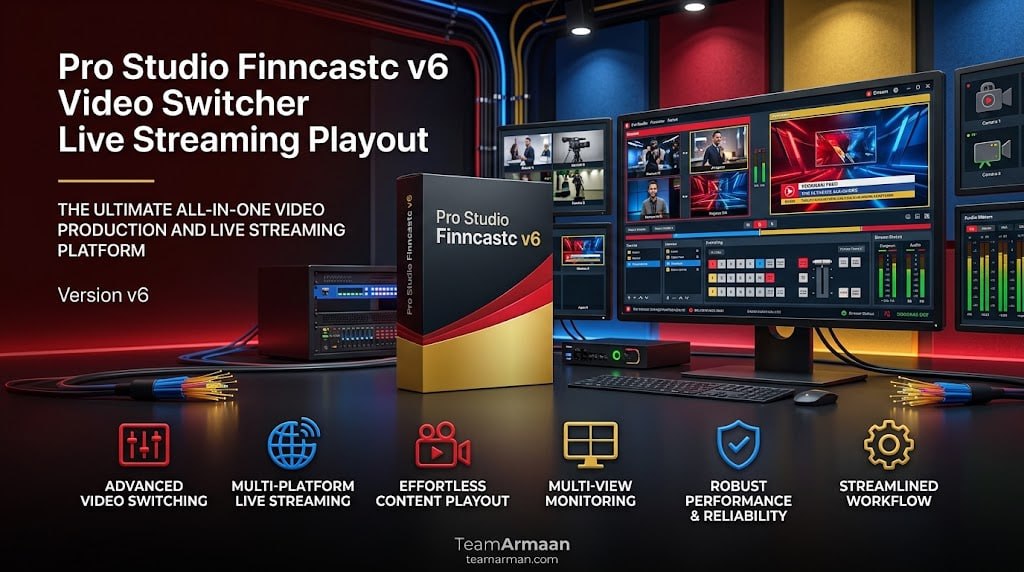
Pro Studio Finncastc v6 is a professional video switcher and live streaming playout software that turns a standard computer into a complete television-style control room. The software is designed for broadcasters, live event producers, content creators, and streaming professionals who need to manage multiple camera feeds, overlay graphics, and broadcast to multiple platforms simultaneously.
By integrating hardware inputs, software mixing, and direct platform streaming, Finncastc v6 provides a comprehensive solution for live production that eliminates the need for expensive hardware switchers. Whether you are covering a live sports event, broadcasting a church service, or producing a corporate webinar, this software gives you professional-grade tools in a software-based workflow.
Multi-Camera Management And Input Flexibility
The software allows you to connect multiple HDMI, SDI, NDI, or wireless mobile feeds into a single interface to switch angles instantly during live broadcasts. This multi-camera management capability is essential for productions that require switching between different camera angles, such as sports events where you need to cut between wide shots, close-ups, and replays.
The software supports a wide range of input formats and sources, making it compatible with professional broadcast cameras, consumer camcorders, mobile devices, and IP-based video sources. The ability to mix different input types gives production teams flexibility in their equipment choices while maintaining professional output quality.
Broadcast-Grade Transitions And Effects
Pro Studio Finncastc v6 includes a comprehensive library of broadcast-grade transitions and effects that elevate the production value of live streams. Users can apply professional transitions such as cuts, fades, wipes, and slides between camera angles, creating a polished television-style viewing experience.
The software also supports picture-in-picture (PiP) layouts, allowing operators to display multiple camera feeds simultaneously, which is particularly useful for interview formats, reaction shots, or split-screen presentations. These visual effects can be triggered manually during live production or automated through pre-programmed sequences, reducing operator workload while maintaining high production quality.
Playout And Graphics Overlay Capabilities
Finncastc v6 enables users to overlay lower-thirds, logos, pre-recorded clips, and dynamic graphics directly onto the live feed, creating a polished broadcast look. Lower-thirds are essential for identifying speakers, showing titles, or displaying information during live broadcasts. Logos and branding elements can be overlaid to maintain consistent visual identity across productions.
Pre-recorded clips can be inserted seamlessly into the live stream, allowing for replays, pre-produced segments, or promotional content. The dynamic graphics engine supports animated overlays, transitions, and effects that enhance the visual quality of the broadcast without requiring separate graphics systems.
Audio Mixing And Multi-Channel Control
The software provides comprehensive audio mixing capabilities, allowing you to control multi-channel sound levels, apply compressors or noise gates, and match audio to video transitions. Professional live productions require precise audio control to ensure that sound quality matches the high visual standards.
The audio mixer supports multiple input sources, including microphones, line inputs, and embedded audio from video sources. Compressors and noise gates help maintain consistent audio levels and reduce background noise, while the ability to match audio to video transitions ensures smooth production quality without distracting audio glitches.
Simultaneous Broadcasting And Streaming Integration
Finncastc v6 supports simultaneous broadcasting to destinations like YouTube, Facebook, or custom RTMP endpoints with built-in hardware acceleration. This multi-platform streaming capability allows content creators to reach audiences across multiple platforms without needing to set up separate streams for each destination. The hardware acceleration ensures efficient encoding, reducing CPU usage and allowing the software to run smoothly even on modest hardware.
Built-in support for popular streaming platforms eliminates the need for external streaming software, simplifying the workflow and reducing potential points of failure. The software also supports custom RTMP endpoints, making it compatible with a wide range of streaming services and content delivery networks.
Performance Discussion
Pro Studio Finncastc v6 is optimized for professional live production environments where reliability and performance are critical. The software’s architecture is designed to handle high-resolution video streams without dropping frames or introducing noticeable latency. Hardware acceleration for encoding ensures that the system resources are used efficiently, allowing the software to run on standard computers without requiring specialized hardware.
The software’s stability is essential for live broadcasts where any interruption can result in loss of audience and credibility. The user interface is designed for fast operation, with controls that allow operators to switch between sources, trigger graphics, and adjust audio levels quickly during live broadcasts.
Integration With NDI And IP-Based Workflows
The software fully supports NDI (Network Device Interface) technology, enabling seamless integration with IP-based video workflows and reducing reliance on traditional SDI cabling. NDI compatibility allows users to connect any NDI-enabled source, including mobile devices, screen captures, and remote contributors, directly into the production switcher without additional hardware.
This IP-based approach simplifies setup for remote productions, distributed teams, and multi-site broadcasts, making Finncastc v6 particularly suitable for modern broadcast environments where flexibility and scalability are essential.
Frequently Asked Questions
Q1: What is Pro Studio Finncastc v6 used for?
It is a professional video switcher and live streaming playout software that turns a standard computer into a television-style control room for live production.
Q2: What input sources does Finncastc v6 support?
It supports multiple HDMI, SDI, NDI, and wireless mobile feeds, allowing for flexible camera setups and mixed-source productions.
Q3: Can I overlay graphics and logos during live broadcasts?
Yes, the software allows overlaying lower-thirds, logos, pre-recorded clips, and dynamic graphics directly onto the live feed.
Q4: Does Finncastc v6 include audio mixing capabilities?
Yes, it provides multi-channel audio mixing with compressors, noise gates, and synchronization with video transitions.
Q5: Can I stream to multiple platforms simultaneously?
Yes, the software supports simultaneous broadcasting to YouTube, Facebook, and custom RTMP endpoints.
Q6: What are the system requirements for Finncastc v6?
The software runs on Windows with hardware acceleration for encoding, though specific requirements depend on the resolution and number of inputs used.