DBeaver Ultimate Edition (v26.1) What Makes This The Ultimate Database Management Solution
Summary
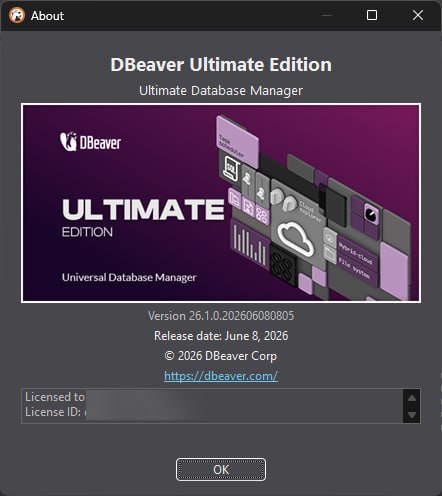
DBeaver Ultimate Edition v26.1 is the premium, multi-cloud database management tool designed for enterprise environments. It allows users to seamlessly unify and manage databases across AWS, Azure, GCP, and on-premise servers from a single interface. The name DBeaver comes from “Database Beaver” – a tool that works hard to manage your data. Ultimate Edition is the highest tier. It includes all features of Lite and Enterprise editions, plus tools purpose-built for complex, cloud-heavy infrastructures. Version 26.1 is the first major release of 2026. The .1 means bug fixes and small improvements.
Why Enterprises Need Better Database Tools
Enterprises today manage databases everywhere. Some databases run on AWS. Some run on Azure. Some run on Google Cloud. Some run on-premise in your own data center. Each cloud provider has its own tools. Each database type has its own client. Your team jumps between multiple applications. This is inefficient. Errors happen. Security is harder to maintain. DBeaver Ultimate Edition solves this by providing one tool for all databases. You connect to any database from a single interface. You manage cloud storage alongside databases. You run queries across different platforms. The learning curve is reduced. Your team becomes more productive.
The Universal Database Management Concept
It supports over 100 databases. Relational databases like MySQL, PostgreSQL, SQL Server, and Oracle. NoSQL databases like MongoDB, Cassandra, and Redis. Cloud databases like Redshift, Google BigQuery, and Oracle Cloud. The new version 26.1 adds support for Microsoft Fabric, Valkey, and GizmoSQL. This means your team uses one tool for everything. No more switching between database clients. No more learning new interfaces for each database. The Universal Database Management concept is simple: one tool, all databases, one interface.
What A New DBeaver Ultimate User Experiences
You download DBeaver Ultimate Edition v26.1 from the DBeaver PRO Official Platform. You install it on Windows, macOS, or Linux. The installation is straightforward. You launch the software. The interface is clean and modern. The main window shows a connection manager on the left. This is where you add your databases. You click the New Connection button. You choose your database type. You enter connection details like host, port, username, and password. The software connects. You see your database schema. You run your first query. SELECT * FROM users LIMIT 10. The results appear instantly. Within 15 minutes, you are connected and querying.
Can You Connect To A Database And Run A Query
Set a timer for 30 minutes. Open it. You have a PostgreSQL database running in AWS RDS. Your goal is to connect and run a query. Minute 1 to 5, download and install DBeaver Ultimate. Minute 6 to 10, open the software. Click New Connection. Choose PostgreSQL. Minute 11 to 15, enter connection details. Host, port, database name, username, password. Test the connection. Minute 16 to 20, explore the database schema. See the tables, views, and functions. Minute 21 to 25, write a query. SELECT * FROM orders WHERE order_date > ‘2026-01-01’. Run it. Minute 26 to 30, view the results. Export them to CSV if needed. Most users complete this challenge within 30 minutes.
Where DBeaver Ultimate 26.1 Makes Daily Work Easier
Here are the workflows that DBeaver Ultimate Edition v26.1 improves significantly:
-
Connect to any database from a single interface
-
Run SQL queries with an advanced SQL editor and AI assistant
-
Browse cloud storage from AWS, Azure, and GCP
-
Visualize query execution plans to optimize performance
-
Monitor database connection sessions and user access
-
Perform complex schema migrations across different database types
-
Export query results to multiple formats including CSV, Excel, and JSON
-
Use AI Chat to ask questions about database schema and data
-
Add MCP servers to give AI model deeper knowledge of your database
-
Run dbvr CLI for headless database operations
-
Connect to external MCP servers for context-aware AI assistance
How Companies Use DBeaver Across Industries
- Financial Services: A bank manages hundreds of databases across multiple cloud providers. Their team of database administrators uses DBeaver Ultimate Edition to monitor all databases from one interface. They run queries, manage schema changes, and monitor performance. The unified view reduces errors and saves hours of daily work.
- Healthcare: A healthcare technology company manages patient data across PostgreSQL and Microsoft SQL Server. Their developers use this to write queries, analyze data, and build reports. The AI Chat helps them understand complex queries and optimize performance.
- E-Commerce: An online retailer uses DBeaver Ultimate to manage their inventory and order databases. They connect to Amazon RDS and Google Cloud SQL. The Cloud Storage Explorer lets them manage backups and data files across both clouds.
- SaaS Companies: A software company uses it to support their multi-tenant application. They manage over 100 customer databases. The advanced administration features help them monitor sessions, manage user access, and perform schema migrations.
What Users Say After One Month
After using this software for one month, users have clear opinions. The good things. The multi-database support is incredible. One tool for all databases saves time. The AI Chat is genuinely helpful. It understands schema and suggests optimizations. The Cloud Storage Explorer makes managing cloud files easy. The Query Execution Plan visualization helps identify bottlenecks.
The less good things. The Ultimate Edition is expensive for small teams. The AI features require configuration and may not work with all databases. Some users find the interface overwhelming at first. The MCP server integration requires technical setup. Overall, the benefits far outweigh the frustrations for most enterprise users.
The AI And MCP Integration – What Makes This Version Special
This introduces significant AI enhancements. The AI Chat knows your database schema. It understands your data. It can help you write queries, explain execution plans, and research trends. But the real innovation is MCP integration. MCP stands for Model Context Protocol. You can add external MCP servers to your AI Chat. For example, you work with PostgreSQL and use AI Chat to research data trends.
The AI model knows your database structure. But some queries return errors. The reason is that the model was trained on an older PostgreSQL version. When you add a Postgres-focused MCP server that provides current syntax, the model learns how to work with it. Your queries become valid. Your work stays on track. You can add as many servers as needed. Each server covers a different area. Together, they give the AI model knowledge across everything you work with.
dbvr CLI – The New Open Source Tool In The DBeaver Family
Version 26.1 introduces dbvr CLI, a lightweight command-line database management tool. It is available in two versions. dbvr Community is open source under the Apache License 2.0. dbvr is the full-featured commercial version. Core features include query execution, result export to local disk, and metadata management. The commercial version adds advanced features like cloud storage export, NoSQL support, enterprise SSO, secret management, and MCP server configuration.
You can run dbvr as an MCP server. This means you can create an MCP configuration for a specific connection. dbvr generates a ready-made JSON snippet to paste into your IDE or third-party AI tool. For example, you can run Claude CLI on the same server as dbvr. Once connected via MCP, Claude can browse catalogs, schemas, and tables, read table structures, and run SQL queries.
FAQ
Q1: What is DBeaver Ultimate Edition v26.1?
It is the premium, multi-cloud database management tool for enterprise environments. It unifies and manages databases across AWS, Azure, GCP, and on-premise from a single interface.
Q2: What databases does DBeaver Ultimate support?
It supports over 100 databases including MySQL, PostgreSQL, SQL Server, Oracle, MongoDB, Cassandra, Redis, Redshift, Google BigQuery, and Oracle Cloud.
Q3: What is MCP integration in DBeaver Ultimate?
MCP stands for Model Context Protocol. You can add external MCP servers to give your AI Assistant deep visibility into your database schema and context.
Q4: Is there a free trial of DBeaver Ultimate?
Yes. You can download the Ultimate Edition to start a 14-day free trial on the DBeaver PRO Official Platform.
Q5: What are the system requirements?
It runs on Windows, macOS, and Linux. It requires at least 1 GB of RAM (4 GB recommended).
Q6: What is dbvr CLI?
It is a lightweight command-line database management tool. There is an open-source Community version and a full-featured commercial version.
Q7: Does DBeaver Ultimate support cloud storage?
Yes. Cloud Storage Explorer lets you manage storage services across AWS, Azure, and GCP.
Q8: Can I run dbvr as an MCP server?
Yes. dbvr can generate a ready-made JSON snippet for your IDE or third-party AI tool to connect via MCP.
Q9: What is new in DBeaver 26.1?
Version 26.1 adds support for Microsoft Fabric, Valkey, GizmoSQL, external MCP servers, dbvr CLI, and a redesigned Query Execution Plan.
Technical Specifications
| Specification | Details |
|---|---|
| Software Name | DBeaver Ultimate Edition v26.1 |
| Category | Database Management Tool |
| Developer | DBeaver Corporation |
| Supported Databases | 100+ including MySQL, PostgreSQL, SQL Server, Oracle, MongoDB, Cassandra, Redis, Redshift, BigQuery, Fabric, Valkey, GizmoSQL |
| Cloud Support | AWS, Azure, GCP, Oracle Cloud |
| Key Features | Cloud Storage Explorer, MCP Integration, AI Chat, dbvr CLI, Advanced Administration |
| Operating Systems | Windows, macOS, Linux |
| Minimum RAM | 1 GB (4 GB recommended) |
| Free Trial | 14 days |
| License Type | Commercial |