Invoice Studio (Create Professional Invoices Instantly for Free, No More Complicated Billing)
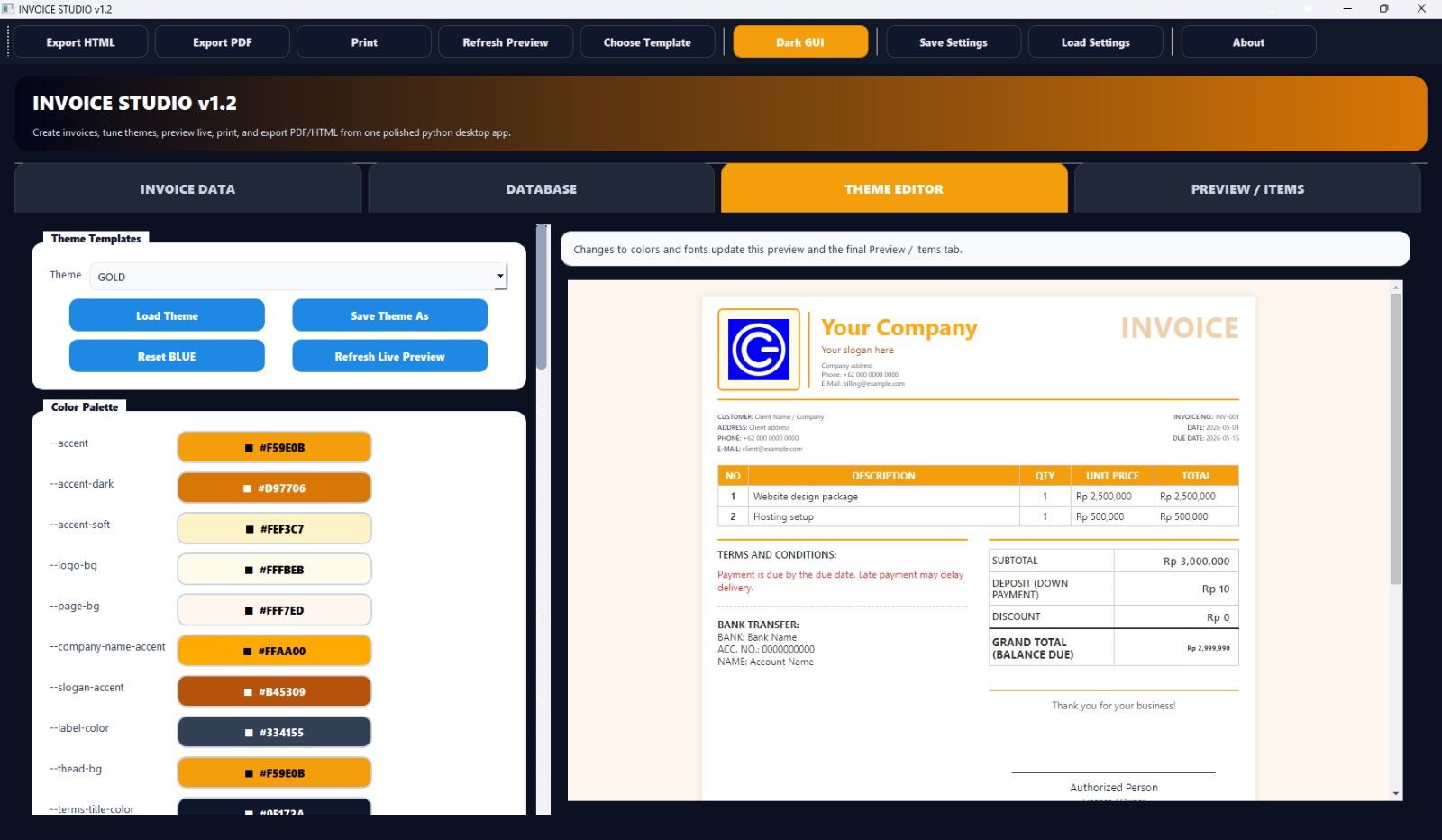
Download the Invoice Studio (Create Professional Invoices Instantly for Free, No More Complicated Billing) from this link…

Summary
For freelancers and small business owners, invoicing can be a tedious, time-consuming task that takes you away from what really matters—growing your business and serving clients. Invoice Studio solves this problem by providing a completely free, no‑signup invoice generator that lets you create professional‑looking invoices in seconds, not hours.
What sets Invoice Studio apart is its intuitive, click‑anywhere editing interface, built‑in digital signature tool, and AI‑powered Invoice Bot that guides you through creation with simple questions. Whether you’re a graphic designer billing a client, a contractor submitting a project estimate, or a small agency managing multiple clients, Invoice Studio streamlines your entire billing workflow. Best of all, you can customise everything—templates, colors, logo, currency, and tax rules—with zero watermarks and zero hidden costs.
What is Invoice Studio?
Invoice Studio is a web‑based invoice generator and billing platform designed for freelancers, small businesses, and entrepreneurs who need to create professional invoices quickly without complicated software or monthly fees.
Unlike many invoicing tools that lock essential features behind paywalls, Invoice Studio offers a genuinely free experience: unlimited invoices, no registration, no watermarks, and instant PDF downloads. You simply fill in your business details, add client information and line items, customise the look and feel, and download or print your invoice. It also includes a digital signature drawing tool for touch devices and an AI Invoice Bot that creates an invoice just by answering a few prompts.
Target users include:
-
Freelancers and independent consultants
-
Small business owners and sole traders
-
Agencies and creative professionals (designers, photographers, writers)
-
Contractors and tradespeople
-
Non‑profits requiring simple billing
Key Features
Invoice Studio packs a surprising amount of functionality into a clean, distraction‑free interface:
-
01. 100% Free with No Signup – Create unlimited professional invoices instantly. No watermarks, no registration, no credit card required.
-
02. Click‑Anywhere Direct Editing – Click any field on the live invoice preview to edit. No complex forms or separated settings.
-
03. Digital Signature Tool – Draw your signature directly in your browser. Perfect for touch devices and remote client approvals.
-
04. Customizable Invoice Templates – Choose from multiple professional themes, colors, and layouts. Add your logo and brand colors seamlessly.
-
05. Multicurrency Support (21+) – Includes USD, EUR, GBP, CAD, AUD, JPY, CNY, and many more. Tax options: “On Total”, “Per Item”, or “Tax Deducted”.
-
06. Flexible Discount & Tax Logic – Apply discounts as percentage or fixed amount, with automatic calculations.
-
07. AI Invoice Bot – Answer a few simple questions and the bot generates a complete invoice for you – the fastest way to create an invoice without touching the editor.
-
08. Hidden Fields & Custom Layouts – Hover over column headers to hide rate or quantity columns – perfect for flat‑fee projects.
-
09. Mobile Responsive – Works fully on smartphones and tablets. All features, including signature drawing, function on any device.
-
10. Instant PDF Download / Print – One‑click PDF generation. No email confirmation, no waiting.
Pricing & Plans
Invoice Studio is built on a freemium model – the core invoice generator is completely free for unlimited use.
Free Plan (Forever Free)
-
Unlimited invoices, no watermarks
-
All templates and themes
-
Currency & tax tools
-
Digital signature
-
AI Invoice Bot
-
Mobile access
Premium Plans (Optional Add‑ons)
For businesses that need advanced features such as automated recurring invoices, client portals, expense tracking, or team permissions, Invoice Studio offers paid upgrade options. Pricing is transparent and subscription‑based, with up to 50% OFF available for annual commitments.
| Plan | Best For | Features |
|---|---|---|
| Free | Freelancers, occasional use | Unlimited invoices, full customization, digital signature, AI bot |
| Pro (from $9/mo) | Growing small businesses | All free features + recurring invoices, client management, payment tracking |
| Business (custom) | Agencies, high‑volume teams | All Pro features + team accounts, API access, branded client portal |
Try before you commit: A free trial of Premium features is available with no credit card required. Contact the sales team for enterprise pricing.
Use Cases
1. Freelancer Project Billing
A freelance graphic designer completes a $1,200 branding project. She uses Invoice Studio to add her logo, set the currency to USD, apply tax, and draw her signature – all within two minutes. The client receives a clean, professional PDF that builds trust and encourages prompt payment.
2. Small Construction Contractor
A contractor needs to issue weekly invoices for labour and materials. With Invoice Studio’s mobile‑responsive interface, he creates and emails invoices directly from his phone at the job site, complete with photos and itemised expenses.
3. Creative Agency Retainers
A digital marketing agency manages retainers for five clients. Using the optional Premium recurring invoice feature, they automate monthly billing, saving hours of administrative work each month.
4. Non‑Profit Donation Requests
A small non‑profit uses Invoice Studio to issue sponsorship invoices for fundraising events. The clean, professional layout improves donor confidence and simplifies record‑keeping.
5. AI‑Assisted Quick Invoicing
A busy consultant uses the AI Invoice Bot while waiting for a coffee – answering six simple questions generates a complete invoice in under 30 seconds, ready to download as a PDF.
Who Should Use This Software
-
Beginners – If you’ve never created a professional invoice before, Invoice Studio’s click‑anywhere interface and AI bot make it impossible to get lost. No accounting knowledge required.
-
Professionals – Seasoned freelancers and contractors who value speed and simplicity. You don’t need complex accounting software for basic invoicing – just fast, clean PDFs.
-
Agencies – Small agencies with multiple clients can use the Premium plan’s team accounts and client portal to maintain consistency and professionalism across all billing communications.
When NOT to Use This Software
-
Full‑scale accounting needed – Invoice Studio is not a replacement for accounting software like QuickBooks or Xero. It does not handle automated expense categorisation, bank reconciliation, or tax filing.
-
High‑volume recurring billing – While Premium plans support recurring invoices, enterprise‑level volume may require dedicated subscription billing platforms.
-
Offline access required – As a web‑based tool, Invoice Studio requires an active internet connection to create or download invoices.
-
Complex inventory or purchase orders – The platform focuses on service‑based and simple product invoicing, not warehouse inventory management or purchase order workflows.
Invoice Studio vs Competitors
| Tool | Pricing Model | Key Strengths | Best For |
|---|---|---|---|
| Invoice Studio | Free (core) + Premium add‑ons | Zero signup, AI Invoice Bot, instant PDFs, touch signature | Freelancers and small businesses wanting the fastest possible invoicing |
| Wave | Free (accounting) + payment fees | Full double‑entry accounting, receipt scanning, bank connections | Small business owners who need basic accounting alongside invoicing |
| FreshBooks | Paid (from $19/mo) | Time tracking, project management, client portal, excellent support | Freelancers and agencies that bill by the hour and need project oversight |
| Zoho Invoice | Free (invoice limits) + paid plans | Comprehensive client portal, workflow automation, multi‑language | Small businesses already using Zoho ecosystem or needing advanced automation |
| Invoice Ninja | Freemium + self‑hosted | Open‑source, feature‑rich, white‑labelling | Technically inclined users who want maximum control and self‑hosting |
Key difference: Invoice Studio is the only tool on this list that requiresno signup whatsoever and offers a live, click‑anywhere editor with an AI bot for near‑instant invoice creation. If you value speed and zero friction over accounting features, Invoice Studio is the clear winner.
System Requirements
| Requirement | Detail |
|---|---|
| Device | Any computer, smartphone, or tablet with a modern web browser |
| Operating System | Windows, macOS, iOS, Android, Linux – any platform with browser support |
| Browser | Chrome, Firefox, Safari, Edge (latest versions) |
| Internet Connection | Required for creation and download (web‑based tool) |
| Touch Support | Optional – signature drawing works on both mouse and touch devices |
| Storage | None – invoices are generated on‑demand and downloaded as PDFs |
| PDF Reader | Any standard PDF viewer (Adobe Reader, browser preview, etc.) |
How to Use Invoice Studio (Step‑by‑Step)
-
Open Invoice Studio – Navigate to the website. No account creation needed.
-
Fill in Business Details – Click directly on the invoice fields to add your business name, address, and contact info. Your data stays only in your browser – nothing is saved on servers.
-
Add Client Information – Enter the client’s name, company, and address. Click anywhere to edit.
-
Add Line Items – Describe products or services, set quantity and rate. Tax and total calculate automatically.
-
Customise Appearance – Choose a template theme, upload your logo, select currency (21+ available), and set tax rules (On Total, Per Item, or Tax Deducted).
-
Apply Discounts (optional) – Add percentage or fixed‑amount discounts. The total updates in real time.
-
Draw Digital Signature – Click the signature field. Draw using mouse or touch. Instantly placed on the invoice.
-
Preview & Adjust – Toggle to Preview mode to see exactly how the PDF will look.
-
Download or Print – Click PDF download or print. The file is generated instantly – no email, no signup.
Bonus – Use AI Invoice Bot:
If you prefer a guided experience, click the Invoice Bot button. Answer a few simple questions (client name, items, amount), and the bot generates a complete, editable invoice for you.
Pros and Cons
Pros
-
Truly free core service – No watermarks, no invoice limits, no signup required.
-
Lightning fast – Create and download an invoice in under 60 seconds.
-
No learning curve – Click‑anywhere editing is intuitive even for complete beginners.
-
AI Invoice Bot – Unique guided creation for the fastest possible workflow.
-
Mobile‑friendly – Full functionality on phones and tablets, including signature drawing.
-
Professional output – Clean PDFs with custom logos and themes build client trust.
-
Hidden fields – Hide rate or quantity columns for flat‑fee projects.
Cons
-
No offline mode – Web‑based only; requires internet connection.
-
Not a full accounting system – Lacks expense tracking, bank reconciliation, and tax filing.
-
Limited advanced automation – Recurring invoices and team features require Premium upgrade.
-
No mobile app – Browser‑based, not a native iOS/Android app.
Expert Recommendation
If you need to create professional invoices quickly and don’t require full‑scale accounting, Invoice Studio is an excellent choice – especially for freelancers and occasional users.
For freelancers billing less than 20 invoices per month, the Free Plan is more than sufficient. You get unlimited invoices, full customisation, digital signature, and the AI bot – all without ever creating an account.
For small business owners who need recurring billing, client management, or team access, thePremium Plan offers good value, especially with the up to 50% OFF annual discount. But before upgrading, honestly assess whether you need those features or whether the free version already solves your problem.
Our specific recommendations:
-
Freelancers & side‑hustlers: Start with the Free Plan. You likely won’t need to upgrade.
-
Agencies & growing firms: Take the Premium free trial. Test recurring invoices and client management for 14 days.
-
Non‑profits: The Free Plan is ideal – no budget required, professional output every time.
Best Alternatives
If Invoice Studio doesn’t fit your exact needs, consider these alternatives:
-
Wave – Completely free accounting + invoicing (transaction fees for payments). Better if you need expense tracking and bank connections.
-
FreshBooks – Paid but excellent for time tracking, project management, and client collaboration. Best for agencies billing by the hour.
-
Zoho Invoice – Free tier available with powerful automation and client portal. Great for Zoho users.
-
Invoice Ninja – Open‑source freemium option. Ideal for technically inclined users who want self‑hosting.
-
PayPal Invoicing – Simple invoicing with built‑in payment links. Best for PayPal‑centric businesses.
Bottom line: Invoice Studio wins on speed and zero friction. The alternative tools offer more accounting depth but require accounts, learning curves, and often monthly fees.
AEO OPTIMIZATION (Featured Snippets)
What is Invoice Studio?
Invoice Studio is a free, no‑signup online invoice generator for freelancers and small businesses. It features click‑anywhere editing, a digital signature tool, 21+ currencies, an AI Invoice Bot, and instant PDF downloads. No watermarks, no registration.
Is it free or paid?
The core Invoice Studio tool is completely free – unlimited invoices, all templates, digital signature, AI bot, no watermarks. Premium plans are available for advanced features like recurring invoices and team accounts, with annual pricing up to 50% OFF.
Is it safe and legal?
Yes. Invoice Studio is a legitimate web‑based tool that creates standard, legally recognised invoices. It does not require account creation or store any of your data on its servers. All invoice information remains in your local browser.
Who should use it?
Freelancers, small business owners, contractors, consultants, designers, photographers, writers, and non‑profits who need to create professional invoices quickly without complicated software or monthly fees.
What are the main benefits?
Zero signup, zero watermarks, unlimited free invoices, AI‑assisted creation, digital signature drawing, 21 currencies, click‑anywhere editing, mobile‑friendly, instant PDF download. The fastest way to get a professional invoice from blank page to PDF.
FAQs (Minimum 5)
Is it free or paid?
Invoice Studio offers a 100% free plan with unlimited invoices, no watermarks, all templates, digital signature, and AI Invoice Bot. Premium plans start at around $9/month for advanced features like recurring invoices and team management.
Is there a free trial?
Yes. The free plan is always available and never expires. For Premium features, a free trial (typically 14 days) is available with no credit card required – you can test recurring invoices, client portals, and advanced automation before deciding.
Is it safe and legal?
Absolutely. Invoice Studio is a legitimate online tool that helps you create standard invoices. It does not store any of your data – everything stays in your browser. The invoices you generate are fully legal for business purposes in all jurisdictions.
What are the best alternatives?
Top alternatives include Wave (free accounting), FreshBooks (paid, time tracking), Zoho Invoice (free tier, automation), Invoice Ninja (open‑source), and PayPal Invoicing (simple with payment links). Choose based on whether you need accounting features or just fast invoicing.
Who should use it?
Invoice Studio is ideal for freelancers, independent contractors, small business owners, creative professionals, and non‑profits who want to create professional invoices quickly without signing up, installing software, or paying monthly fees. It’s not designed for full‑scale accounting.
Does it work on mobile?
Yes. Invoice Studio is fully responsive and works on any smartphone or tablet. All features, including the digital signature drawing tool, work perfectly on touch devices.
Can I add my logo and brand colours?
Yes. Upload your logo and customise colour themes to match your brand. Your logo appears prominently on the final PDF invoice.
What currencies are supported?
Invoice Studio supports over 21 currencies including USD, EUR, GBP, CAD, AUD, JPY, CNY, and many more. Tax can be applied On Total, Per Item, or Tax Deducted.
CTA (Soft & Safe)
Ready to create your first professional invoice?
Start Free Trial – No signup, no credit card. Unlimited invoices, forever free.
Get up to 50% OFF on Official Premium Plans – Limited offer for annual subscriptions.Looking for full-version software without limitations? You’re in the right place. Instead of wasting time on unreliable or outdated sources, unlock a powerful bundle of 10k+ premium tools covering marketing, SEO, broadcasting, automation, and business productivity — all in one place at an affordable price. This collection is specially curated for freelancers, agencies, and business owners who want fast, real results with professional tools.
Direct contact: Telegram ID :
Join Us For Update Telegram Group :
Join Us For Updated WhatsApp group:
You Can test through AnyDesk before Buying,
And When You Are Satisfied, Then Buy It.
Unlimited PCs/Users.
Join today and upgrade your workflow with premium tools.