Softinventive Lab Total Network Inventory (v6) Network Audit & IT Asset Management Download
Download the Softinventive Lab Total Network Inventory (v6) Network Audit & IT Asset Management from this link…

Summary
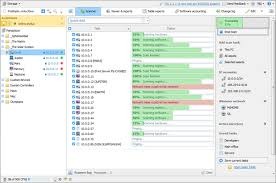
Total Network Inventory is a professional network audit and IT asset management solution designed to scan, analyze, and document every device connected to a corporate infrastructure. Unlike lightweight inventory tools that rely only on agent installation, this platform uses agent-free network scanning to detect hardware, software, and system configurations across Windows-based networks. It collects detailed information such as installed programs, running processes, system updates, CPU type, RAM size, storage configuration, serial numbers, and even network adapters. For organizations that manage dozens or hundreds of endpoints, this kind of structured visibility changes how IT teams operate.
When I first explored enterprise inventory tools years ago, most solutions required complicated deployment steps or expensive per-device licensing. Total Network Inventory approaches things differently. It allows administrators to scan remote computers using domain credentials, without physically accessing each machine. This reduces downtime and improves operational efficiency. The collected data is stored in a centralized database, allowing reporting, filtering, and export into formats like PDF, Excel, or HTML for documentation and compliance audits.
Who Uses It and Why It Matters
This software is primarily used by IT administrators, system engineers, managed service providers (MSPs), network managers, and internal IT departments in medium to large businesses. Educational institutions, healthcare networks, financial firms, and manufacturing companies often rely on structured hardware inventory tracking to maintain compliance and asset control. In regulated industries where audit trails and documentation are required, having a detailed IT asset database becomes essential rather than optional.
Small businesses also benefit from centralized inventory reporting, especially when they scale beyond 20–30 computers. Once device counts increase, manual spreadsheets become unreliable. Total Network Inventory provides automated scanning, structured reporting, and change tracking. IT teams can compare scans over time, detect unauthorized software installations, and identify outdated operating systems before they become security risks. This proactive approach reduces support tickets and strengthens cybersecurity posture.
Installation Process and Deployment Workflow
Installing Total Network Inventory is straightforward compared to enterprise-level asset management platforms. The software runs on Windows and does not require a complex server infrastructure. After downloading the installer from TeamArmaan, the setup wizard guides users through installation steps. Once installed, administrators configure network credentials to allow remote scanning of workstations and servers within the domain or workgroup.
The scanning engine supports Active Directory integration, IP range scanning, and manual node addition. You can define scan profiles to collect specific categories of data such as software inventory, hardware configuration, or security updates. The absence of a required agent simplifies deployment significantly. For distributed offices, remote subnet scanning can be configured without physically traveling to each location. This flexibility is often highlighted in professional comparisons with heavier IT management suites.
License Activation and Version Control
Softinventive Lab provides commercial licensing options depending on the number of nodes being scanned. Activation is handled through a license key entered within the software interface. After purchasing a license, users receive a registration code that unlocks full functionality and removes evaluation limits. The activation process does not require complicated online verification servers, which is helpful for organizations operating in restricted network environments.
License tiers are typically structured around device count ranges such as 25, 50, 100, 500, or unlimited nodes. This scalable pricing model allows companies to expand their infrastructure without switching platforms. Updates and version upgrades are periodically released to improve compatibility with newer Windows versions and security standards. Maintaining an active license ensures access to technical support and feature improvements.
Total Network Inventory Activation Key
- 75I4L-PAAME-63Z1I-LRNGF-I78XP
- LU463-A6UPH-IAXVO-7SSAR-FU5Z7
- 1Q0YT-1ZE95-D2AJD-1H9FI-2DGIW
- 9XIHN-YKSB7-YFYJT-VDV5P-CC3R2
System Requirements and Infrastructure Compatibility
It is designed for Windows environments. It typically supports Windows 7, Windows 8, Windows 10, Windows 11, and Windows Server editions. The host machine running the inventory console requires moderate system resources, generally at least 4 GB of RAM and stable network connectivity. Since the tool performs remote scanning, network permissions and firewall configurations must allow administrative access.
The software does not demand dedicated enterprise database servers like Microsoft SQL installations, which simplifies setup. Instead, it uses its own internal database engine optimized for inventory storage. For networks exceeding several hundred nodes, performance depends on bandwidth and credential permissions rather than hardware limitations. This makes the solution accessible to organizations that do not have large IT infrastructure budgets.
Real-World Use Cases in Corporate Environments
Consider a company with 200 workstations spread across multiple departments. Without automated inventory tracking, IT teams often rely on outdated spreadsheets and manual audits. It allows scheduled scans that update device information automatically. If a user installs unauthorized software, the system flags changes in the next scan comparison. This reduces compliance risk and improves governance.
Another practical use case involves hardware lifecycle planning. By generating reports on device age, processor type, and RAM capacity, organizations can forecast upgrade cycles and budget planning. For cybersecurity teams, identifying outdated Windows versions or missing security patches becomes easier when the information is centrally available. During audits, having instant access to hardware serial numbers and installed software lists saves hours of manual documentation work.
Benefits for IT Asset Management and Compliance
From a strategic perspective, visibility is the biggest benefit. Organizations cannot protect or optimize what they cannot see. It creates a structured map of network assets, enabling better decision-making. IT managers gain accurate data about resource allocation, license distribution, and device utilization rates.
Compliance with internal policies and external regulations becomes easier when detailed records are available. Many companies must maintain software licensing documentation to avoid legal penalties. Automated inventory scanning reduces the risk of non-compliance. The ability to export detailed asset reports also supports insurance documentation and disaster recovery planning. When a crisis occurs, knowing exactly what hardware and software existed before the event simplifies recovery processes.
Comparison with Alternative Inventory Tools
In the network inventory market, tools such as Spiceworks, Lansweeper, and ManageEngine AssetExplorer are frequently discussed. Each platform offers its own strengths. Lansweeper is known for cross-platform support and advanced analytics, while ManageEngine integrates tightly with broader IT service management ecosystems. Spiceworks, on the other hand, provides free community-supported features but includes advertisements.
Total Network Inventory positions itself as a focused, lightweight, and cost-effective alternative. It avoids overly complex modules and concentrates on accurate data collection and reporting. For businesses that do not require ticketing systems or remote desktop modules, this simplicity becomes an advantage. The learning curve is lower, and deployment time is shorter. However, organizations needing cloud-based SaaS deployment or cross-platform macOS and Linux deep scanning may evaluate other solutions depending on their environment structure.
Our Paid Service
If you want to Purchase Cracked Version / KeyGen Activator /License Key
Contact Us on our Telegram ID :
Join Us For Update Telegram Group :
Join Us For Update WhatsApp group:
Crack Software Policies & Rules:
Lifetime Activation, Unlimited PCs/Users,
You Can test through AnyDesk before Buying,
And When You Are Satisfied, Then Buy it.