Floating Charts MT4 (Real Multi Monitor Support For MT4) Latest 2026
Summary
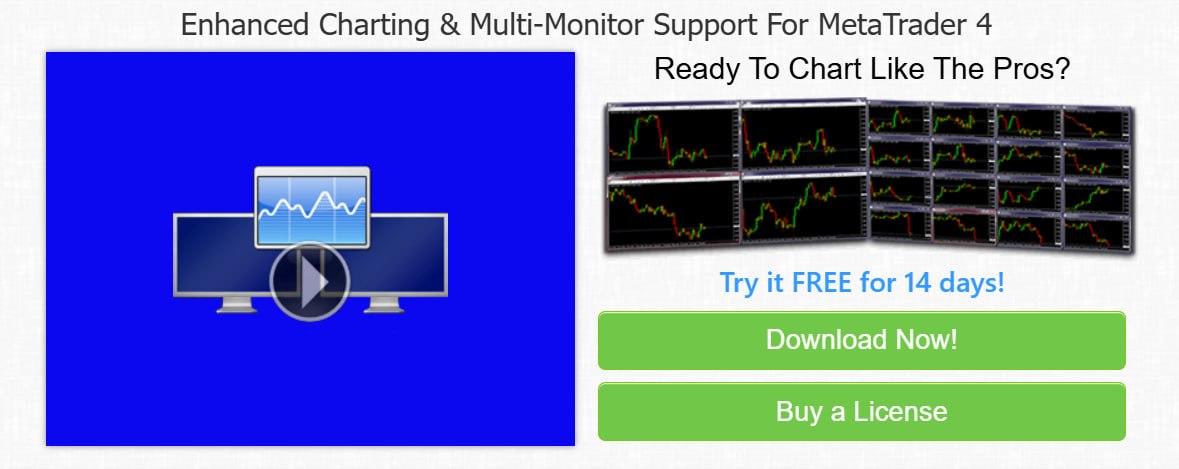
Floating Charts MT4 is a specialized multi-monitor extension for MetaTrader 4 that lets you detach, save position, and snap your trading charts across multiple screens. The software finally gives full multi-monitor support for your MetaTrader 4 platform, allowing you to detach one or all of your charts and move them independently around your screens. Whether you are a day trader, swing trader, or scalper, this tool transforms your MT4 experience by providing the flexibility to monitor multiple currency pairs and timeframes simultaneously, ultimately improving your trading efficiency and decision-making.
Understanding The Limitations Of Native MT4 Charting
MetaTrader 4, despite being one of the most popular trading platforms, has significant limitations when it comes to multi-monitor support. Traders are confined to a single window, making it difficult to monitor multiple charts simultaneously across different screens. Opening multiple instances of MT4 leads to resource inefficiency and cluttered desktops. Without the ability to detach and position charts independently, traders waste valuable time switching between tabs and windows. This limitation directly impacts trading performance, as quick decision-making requires instant access to multiple charts at a glance.
What This Software Does And Who Needs It
Floating Charts MT4 is an essential tool for any trader who uses MetaTrader 4 and wants to maximize their screen real estate. It is particularly valuable for day traders, scalpers, and swing traders who need to monitor multiple currency pairs and timeframes simultaneously. The software allows users to detach individual charts from the main MT4 platform and position them anywhere on their monitors, creating a personalized, efficient trading workspace. It is also beneficial for traders who use multiple monitors, allowing them to fully utilize their hardware investment. Even traders with a single monitor can benefit from features like chart stacking and quick-access toolbars.
Detach Charts – True Multi-Monitor Flexibility
The core feature of Floating Charts MT4 is the ability to undock individual or all charts to move them freely outside the main platform frame across unlimited monitors. This feature breaks the constraints of the native MT4 platform, giving traders complete control over their workspace layout. Charts can be positioned on any monitor, allowing for customized viewing of different timeframes and symbols. This flexibility is essential for traders who need to monitor multiple markets simultaneously, as it eliminates the need to switch between tabs, enabling faster and more informed trading decisions.
Position Memory – Automatic Workspace Restoration
The Position Memory feature automatically remembers and restores your custom window layout and screen coordinates on launch via FLOAT ALL. This means that once you have arranged your charts perfectly, the software will remember exactly where each chart was positioned. When you restart MT4 or your computer, a single command restores your entire workspace to its previous state, eliminating the need to manually reposition charts every time. This feature significantly reduces setup time and ensures that you can start trading immediately with your preferred layout.
Window Snapping And Chart Stacking
Floating Charts MT4 includes powerful window management features that enhance organization and efficiency. Window Snapping allows quick-snap charts to screen halves or corners with single hotkeys or clicks, making it much easier to position charts precisely on your screens. Chart Stacking allows you to group multiple charts into a single screen zone and cycle through them using a push-back action button. This feature is particularly useful for traders with limited screen space, as it enables them to view multiple charts in the same area while still having quick access to all of them. Together, these features enable efficient organization of trading space.
Modes And Toolbars – Customizing Your Workspace
Floating Charts MT4 offers flexible customization options to suit different trading styles and preferences. The Minimal Mode hides toolbars completely on undocked windows to maximize grid space, providing a clean, uncluttered view ideal for traders who rely primarily on price action. Retained Toolbars keep standard charting tools active on independent windows, ensuring that common trading actions are always accessible. The software also supports fast keyboard shortcuts for floating, re-docking, and tiling setups, enabling you to manage your workspace efficiently without interrupting your trading flow.
Symbol Mapping And Stacking
Floating Charts MT4 introduces features that simplify the management of multiple charts. Symbol Mapping instantly brings all the floating charts of one symbol into view, making it easy to focus on a single instrument across different timeframes. Symbol Stacking instantly creates stacks of charts based on a symbol, allowing traders to quickly organize their workspace around specific trading instruments. These features significantly reduce the time spent managing charts, enabling traders to focus on analysis and trade execution.
Licensing And Compatibility
Floating Charts MT4 is available through the official website with a 14-day free trial. The software is licensed per user and covers registration on up to 3 computers. It supports multiple MT4 installations, automatically detecting and managing them independently. The purchase includes lifetime upgrades and automatic updates, ensuring that traders always have the latest features and improvements. The software is backed by a 60-day money-back guarantee, providing peace of mind for new users. The trial version has the same features as the licensed version, with the only difference being a registration prompt each time it is run.
Frequently Asked Questions
Q1: What is Floating Charts MT4 used for?
It is a multi-monitor extension for MetaTrader 4 that allows traders to detach, save position, and snap trading charts across multiple screens.
Q2: Does Floating Charts MT4 work with multiple monitors?
Yes, the software is specifically designed to provide full multi-monitor support for MetaTrader 4.
Q3: What is the Position Memory feature?
It automatically remembers and restores your custom window layout and screen coordinates on launch via FLOAT ALL.
Q4: Can I use Floating Charts MT4 on multiple computers?
Yes, a license covers registration on up to 3 computers.
Q5: What is Minimal Mode in Floating Charts MT4?
Minimal Mode allows you to disable toolbars on undocked charts to save space and create a cleaner view.
Q6: Is there a free trial available for Floating Charts MT4?
Yes, a 14-day free trial is available.
Technical Specifications
| Specification | Details |
|---|---|
| Software Name | Floating Charts MT4 |
| Category | Multi-Monitor Extension for MetaTrader 4 |
| Developer | Floating Charts |
| Primary Use | Detaching and managing MT4 charts across multiple monitors |
| Key Features | Detach charts, position memory, window snapping, chart stacking |
| Compatibility | MetaTrader 4 (multiple installations supported) |
| Trial Version | 14-day free trial |
| License Type | Commercial |