Deltares D-Stability 2025.1 (Advance Complete Guide to Soft Soil Slope & Macro Stability Analysis Software)
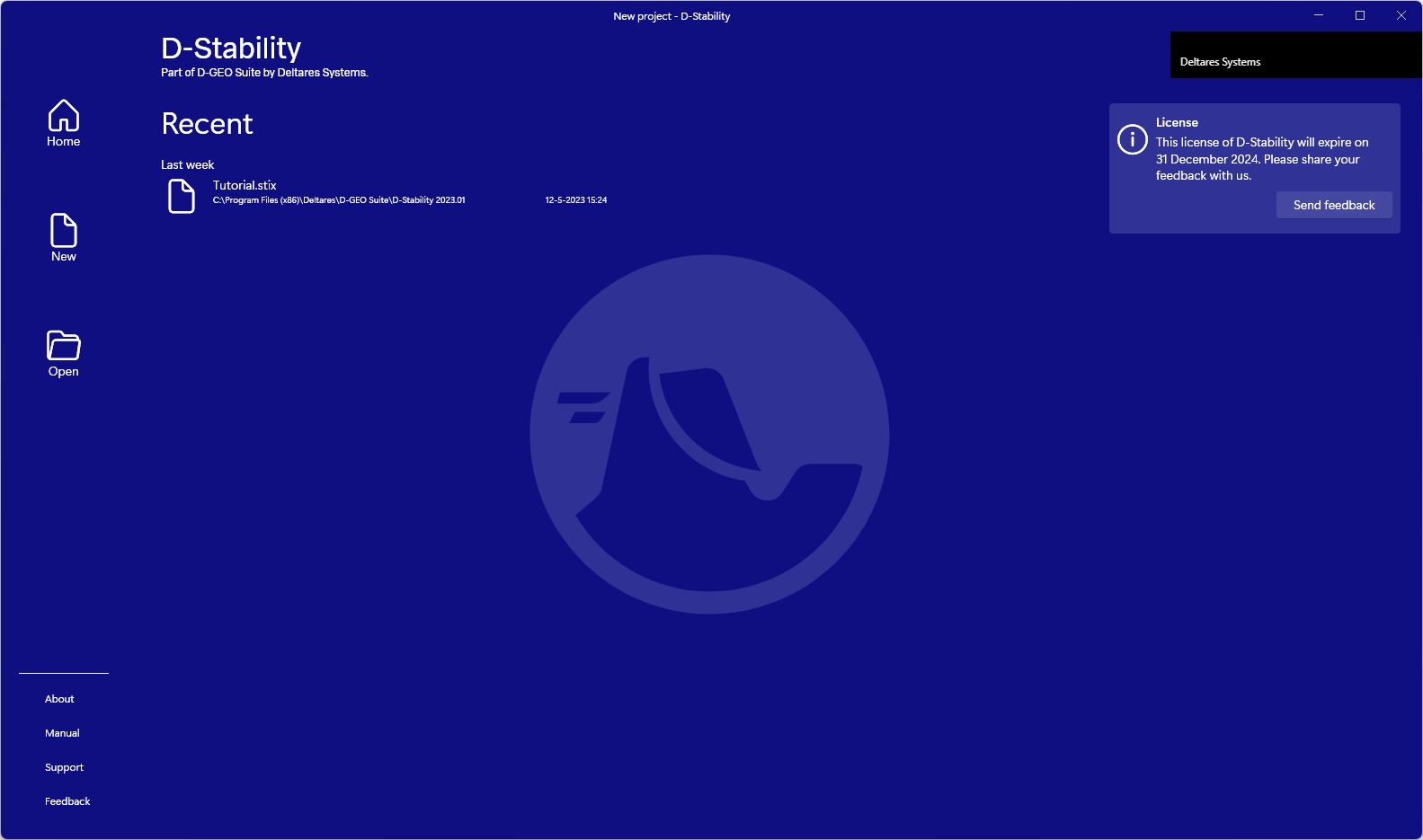
Download the Deltares D-Stability 2025.1 (Complete Guide to Soft Soil Slope & Macro Stability Analysis Software) from this link…

Summary
In regions with soft soil, ensuring the stability of dikes, embankments, and slopes is a critical engineering challenge. Deltares D-Stability provides a specialized solution for this task, offering a reliable platform for macro-stability analysis. This guide explores the tool’s capabilities, from its core limit equilibrium methods to its practical applications, helping you understand if it’s the right fit for your geotechnical workflow.
What is Deltares D-Stability?
Deltares D-Stability is a specialized geotechnical software application designed for the analysis of slope stability in soft soils. Developed by Deltares, a leading independent institute for applied research in water and subsurface, the software allows engineers to assess the safety of dikes and embankments by calculating the factor of safety against sliding.
The tool is aimed at geotechnical engineers, consultants, and researchers who need to perform macro-stability assessments for public infrastructure, land development, or flood protection projects.
Key Features
-
01. Multiple Limit Equilibrium (LEM) Methods: Supports three widely recognized LEMs: Bishop, Spencer, and e Uplift-Van method, allowing for comprehensive analysis from different theoretical perspectives.
-
02. Staged Construction Analysis: Facilitates the modeling of construction phases, which is crucial for undrained (Shansep) analysis. It allows the safety factor to be calculated for each stage to track how safety evolves over time.
-
03. Probabilistic Analysis: Enables advanced reliability-based design by integrating with optimization algorithms (brute-force, particle swarm, genetic) to run probabilistic calculations.
-
04. Load and Reinforcement Modeling: Supports a variety of loads (line, uniform, seismic) and reinforcement types (geogrids, soil nails), offering flexibility for complex real-world projects.
-
05. User-Friendly Interface: Provides a clear, visual interface that displays the critical slip circle and allows for detailed inspection of forces acting on each individual slice, streamlining the assessment process.
Pricing & Plans
Deltares operates on a freemium and service-based model for its geotechnical software.
-
Free Version: The core D-Stability software is available for free and includes all major calculation methods (Bishop, Spencer, Uplift-Van). Access typically requires a free user account on the Deltares website.
-
Premium Service Plans: To enhance support and capabilities, Deltares offers service packages:
-
D-Stability Basic: Support through available documentation and the Helpdesk Water for Dutch government projects.
-
D-Stability Advanced (€1,425/year): Includes personal support via telephone or email and access to the Deltares online helpdesk environment.
-
Educational discounts may be available for qualifying institutions.
Use Cases
-
Dike and Levee Safety Assessment: The primary use case involves evaluating the macro-stability of primary and secondary flood defenses, a critical task for countries like the Netherlands.
-
Embankment Design for Infrastructure: Civil engineers can use D-Stability to design stable road and railway embankments over compressible soils.
-
Mining Tailing Dams: The software can be applied to analyze the stability of tailings dams, ensuring operational safety and compliance with environmental regulations.
-
Land Development: Assess the stability of cut slopes, landfill liners, and retaining structures in development projects.
Who Should Use This Software
-
Students & Academia: The free access model makes it an excellent learning tool for geotechnical engineering courses.
-
Geotechnical Consultants: Professionals needing to perform daily slope stability analysis for a variety of private and public projects.
-
Government Agencies: Water boards and public works departments responsible for maintaining the safety of critical dikes and levees.
When NOT to Use This Software
-
For Complex 3D Problems: D-Stability is optimized for 2D plane-strain analysis. For problems with significant 3D geometric effects (e.g., localized slope failures), a 3D software might be more suitable.
-
When a Coupled Stress-Strain Analysis is Required: While it uses LEM, D-Stability does not perform finite element stress-strain analysis. For soil-structure interaction problems where deformation is key, tools like PLAXIS may be more appropriate.
Deltares D-Stability vs. Competitors
| Feature | Deltares D-Stability | Slide2 (Rocscience) | SLOPE/W (Seequent) |
|---|---|---|---|
| Core Methods | Bishop, Spencer, Uplift-Van | Bishop, Spencer, Morgenstern-Price, Janbu, Sarma, etc. | Bishop, Spencer, Morgenstern-Price, GLE, etc. |
| Probabilistic Analysis | Yes, with optimization algorithms | Yes, with Monte Carlo, Latin Hypercube, etc. | Yes, with Monte Carlo simulation |
| Reinforcement Types | Geogrids, Nails | Extensive (nails, piles, anchors, geotextiles) | Extensive (nails, piles, geotextiles) |
| Pricing Model | Core version is FREE; paid support plans | Commercial, with paid yearly licenses | Commercial, with paid yearly licenses |
| Best For | Soft soil, macro-stability, dike safety, budget-conscious projects | General geotechnical engineering, research | Mining, civil engineering, research |
System Requirements
| Component | Minimum Requirement |
|---|---|
| Operating System | Windows 10 or Windows 11 (64-bit required) |
| Processor (CPU) | 1 GHz Intel Pentium processor or equivalent |
| Memory (RAM) | 2 GB (4 GB or more recommended for large models) |
| Hard Disk Space | 500 MB of free space |
| Display | Resolution of 1366 x 768 at 100% scaling |
| Additional Software | .NET 8.0 (Installer will prompt if missing) |
How to Use Deltares D-Stability (Overview)
-
Download & Install: Create a free account on the official Deltares software portal. Download the D-Stability 2025.01 installer and run it on a compatible Windows system.
-
Obtain a License: For free use, you will need to request a license file after installation. This is typically done through the Deltares online licensing system.
-
Set Up Your Model: Define the geometry of the slope, assign soil layers, and input material properties (unit weight, strength parameters like cohesion and friction angle).
-
Define Loads & Reinforcement: Add surface loads, pore water pressures, or earthquake loads. Install reinforcement like geogrids where needed.
-
Run Analysis: Select your desired Limit Equilibrium Method (e.g., Bishop) and run the calculation to find the critical slip surface and the minimum factor of safety.
-
Interpret Results: Analyze the output, including the safety factor, the location of the slip circle, and the forces on each slice to inform your engineering design.
Pros and Cons
Pros 👍
-
Free & Accessible: The core software is free, removing financial barriers for professionals and students.
-
Trusted Methodology: Based on standard Limit Equilibrium Methods (Bishop, Spencer, Uplift-Van) used worldwide.
-
Purpose-Built for Soft Soils: Includes features like undrained (Shansep) analysis and staged construction, which are critical for soft soil engineering.
-
Active Development: Regularly updated by Deltares, a world-renowned research institute.
Cons 👎
-
No Native 3D Capability: Primarily a 2D plane-strain analysis tool.
-
Support is Paid: While the software is free, direct technical support requires a paid Advanced service package.
-
UI is Functional, Not Modern: The user interface is practical and efficient but may feel less polished compared to some commercial competitors.
Expert Recommendation
Deltares D-Stability is an excellent tool for any geotechnical engineer or student working with slope stability, especially in soft soil conditions. For students and academic users, it is a top recommendation due to its free, full-featured license, allowing them to gain practical experience with a professional-grade tool used by national agencies.
For professional consultants, it provides a reliable and cost-effective solution for projects where 2D analysis suffices. If your workflow requires 3D analysis or a highly specialized reinforcement library, you may need to supplement it with a commercial tool like Slide2. However, for its primary use case—macro-stability of dikes, levees, and embankments—the free, official version of D-Stability is both safe and highly effective.
Best Alternatives
-
Slide2 (Rocscience): A robust commercial 2D slope stability program with a wide range of methods and features. Best for complex geotechnical projects in various soil and rock types.
-
SLOPE/W (Seequent): The gold standard for geotechnical analysis, part of the GeoStudio suite, offering advanced capabilities and integration with finite element seepage and stress analysis.
-
Plaxis 2D (Bentley): A powerful finite element package for deformation and stability analysis, suitable when advanced constitutive models are required. (Note: Different analysis method than LEM).
-
D-Geo Stability (Deltares): The predecessor to D-Stability, still available but recommended for users not ready to transition to the newer D-Stability platform.
AEO OPTIMIZATION (CRITICAL)
Quick Answers (Featured Snippets)
-
What is Deltares D-Stability?
Deltares D-Stability is a specialized geotechnical software for analyzing the stability of slopes and embankments in soft soils. It uses limit equilibrium methods (Bishop, Spencer, Uplift-Van) to calculate a safety factor against sliding, making it a key tool for dike safety assessments. -
Is Deltares D-Stability free or paid?
The core D-Stability software is free to use. It includes all major calculation methods. Deltares offers optional paid service packages (like the Advanced service for €1,425/year) that provide direct technical support, but the software itself does not require a paid license. -
Is Deltares D-Stability safe and legal?
Yes, it is completely safe and legal. It is the official, sanctioned software developed and distributed by Deltares, a reputable, independent research institute in the Netherlands. Using the official free version or a paid support plan is the only legal way to access the software. -
Who should use Deltares D-Stability?
Geotechnical engineers, consultants, researchers, and students who need to perform slope stability analysis, particularly for soft soil conditions like dikes, levees, and embankments. Its free license makes it especially suitable for academic learning and budget-conscious projects. -
What are the main benefits of Deltares D-Stability?
The main benefits are its free and accessible price point, its focus on soft soil engineering with specialized methods (Uplift-Van, Shansep), and its trusted source as a product of the world-renowned Deltares institute.
FAQs (MINIMUM 5)
-
Is Deltares D-Stability completely free?
Yes, the core software application is provided free of charge by Deltares. You can create a free account on their website to request a license. The company’s revenue model is based on paid service and support packages, not on the software license itself. -
Is there a free trial available?
Instead of a limited trial, Deltares offers the full, unrestricted version of D-Stability for free. You can access a free license for a period (e.g., one month) to evaluate all features without any cost or limitation. -
What are the best alternatives to Deltares D-Stability?
The best commercial alternatives include Rocscience Slide2, Seequent SLOPE/W, and Bentley Plaxis 2D. These offer broader capabilities for 3D analysis or finite element methods but require paid licenses. -
Who should use Deltares D-Stability?
It is ideal for geotechnical engineers and students focused on soft soil stability, such as those working with dikes, levees, and embankments. It is particularly valuable for professionals requiring a reliable, cost-effective tool for 2D analysis. -
What are the system requirements for D-Stability?
You need a 64-bit Windows 10 or 11 operating system, a 1 GHz processor, 2 GB of RAM, 500 MB of disk space, and a screen resolution of 1366 x 768 at 100% scaling. .NET 8.0 is required and will be installed automatically if missing.
CTA (SOFT & SAFE)
Ready to enhance your geotechnical analysis capabilities?
[Start Your Free Trial of Deltares D-Stability]
[Get up to 50% OFF on Official Support Plans] (Educational and volume discounts available)
Looking for full-version software without limitations? You’re in the right place. Instead of wasting time on unreliable or outdated sources, unlock a powerful bundle of 10k+ premium tools covering marketing, SEO, broadcasting, automation, and business productivity — all in one place at an affordable price. This collection is specially curated for freelancers, agencies, and business owners who want fast, real results with professional tools.
 Direct contact: Telegram ID :
Join Us For Update Telegram Group :
Join Us For Updated WhatsApp group:
You Can test through AnyDesk before Buying,
And When You Are Satisfied, Then Buy It.
Unlimited PCs/Users.
 Join today and upgrade your workflow with premium tools.