NewBlue Captivate Broadcast v260.60.4 Live Graphics And Playout Software
Summary
NewBlue Captivate Broadcast v260.60.4 is a powerful live graphics and playout engine designed to run dynamic overlays, scoreboards, and lower-thirds, with a built-in video switcher for large-scale live productions. Formerly known as Titler Live, Captivate represents the next generation of on-air graphics and titles applications, designed to captivate audiences during live broadcasts. The software delivers broadcast-quality graphics and video overlays for television stations, sporting events, businesses, classrooms, and more, making it an essential tool for broadcasters, sports producers, educational institutions, worship teams, corporate communicators, and live event professionals.
Key Features And Playout Control Methods
NewBlue Captivate Broadcast offers multiple ways to control graphics during live productions. Manual playout allows operators to play, pause, or take graphics on and off-air directly from the interface using the play button on the Project panel or Shot Launcher. Hotkeys enable mapping individual graphics to specific keys on the keyboard for instant on/off execution.
Hardware integration allows seamless control using hardware controllers like Elgato Stream Deck (via Bitfocus Companion) or Blackmagic ATEM switchers. Data-driven playout ties graphic elements to external data sources like Excel, Google Sheets, CSV files, or RSS feeds to automatically push stats and names live without rebuilding graphics. Sequence Flow automates graphic loops, crawl playout modes, or plays entire sequences of clips.
Supported Outputs And Hardware Integration
Captivate Broadcast supports a wide range of professional output options for seamless broadcast integration. It supports direct output via NDI, or feeds into OBS Studio, vMix, and Wirecast. Hardware support includes native integration with Blackmagic Design and AJA cards for high-end SDI key/fill output. The software supports up to 16 channels of 4K NDI or 4K SDI key/fill, enabling high-resolution production. The NewBlue EMEA Fusion hardware options pair Captivate software with ultra-portable hardware designed for corporate, sports, television, and major live events.
Data-Driven Graphics And Real-Time Integration
One of the most powerful aspects of Captivate Broadcast is its ability to integrate live data directly into graphics. The software connects to Google Slides and Sheets, Excel spreadsheets and tables, XML files, RSS feeds, clocks, and more. The Scoreboard Tool controls and drives scoreboard data from industry-standard systems. Audience engagement features include Zoom/Teams/social media comments, tweets, live chat, and reaction polling. For sports production, the software connects to Daktronics, Fair-Play, OES, Stat Crew, Scorebird, or Sportzcast to drive scores for any sporting event. The software also includes an instant replay feature and direct integration with Zoom and Teams for remote productions.
Design And Creative Capabilities
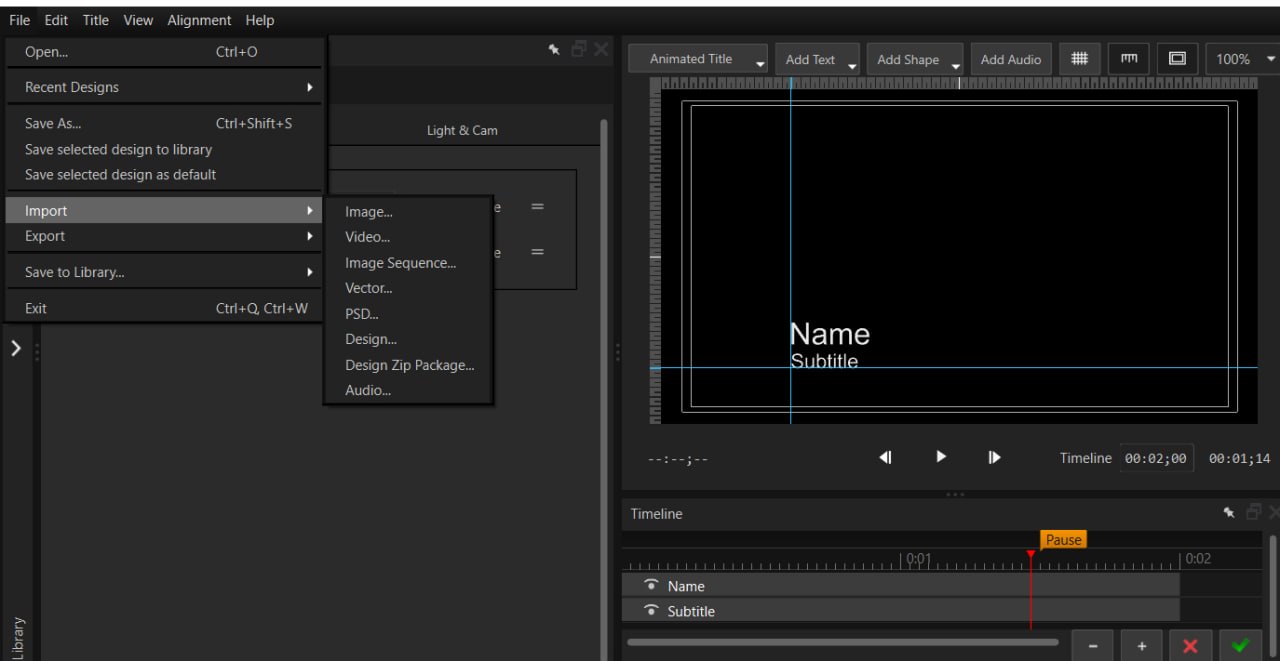
Captivate Broadcast includes powerful design tools for creating professional graphics. The Title Designer is a full motion editor with hundreds of built-in transitions and effects. Users can choose from over 1,000 fully customizable pre-made graphic templates or easily create custom motion graphics using the built-in Title Designer. One of the standout features is the ability to import Adobe After Effects projects and MOGRTs directly into Captivate Broadcast, allowing graphic designers to work in After Effects and bring their designs into live production. Photoshop designs can also be imported into the graphic editor and customized with the expansive library of effects and transitions. The software supports 3D animated graphics, crawls, rolling credits, and over 500 animations, effects, and transitions.
What’s New In Captivate 2026
The Captivate 2026 release brings major advancements across platform performance, graphics automation, and operator control. Key updates include Apple Silicon support for faster responsiveness and improved efficiency on newer systems. The new Animated Leaderboards workflow connects directly to live data sources, allowing rankings and tables to update automatically on-air through the Leaderboard Conductor workflow. Enhanced crawl workflows simplify the management of dynamic on-air content while expanding creative possibilities, allowing crawls to incorporate images, video, colors, and other media assets. Expanded Bitfocus Companion integration includes performance and reliability improvements, new dynamic button backgrounds, clock controllers support, and enhanced instant replay workflows.
Editions And Licensing Options
Captivate is available in two primary editions to suit different production needs. Captivate Sport is designed for sports broadcasting with scoreboard and stats graphics integration, priced at $1,499 perpetual or $99 monthly. Captivate Broadcast includes all features of Sport plus advanced tools for scalable productions including up to 16 output channels, unlimited graphics layers, After Effects integration, and Zoom/Teams video and audio support, priced at $4,999 perpetual or $249 monthly. Both versions include flexible licensing options with perpetual and subscription models. Educational discounts are available for qualifying institutions. All licenses include access to over 950 fully customizable graphic templates.
Frequently Asked Questions
Q1: What is NewBlue Captivate Broadcast v260.60.4?
It is a powerful live graphics and playout engine that runs dynamic overlays, scoreboards, and lower-thirds, with a built-in video switcher for professional live productions.
Q2: What is new in Captivate 2026?
Captivate 2026 introduces Apple Silicon support, Animated Leaderboards with Conductor workflow, enhanced crawls with image/video integration, expanded Bitfocus Companion presets, and improved performance.
Q3: What outputs does Captivate Broadcast support?
It supports NDI, HDMI, SDI (Blackmagic and AJA cards), RTMP streaming, and direct integration with Zoom and Teams.
Q4: Can Captivate import Adobe After Effects files?
Yes, Captivate Broadcast allows direct import of After Effects projects and MOGRTs as real-time data-driven live graphics.
Q5: How does data-driven graphics work in Captivate?
The software connects to Excel, Google Sheets, XML files, RSS feeds, and scoreboard systems to automatically update graphics with live data.
Q6: What hardware controllers work with Captivate?
Captivate integrates with Elgato Stream Deck (via Bitfocus Companion), Blackmagic ATEM switchers, and professional SDI/NDI hardware.
Q7: How many graphics layers does Captivate Broadcast support?
Captivate Broadcast supports unlimited simultaneous graphics layers across up to 16 channels of output.
Q8: What are the licensing options for Captivate?
Captivate is available with perpetual licenses and annual subscriptions for both Sport ($99/mo, $1,499 perpetual) and Broadcast ($249/mo, $4,999 perpetual) editions.
Technical Specifications
| Specification | Details |
|---|---|
| Software Name | NewBlue Captivate Broadcast v260.60.4 |
| Category | Live Graphics and Playout Software |
| Developer | NewBlue |
| Output Channels | Up to 16 channels |
| Resolution | 4K NDI and SDI key/fill |
| Graphics Layers | Unlimited |
| Template Library | 950+ fully customizable templates |
| Key Features | Data-driven graphics, After Effects import, instant replay, Bitfocus Companion |
| License Type | Commercial (Perpetual and Subscription) |