Bluetooth Tweaker v1.4.9.1 (Windows Bluetooth Enhancement Tool for Audio Quality and Device Control)
by Ali Haider · April 14, 2026
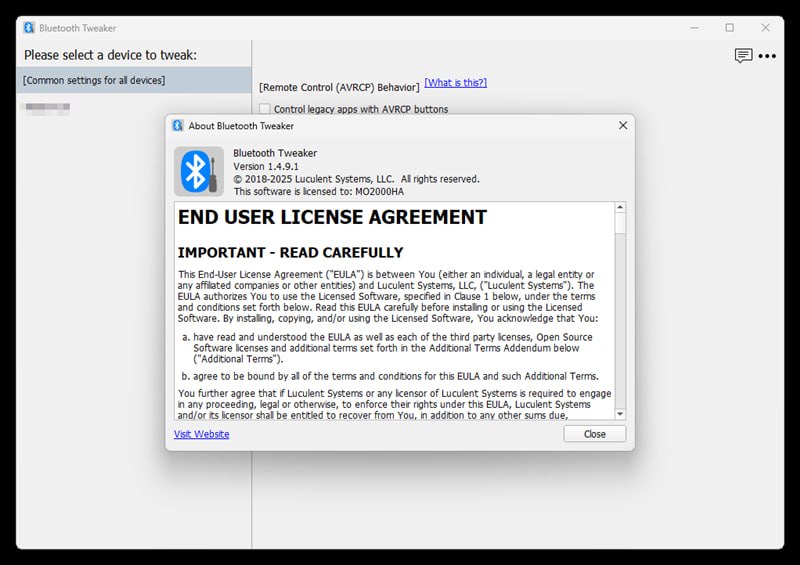
Download the Bluetooth Tweaker v1.4.9.1 (Windows Bluetooth Enhancement Tool for Audio Quality and Device Control) from this link…

Table of Contents
ToggleSummary
Bluetooth Tweaker v1.4.9.1 is a lightweight Windows utility developed by Luculent Systems, LLC that enhances the Bluetooth experience on Windows 10 and Windows 11 (64-bit). Unlike the limited Bluetooth settings built into Windows, Bluetooth Tweaker provides advanced diagnostics, fine-tuning controls, and troubleshooting tools for Bluetooth audio devices, headphones, speakers, and headsets.
What sets Bluetooth Tweaker apart is its focused approach to solving real-world Bluetooth problems that Microsoft has not adequately addressed. The software works with the native Windows Bluetooth stack and does not require third-party drivers or complex configuration. It is particularly valuable for users who rely on Bluetooth headsets for conference calls, music listening, or media playback and want more control and visibility than Windows provides.
Key Features
1. Stereo Audio (A2DP) CODEC Information Display
Windows 10 and 11 natively support aptX classic codec, but there is no built-in way to verify if it is actually working with your headphones. Bluetooth Tweaker shows which codec your headphone supports and which codec Windows selected. This allows you to confirm you are getting the best possible audio quality from your Bluetooth audio device. The trial version limits this feature to only one Bluetooth device.
2. Mute Headset Microphone with Headset Button
During conference calls, users who wander away from their desk can mute and unmute their microphone using the pause, stop, or play button on their headset or headphones. This eliminates the need to return to the PC to mute, which is especially useful for wireless headset users who move around during calls.
3. Make Your PC a Bluetooth Speaker
This feature makes your PC appear as a Bluetooth speaker to other devices. You can play music from your phone or any Bluetooth-enabled audio player and output the audio to your PC’s speakers. This is useful for using PC speakers as an alternative to dedicated Bluetooth speakers, sharing music without cables, or when your primary Bluetooth speaker is unavailable.
4. Mitigation for the Volume Control Problem
Starting with Windows 10 version 1803, Microsoft changed how Windows controls Bluetooth stereo audio volume. For some Bluetooth audio devices, this change caused the volume control to stop working properly. Symptoms include being unable to move the volume slider or the slider moving but actual volume not changing. Bluetooth Tweaker v1.4.9.1 restores proper volume control by forcing Windows not to use the device’s hardware volume control.
5. Legacy Media App Control with AVRCP Buttons
Microsoft also changed how headset and headphone buttons are handled in version 1803. Modern apps like the built-in Groove Music work correctly, but legacy apps including VLC, Kodi, and even Microsoft’s own Windows Media Player stopped receiving button events. Bluetooth Tweaker restores the ability to control these legacy apps using headphone and headset buttons through AVRCP (Audio/Video Remote Control Profile).
6. Device Diagnostics and Monitoring
It provides detailed device information including supported profiles (A2DP, HFP/HSP, AVRCP, HID), signal strength (RSSI), connection status, and battery level when reported by the device. Event logs help trace dropouts and interference issues.
7. Connection Management
Users can quickly pair and unpair devices, force reconnections, refresh services, and clear cached records to fix stubborn pairing problems. Per-device rules and automation streamline multi-device setups.
8. Audio Behavior Adjustment
The software allows users to prefer music or call mode, prevent unwanted hands-free switching, and set reconnect priorities for headsets and speakers.
What’s New in Bluetooth Tweaker v1.4.9.1
- Version 1.4.9.1 continues to support Windows 10 and Windows 11 (64-bit only).
- The software has evolved through versions 1.0, 1.1, 1.2, 1.3, and 1.4, with each release adding stability improvements and broader device compatibility.
- The current version maintains the core features including CODEC information display, volume control fix, legacy app control, and PC as Bluetooth speaker functionality.
- Specific changes in recent versions include improved compatibility with newer Windows updates and expanded device support.
System Requirements
To run Bluetooth Tweaker v1.4.9.1 effectively, your system should meet the following specifications.
Minimum Requirements:
-
Operating System: Windows 10 or Windows 11 (64-bit only)
-
Processor: Any 64-bit processor
-
RAM: 2 GB minimum
-
Storage: 20 MB available space
-
Bluetooth Stack: Windows inbox Bluetooth stack (third-party stacks not supported)
-
Boot Loader: Windows standard boot loader (third-party boot loaders not supported)
-
Administrator Privilege: Required for installation and uninstallation
-
Internet Access: Required for trial license retrieval and license purchase
Installation Guide
Follow these steps to install Bluetooth Tweaker v1.4.9.1 on your Windows system.
-
Download the Installer: Download the Bluetooth Tweaker v1.4.9.1 installer from the official Luculent Systems website.
-
Try Before You Buy: A 7-day trial period begins as soon as you install the software. If you are not ready to evaluate, do not install until you are ready.
-
Run the Installer: Double-click the downloaded file to start installation.
-
Provide Administrator Privileges: Administrator privileges are required when installing the package.
-
Complete Installation: Follow the on-screen instructions. At the end of installation, you may be asked to reboot your computer. While not mandatory, it is recommended to reboot before proceeding to use the software.
-
Launch Bluetooth Tweaker: Start the program by double-clicking the Bluetooth Tweaker icon on the desktop or by clicking the icon in the start menu.
-
Trial License: The trial period begins automatically upon installation. Usage data may be collected to improve the software and is never shared with third parties.
How to Use Bluetooth Tweaker v1.4.9.1
Mastering Bluetooth Tweaker v1.4.9.1 involves understanding the specific fixes for common Windows Bluetooth problems.
Step 1: To Fix the Volume Control Problem:
Start Bluetooth Tweaker by double-clicking the desktop icon. Click the device name in the left pane. Enable the checkbox labeled “Force Windows not to use this device’s hardware volume control.” Click the Apply button. Volume control starts working after you reboot your computer.
Step 2: To Control Legacy Apps with Headphone Buttons:
Start Bluetooth Tweaker. Click “Common settings for all devices” in the left pane. Enable the checkbox labeled “Control legacy apps with AVRCP.” Click the Apply button. You should now be able to control legacy apps like VLC, Kodi, and Windows Media Player with your headphone buttons.
Step 3: To Check CODEC Information:
Start Bluetooth Tweaker. Select your Bluetooth audio device from the left pane. The software displays which CODEC your headphone supports and which CODEC Windows selected. This confirms whether aptX or another high-quality codec is actually being used.
Step 4: To Mute Microphone with Headset Button:
This feature works automatically after installation. Use the pause, stop, or play button on your headset to mute and unmute your microphone during conference calls.
Step 5: To Make Your PC a Bluetooth Speaker:
Enable the PC as Bluetooth speaker feature. Your PC will appear as a Bluetooth speaker to your phone or other Bluetooth audio players. Play music from your phone and output to your PC’s speakers.
Best Use Cases
| Use Case | Application | Key Benefit |
|---|---|---|
| Conference Calls | Muting microphone with headset button | Mute without returning to PC, ideal for wireless headsets |
| Audiophile Listening | Verify aptX codec is active | Confirm highest audio quality is being used |
| Media Playback | Control VLC, Kodi, Windows Media Player with headset buttons | Restore button functionality broken by Windows updates |
| Volume Control Issues | Fix volume slider that doesn’t change actual volume | Regain proper volume control on affected devices |
| PC as Speaker | Play phone music through PC speakers | Use PC speakers as alternative Bluetooth speaker |
| Troubleshooting | Diagnose connection drops and interference | View RSSI, event logs, and device capabilities |
Advantages and Limitations
Advantages:
- Bluetooth Tweaker solves specific Windows Bluetooth problems that Microsoft has not addressed.
- The legacy app control restores headset button functionality for VLC, Kodi, and Windows Media Player.
- The CODEC information feature provides transparency into which audio codec is actually being used, confirming whether aptX is active.
- The microphone mute feature is practical for wireless headset users who move around during calls.
- The PC as Bluetooth speaker feature turns any PC into a Bluetooth audio receiver.
- The software is lightweight at only 14.7 MiB and does not require third-party Bluetooth stacks or complex configuration.
- The interface is simple and user-friendly. The trial period allows full evaluation before purchase. The license is perpetual with no recurring subscription fees.
Limitations:
- The trial period lasts only seven days and begins immediately upon installation, not when you first launch the software.
- The trial version limits CODEC information to only one Bluetooth device. Usage data is collected during the trial period, though it is not shared with third parties.
- The license is tied to specific hardware (motherboard) and is not transferable to another computer. Reinstalling Windows or replacing motherboard components invalidates the license.
- Replacement licenses are offered at a discount but are not free. No “no questions asked” refunds are offered; refunds are only provided for bugs, not for mistaken purchases.
- Third-party boot loaders are not supported. Third-party Bluetooth stacks are not supported; only the Windows inbox Bluetooth stack works.
- Individual technical support is limited due to resource constraints; users are expected to consult the FAQ first. Some features depend on adapter, driver, and device capabilities and may not work on all systems.
Alternatives to Bluetooth Tweaker v1.4.9.1
| Software | Best For | Key Difference from Bluetooth Tweaker |
|---|---|---|
| Alternative A2DP Driver | SBC codec optimization | Focuses on codec quality, not volume or button fixes |
| Windows Built-in Settings | Basic Bluetooth | Free but lacks advanced features and fixes |
| BluetoothView (NirSoft) | Monitoring Bluetooth devices | Free but no audio-specific fixes |
| Device Manufacturer Software | Brand-specific features | Limited to specific brands, often bloated |
Frequently Asked Questions
Q1. What is the trial period for Bluetooth Tweaker?
The trial period begins as soon as you install the software and lasts for seven days. If you are not ready to evaluate, do not install until you are ready. The trial version limits CODEC information to only one Bluetooth device and collects usage data to improve the software.
Q2. How do I purchase a license?
Install Bluetooth Tweaker version 1.4 or later to your PC. Click the “Purchase License” button on the main window. You will be directed to the license purchase page.
Q3. Is the license transferable to another computer?
No. The license is tied to the specific hardware, specifically the motherboard, and is not transferable to another computer. This restriction applies regardless of the reason for hardware replacement. Replacement licenses are offered at a discount.
Q4. Does reinstalling Windows invalidate my license?
Yes. Reinstalling the operating system invalidates the license. Replacing components on the motherboard also invalidates the license. Save your license file in a safe place and reapply it after reinstallation if the hardware has not changed.
Q5. What is the refund policy?
As of January 25, 2023, no “no questions asked” refunds are offered. Refunds are only provided if you are affected by a bug in the software. Requirements and limitations mentioned in the FAQ are not considered bugs. Refunds are not provided for mistaken purchases such as buying a license for the wrong software or the wrong computer.
Q6. What Bluetooth stacks are supported?
Only the Windows 10 and Windows 11 inbox Bluetooth stack is supported. Third-party Bluetooth stacks are not supported.
Q7. Does Bluetooth Tweaker work on 32-bit Windows?
No. Bluetooth Tweaker requires 64-bit Windows (x64 only). It does not work on 32-bit versions of Windows.
Q8. What is the volume control problem?
Starting with Windows 10 version 1803, Microsoft changed how Windows controls Bluetooth stereo audio volume. For some devices, this caused the volume slider to become unresponsive or the slider to move without changing actual volume. Bluetooth Tweaker fixes this by forcing Windows not to use the device’s hardware volume control.
Q9. What legacy apps can be controlled with headset buttons?
Bluetooth Tweaker restores AVRCP button control for legacy apps including VLC, Kodi, and even Microsoft’s own Windows Media Player. Modern apps like Groove Music already work correctly.
Q10. Can I use Bluetooth Tweaker to make my PC a Bluetooth speaker?
Yes. This feature makes your PC appear as a Bluetooth speaker to your phone or any Bluetooth-enabled audio player. You can play music from your phone and output to your PC’s speakers.
Final Thoughts
Bluetooth Tweaker v1.4.9.1 is a focused, practical utility that solves real problems with Windows Bluetooth audio that Microsoft has left unaddressed for years. For users affected by the volume control problem introduced in Windows 10 version 1803, for those frustrated that their headphone buttons no longer control VLC or Windows Media Player, or for anyone who wants to verify that aptX is actually working, Bluetooth Tweaker provides simple, effective solutions.
The software delivers clear value for specific use cases. For the professional who takes conference calls while moving around the office, the microphone mute feature is a genuine productivity boost. For the audiophile who wants to confirm high-quality audio codec usage, the CODEC information feature provides transparency that Windows hides. For the media enthusiast who prefers VLC or Kodi, restoring headset button control makes the software feel like it should.
If you want to Purchase KeyGen Activator / Cracked Version /License Key
Contact Us on our Telegram ID :
Join Us For Update Telegram Group :
Join Us For Updated WhatsApp group:
Crack Software Policies & Rules:
You Can test through AnyDesk before Buying,
And When You Are Satisfied, Then Buy It.
Lifetime Activation, Unlimited PCs/Users.