Axel Technology XTV Suite V18.6.0.7 + Music Server + Ingest (Advanced TV Automation Suite 2026)
by admin · September 9, 2026
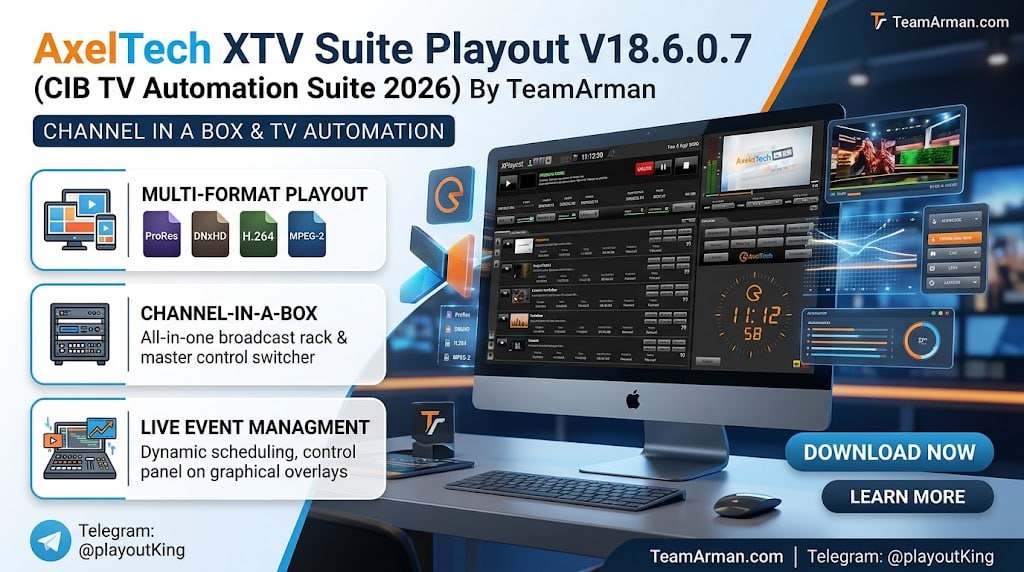
Table of Contents
ToggleSummary
Axel Technology XTV Suite V18.6.0.7 is a complete, professional broadcast automation solution designed for TV stations, broadcast professionals, and content distributors. Unlike basic playout tools that require constant manual intervention, XTV Suite provides a Channel In A Box (CIAB) architecture that enables automatic, unattended 24/7 operation while maintaining high-quality output across SDI, RTMP, HLS, IP I/O, NDI, SMPTE 2110, and SMPTE 2022. The suite includes XPlayout for broadcast control, XScheduler for playlist management, XTrimmer for precision editing, CGComposer for graphics, XMirror for media management, and XIngest for content ingestion.
The software is built for a wide range of environments including newsrooms, corporate TV, hotel pay TV, CCTV networks, video walls in museums, satellite and cable TV networks, and web TV platforms. It supports universal format compatibility including DV, HDV, MPEG-1/2/4, MPG, VOB, WMV, QuickTime, H.264, H.265, XDCAM, AVI, LXF, MXF, PRORES, DNXHD, GXF, and many others. The system adapts automatically to different frame rates and resolutions, making it ideal for multi-platform distribution.
Key Features
1. Universal Format Compatibility
It supports an extensive range of video, audio, and image formats including MPEG-2, MPEG-4, H.264, H.265, QuickTime, XDCAM, AVI, LXF, MXF, HDV, PRORES, DNXHD, GXF, DV, MPG, VOB, and WMV. The system automatically adapts to different frame rates and resolutions without interruption, ensuring seamless playback across diverse content sources.
2. Channel In A Box (CIAB) Architecture
The CIAB structure delivers second-generation functionalities that reduce hardware costs while maintaining traditional broadcast reliability. A single server can handle playout, graphics, captioning, and scheduling, eliminating the need for separate dedicated devices.
3. Advanced Scheduler with Dynamic Playlist
XScheduler allows drag-and-drop playlist creation with aspect ratio correction, vertical and horizontal crop, and live source insertion. The Dynamic Playlist feature automatically inserts filler content during unexpected gaps, preventing black frames or freezes. Color-coded system highlights clips based on file gender or type, making content management more organized.
4. XPlayout Broadcast Control
XPlayout delivers high-quality media playback with seamless integration of live sources. It supports SDI inputs, NDI, and WebRTC streaming. The full-screen GUI is optimized for smooth workflow with dual graphical and grid-style playlist layouts. Resolutions from SD to 4K are supported, with Digital Loudness processor ITU 1770 maintaining consistent audio levels. Timecode RP188 ensures perfect synchronization.
5. CGComposer for Dynamic Graphics
CGComposer enables creation of animated graphics, squeezebacks, and Picture-in-Picture effects. Broadcasters can overlay CG backgrounds with countdowns, tickers, crawls, and rolls. 2D DVE features allow video files as background layers. Elements can be customized, linked to playlist items, and aired as secondary events with exact timing for Now Showing, Up Next, and Coming Back notifications.
6. XTrimmer Precision Editing
XTrimmer is a free application for marking clips with in and out points, audio level correction, and advertisement interruption management. Users can modify video parameters, apply aspect ratio correction, and adjust field dominance inversion. Metadata insertion piggybacks adjustments to the original video file, so metadata follows automatically when files are renamed, moved, or copied.
7. XMirror Smart Media Management
XMirror automatically copies files from a large NAS to a local hard disk at controlled speeds to prevent bandwidth saturation. If the NAS fails, the system switches to the local copy, maintaining reliability without interruptions. XMirror also deletes old files to preserve disk space and keeps playlists updated.
8. XMusic for Music Channels
XMusic is an add-on designed specifically for music TV channels that require automatic song selection. It follows radio rules to avoid repeating tracks and ensures a comfortable flow. Using daily schedules, it organizes media based on time, day, gender, and authors.
9. Redundancy and Failover Options
Multiple redundancy options ensure uninterrupted broadcasting. A 1+1 setup keeps Master and Slave in sync, with automatic or manual changeover. N+1 setup with XEmergency monitors up to 8 systems using capture cards to detect audio drops. If silence occurs for a specified length, XEmergency fires up a backup system and resumes workflow without delay. Notification alerts via SMS or email ensure quick action during interruptions.
10. Supported Hardware
It works with professional broadcast hardware including Blackmagic Design DeckLink cards, AJA Corvid, and Bluefish devices. It supports SDI inputs, NDI, and IP I/O including SMPTE 2022 and SMPTE 2110.
11. Streaming Protocols
The internal IP encoder enables RTMP, RTSP, RTP, and UDP streaming. IIS Live and Windows Media streaming enhance flexibility. HLS and DASH support cloud streaming and online broadcasting. Nvidia GTX provides GPU-accelerated compression for H.264 and H.265 without affecting CPU performance.
12. Subtitle and Caption Support
Subtitle rendering supports multiple languages, enhancing accessibility for diverse audiences. Captions and graphic overlays optimize the viewing experience.
13. Electronic Program Guide (EPG)
Built-in EPG tools simplify navigation for viewers and integrate with external metadata systems for program scheduling and information display.
14. External Device Control
GPI in/out integration and RS232 support allow external device control. VCR automation supports RS422 SONY devices, along with PROMATIC and DIGICART cart machine control.
What’s New in XTV Suite V18.6.0.7
- Version V18.6.0.7 continues Axel Technology’s commitment to broadcast reliability and modern workflow integration.
- Key enhancements include improved SMPTE 2110 and SMPTE 2022 support for IP-based broadcast facilities.
- The XPlayout engine has been optimized for 4K playback with reduced latency.
- XMirror now offers configurable bandwidth throttling to prevent network saturation during large file transfers.
- CGComposer includes additional animated template options and improved transparency handling for ProRes 4:4:4:4 files.
- XScheduler now supports WebRTC preview directly within the playlist interface.
- XEmergency failover detection has been refined for faster response to audio dropouts.
System Requirements
To run Axel Technology XTV Suite V18.6.0.7 effectively, your system should meet the following specifications.
Minimum Requirements:
-
Operating System: Windows 10 or Windows 11 (64-bit); Windows Server 2016 or newer
-
Processor: Intel Core i5 or AMD equivalent (4 cores)
-
RAM: 8 GB minimum (16 GB recommended)
-
Graphics: NVIDIA GTX with 2 GB VRAM for GPU acceleration
-
Storage: 100 GB available space for software and cache (SSD required)
-
Network: Gigabit Ethernet for IP workflows
-
Capture Hardware: Blackmagic DeckLink, AJA Corvid, or Bluefish (optional)
Installation Guide
Follow these steps to install Axel Technology XTV Suite V18.6.0.7 on your broadcast server.
-
Obtain the Installer: Download the official XTV Suite installer from the Axel Technology website or your authorized reseller portal.
-
Try Before You Buy: A trial version is available for evaluation. Test playout, scheduling, CG integration, and capture features before purchasing.
-
Verify System Compatibility: Ensure your workstation meets the recommended requirements, particularly a graphics card for GPU acceleration and storage for media caching.
-
Close Other Applications: Close any other broadcast or video software to avoid conflicts during installation.
-
Run as Administrator: Right-click the installer file and select “Run as Administrator” to ensure proper service installation.
-
Select Components: Choose which XTV Suite components to install: XPlayout, XScheduler, XTrimmer, CGComposer, XMirror, XIngest, and XMusic.
-
Configure Hardware: Select your capture and playback hardware (Blackmagic, AJA, Bluefish) during configuration.
-
Follow the Setup Wizard: Complete license acceptance, installation directory selection, and network configuration.
-
Activate License: Enter your license key. Trial users can begin immediately without activation.
-
Configure Redundancy (Optional): Set up Master/Slave or N+1 failover configurations for mission-critical operations.
How to Use XTV Suite
Step 1: Using XScheduler for Playlist Creation
Launch XScheduler. Drag and drop video files directly into the GUI. Apply aspect ratio correction, vertical or horizontal crop as needed. Insert live sources or URLs into the playlist. Fine-tune clip parameters including field dominance inversion. Manage secondary events such as GPI triggers and graphics overlays. Use color-coded system to organize clips by file gender or type. Preview videos in real-time before broadcast.
Step 2: Using XPlayout for Broadcast Control
Open XPlayout. Load playlists created in XScheduler. Configure output to SDI, NDI, or streaming protocols (RTMP, HLS, UDP). Enable GUI lock for secure operation during live broadcasts. Monitor audio levels with OSD VU-meters and waveform display. Use Digital Loudness processor ITU 1770 to maintain consistent audio levels across content.
Step 3: Using CGComposer for Graphics
Open CGComposer. Create animated graphics, squeezebacks, or Picture-in-Picture effects. Add crawls, tickers, rolls, and countdowns. Import PNG, TGA, GIF, or ProRes 4:4:4:4 files with transparency. Link graphics to playlist items as secondary events with exact timing. Import TXT, CSV, or XLSX data for automatically updating crawls and text.
Step 4: Using XTrimmer for Precision Editing
Open XTrimmer. Load video file. Mark in and out points for trimming. Apply audio level correction. Modify video parameters and aspect ratio. Add metadata that piggybacks on the original file. Save changes without re-encoding when possible.
Step 5: Configuring XMirror for Media Management
Configure XMirror to automatically copy files from NAS to local storage. Set bandwidth limits to prevent network saturation. Define deletion rules for old files to preserve disk space. The system automatically switches to local copies if NAS fails.
Best Use Cases
| Use Case | Application | Key Benefit |
|---|---|---|
| Terrestrial TV Station | Full XTV Suite | 24/7 unattended playout, redundancy, CG branding |
| Web TV / OTT Channel | XPlayout + XScheduler | RTMP/HLS streaming, cloud deployment |
| Corporate TV / Internal Broadcast | XPlayout + CGComposer | Professional branding, easy operation |
| Hotel Pay TV | XPlayout + XMusic | Automated scheduling, music channel support |
| Museum Video Wall | XPlayout | Loop playback, multiple outputs |
| Music TV Channel | XMusic + CGComposer | Auto song selection, now playing graphics |
| Newsroom | Full suite with live sources | Live insertion, real-time graphics, emergency failover |
Advantages and Limitations
Advantages:
- It offers true Channel In A Box functionality, eliminating the need for separate playout servers, graphics engines, and captioning devices.
- The universal format support handles virtually any broadcast file type without transcoding.
- Metadata embedded in files eliminates database dependency, simplifying file management across workflows.
- The redundancy options are comprehensive, including 1+1 Master/Slave and N+1 XEmergency monitoring.
- Automatic failover with audio dropout detection ensures uninterrupted broadcasting.
- XMirror provides intelligent media caching from NAS to local storage with bandwidth throttling.
- XScheduler’s drag-and-drop interface with real-time preview makes playlist creation intuitive.
- CGComposer enables professional graphics without dedicated design stations.
- GPU acceleration via NVIDIA GTX handles H.264 and H.265 encoding without CPU impact.
- The system supports both traditional SDI and modern IP workflows, including NDI, SMPTE 2110, and SMPTE 2022.
Limitations:
- It requires a Windows operating system with no native Linux or macOS support.
- Professional broadcast hardware (Blackmagic, AJA, Bluefish) is recommended for SDI output, adding to system cost.
- Full redundancy configurations require multiple servers and additional licensing.
- The learning curve for advanced features like CGComposer and XEmergency configuration requires dedicated training.
- 4K playback requires high-performance GPU and storage infrastructure.
Alternatives to XTV Suite
| Software | Best For | Key Difference from XTV Suite |
|---|---|---|
| PlayBox Neo | Broadcast playout | Similar CIAB features, different interface and pricing |
| Just Broadcast | Multi-channel playout | Similar feature set, different hardware support |
| Broadcast Pix | Integrated production | Stronger live switching, higher cost |
| vMix | Live production | Better for live events, weaker scheduled playout |
| OBS Studio | Budget streaming | Free but lacks broadcast-grade features and redundancy |
| CasparCG | Technical users | Free and open-source but requires extensive configuration |
Frequently Asked Questions
Q1. What is Channel In A Box (CIAB)?
Channel In A Box is an architecture where a single server handles playout, graphics, captioning, and scheduling functions that traditionally required separate hardware devices. XTV Suite’s CIAB approach reduces costs while maintaining broadcast reliability.
Q2. What video formats does XTV Suite support?
The software supports MPEG-2, MPEG-4, H.264, H.265, QuickTime, XDCAM, AVI, LXF, MXF, HDV, PRORES, DNXHD, GXF, DV, MPG, VOB, and WMV across various frame rates and resolutions.
Q3. What streaming protocols are supported?
It supports RTMP, RTSP, RTP, UDP, HLS, DASH, IIS Live, and Windows Media streaming. The internal IP encoder handles multiple outputs simultaneously.
Q4. Does XTV Suite support redundancy and failover?
Yes. It offers 1+1 Master/Slave configuration where the Slave follows the Master automatically. N+1 configuration with XEmergency monitors up to 8 systems and triggers backup on audio dropout detection.
Q5. What hardware is required for SDI output?
It works with Blackmagic Design DeckLink cards, AJA Corvid, and Bluefish devices. For SDI input and output, a compatible capture card is required.
Q6. Can XTV Suite be deployed in the cloud?
Yes. It supports Public Cloud and Private Cloud deployment with IP I/O including NDI, SMPTE 2022, and SMPTE 2110.
Q7. What is XMusic for music channels?
XMusic is an add-on that automatically selects songs following radio rules to avoid repeating tracks. It uses daily schedules to organize media based on time, day, gender, and authors.
Q8. How does XMirror work?
XMirror automatically copies files from a NAS to local hard disk at controlled speeds to prevent bandwidth saturation. If the NAS fails, the system switches to the local copy. It also deletes old files to preserve disk space.
Q9. What graphics formats does CGComposer support?
CGComposer supports PNG, TGA, GIF, and ProRes 4:4:4:4 with transparency. It can import TXT, CSV, or XLSX data for automatically updating crawls and text.
Q10. What are the system requirements for XTV Suite?
Minimum: Windows 10/11 64-bit, Intel Core i5, 8GB RAM, NVIDIA GTX with 2GB VRAM, SSD storage. Recommended: Windows Server 2022, Intel Core i9/AMD Ryzen 9, 32GB RAM, NVIDIA RTX with 8GB VRAM, NVMe SSD, 10GbE network.
Final Thoughts
Axel Technology XTV Suite V18.6.0.7 CIB represents a mature, professional-grade broadcast automation solution that balances reliability, feature richness, and cost-effectiveness. The Channel In A Box architecture eliminates the complexity and expense of traditional multi-device broadcast chains while delivering the functionality required for 24/7 operation. The software delivers exceptional value across multiple dimensions.
For the broadcast engineer, comprehensive redundancy options including 1+1 Master/Slave and N+1 XEmergency monitoring ensure uninterrupted on-air performance. For the program director, XScheduler’s dynamic playlist and automatic filler insertion handle unexpected gaps gracefully. For the graphic designer, CGComposer provides professional squeezebacks, crawls, and Picture-in-Picture without dedicated hardware. For the IT manager, cloud deployment and IP workflows, including NDI and SMPTE 2110, future-proof the infrastructure.