SketchUp Pro 2026 v26.2.243 (x64) Advanced 3D Modeling Software for Architects and Construction Professionals
Summary
SketchUp Pro 2026 is a professional 3D modeling software renowned for its intuitive, user-friendly interface and powerful design capabilities. Unlike complex CAD platforms that require months of training, SketchUp prioritizes usability without compromising functionality. Users begin by sketching lines and shapes, then effortlessly transform them into 3D structures by pushing, pulling, stretching, duplicating, and rotating surfaces. This “draw first, think in 3D” approach has made SketchUp the go-to tool for architects, interior designers, landscape architects, construction professionals, and hobbyists worldwide.
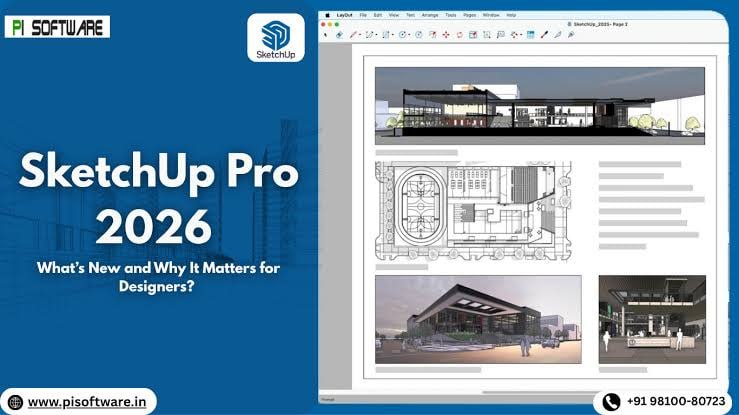
The software serves as a complete design ecosystem. From initial concept sketches to construction documentation, SketchUp Pro provides the tools needed to bring imagination to life. The included LayOut feature enables users to incorporate model views into professional presentation pages, select appropriate drawing scales, fine-tune line weights, and add dimensions, callouts, and visual enhancements. Any modifications made to the SketchUp model automatically update in LayOut, eliminating redundant manual drafting.
Key Features
SketchUp Pro 2026 distinguishes itself through a comprehensive feature set that addresses every stage of the 3D design workflow.
1. Intuitive Push-Pull Modeling
The core of SketchUp’s usability is the patented Push-Pull technology. Users can:
-
Draw 2D shapes (rectangles, circles, polygons, freehand lines)
-
Click and drag surfaces into 3D volumes
-
Push or pull faces to create extrusions, recesses, and openings
-
Stretch, duplicate, rotate, and scale geometry with simple click-and-drag gestures
-
Apply artistic touches and materials to bring designs to life
This approach makes 3D modeling accessible to beginners while providing the speed professionals need for iterative design.
2. LayOut: 2D Documentation and Presentation
LayOut is SketchUp Pro’s dedicated tool for creating professional construction documents and presentations:
-
Model views: Insert SketchUp model views onto pages with live links
-
Drawing scales: Select standard architectural, engineering, or custom scales
-
Line weights: Fine-tune stroke thickness for professional print quality
-
Dimensions: Add automatic or manual measurements
-
Callouts and annotations: Include notes, labels, and explanations
-
Visual enhancements: Add title blocks, logos, and graphic elements
-
Automatic updates: Changes to the SketchUp model update all linked views instantly
-
Export options: Save pages as PDF, images (PNG, JPG, TIFF), or CAD files (DWG, DXF)
3. 3D Warehouse: World’s Largest Free 3D Model Library
The 3D Warehouse is an integrated online repository containing millions of free 3D models:
-
Searchable database: Find furniture, fixtures, equipment, vegetation, vehicles, and more
-
Manufacturer models: Access models from trusted manufacturers (Herman Miller, Steelcase, Kohler, etc.)
-
Community uploads: Share and download creations from SketchUp users worldwide
-
Direct insertion: Download models directly into your active SketchUp project
-
Cross-version compatibility: Models work across different SketchUp versions
4. Extension Warehouse: Customizable Functionality
The Extension Warehouse offers thousands of plugins and extensions to enhance SketchUp:
-
Rendering engines: V-Ray, Thea Render, Twilight Render, Enscape
-
Parametric design: Extensions for algorithmic and rule-based modeling
-
Terrain modeling: Advanced terrain generation and analysis
-
Structural analysis: Integration with engineering analysis tools
-
BIM capabilities: IFC import/export, classification, and data management
-
Import/export formats: Additional file format support beyond native options
5. File Format Compatibility
It supports multiple file formats for collaboration and file sharing:
-
Import: DWG, DXF, STL, OBJ, 3DS, IFC, DEM, DDF, JPG, PNG, TIF, and more
-
Export: DWG, DXF, STL, OBJ, 3DS, IFC, DAE (Collada), KMZ (Google Earth), PDF, PNG, JPG, TIFF, and more
-
Native format: SKP (SketchUp native file format, backward and forward compatible within version limits)
What’s New in SketchUp Pro 2026 v26.2.243
Version 2026 introduces several significant enhancements focused on performance, usability, and collaboration.
- The modeling engine has been optimized for faster geometry processing. Large models with thousands of components load and edit more responsively than in previous versions.
- New animation capabilities allow users to create dynamic walkthroughs and flythroughs of their designs. These animations help clients visualize spaces before construction begins and are useful for presentations, marketing materials, and virtual tours.
- Improved native rendering produces higher-quality visuals with better lighting, shadows, and material reflections. Integration with third-party render engines has been streamlined.
- The built-in material library now includes hundreds of ready-to-use textures and surfaces. Users can easily apply realistic materials to walls, furniture, floors, and landscapes.
- Real-time collaboration tools have been enhanced. Trimble Connect integration now offers better version control and project coordination features.
- LayOut has been updated with new drawing tools, improved dimensioning, and better PDF export quality. Line weight controls have been refined for professional print output.
System Requirements
To run SketchUp 2026 effectively, your system should meet the following specifications.
Minimum Requirements:
-
Operating System: Windows 10 or Windows 11 (64-bit); macOS 12 (Monterey) or newer
-
Processor: Intel Core i5 or AMD equivalent (2.5 GHz or faster)
-
RAM: 8 GB minimum
-
Graphics: 2 GB dedicated GPU memory (OpenGL 4.0+ support)
-
Storage: 10 GB of available space (SSD recommended)
-
Display: 1366 x 768 resolution or higher
-
Internet: Required for 3D Warehouse access, Extension Warehouse, and license validation
Installation Guide
Follow these steps to install SketchUp Pro on your Windows or macOS system.
-
Obtain the Installer: Download the official SketchUp Pro 2026 installer from the official Trimble SketchUp website or your authorized reseller portal.
-
Try Before You Buy: A free 30-day trial of SketchUp Pro is available for evaluation purposes. You can test all features, including 3D modeling, LayOut documentation, and 3D Warehouse access before purchasing a subscription. [Insert your trial link here]
-
Verify System Compatibility: Confirm that your workstation meets the minimum system requirements, particularly the graphics card and RAM for large models.
-
Close Other Applications: Close any other 3D or CAD software to avoid conflicts during installation.
-
Run the Installer:
-
Windows: Right-click the installer file and select “Run as Administrator”
-
macOS: Drag the SketchUp application icon to your Applications folder
-
-
Follow the Setup Wizard: The wizard will guide you through license acceptance, installation directory selection, and component choices (SketchUp Pro, LayOut, Style Builder, and Trimble Connect).
-
Activate Your License: Launch SketchUp Pro. Sign in with your Trimble ID. Enter your subscription license key if not already associated with your account.
-
Configure Preferences: Set default template, units (metric/imperial), drawing scale, and file save locations before starting your first model.
-
Install Extensions (Optional): Browse the Extension Warehouse for plugins specific to your workflow (rendering engines, terrain tools, etc.).
How to Use SketchUp Pro 2026
Mastering SketchUp involves understanding the workflow from concept to documentation.
Step 1: Set Up Your Template
Choose a template based on your design discipline (Architectural – Inches, Architectural – Millimeters, Woodworking – Inches, 3D Printing – Millimeters, etc.). Set units, drawing scale, and default styles.
Step 2: Draw Base Geometry
Use the drawing tools to create 2D shapes:
-
Rectangle, Circle, Polygon: Basic shapes
-
Line: Freehand and straight lines
-
Arc: 2-point, 3-point, and pie arcs
-
Freehand: Organic shapes and curves
Step 3: Push-Pull into 3D
Select a face and use the Push-Pull tool to extrude it into 3D volume. Continue adding, subtracting, and modifying geometry to build your model.
Step 4: Organize with Tags and Components
Create tags (layers) for different elements (Walls, Furniture, Landscape, etc.). Convert repeated geometry into components for efficient editing and reuse.
Step 5: Apply Materials and Styles
Use the Materials panel to apply textures and surfaces. Use the Styles panel to control line display, shadows, and background colors.
Step 6: Create Scenes and Animations
Save camera views as Scenes for presentations. Use the Scenes manager to create walkthrough animations.
Step 7: Document with LayOut
Switch to LayOut. Insert model views onto pages. Add dimensions, callouts, title blocks, and scale bars. Export as PDF or print directly.
Step 8: Share and Collaborate
Save models to Trimble Connect for cloud access. Export in required formats (DWG for CAD users, STL for 3D printing, IFC for BIM workflows).
Best Use Cases
SketchUp serves multiple design and construction disciplines.
- Architects use SketchUp for concept development, schematic design, design development, and construction documentation. The intuitive modeling allows rapid iteration of massing studies, floor plans, elevations, and sections. LayOut produces permit sets and construction drawings.
- Interior designers model spaces, place furniture from 3D Warehouse, apply finishes, and create client presentations. Real-time shadow studies help with daylighting analysis.
- Landscape architects model terrain using Sandbox tools, place vegetation from 3D Warehouse, and analyze sun and shadow patterns. Site plans and planting plans are documented in LayOut.
- Contractors use SketchUp for project planning, quantity takeoffs, and site logistics modeling. Dynamic Components generate material lists and estimates.
- Woodworkers create detailed joinery models, generate cut lists, and produce shop drawings. Components allow reuse of standard parts across multiple projects.
- Product designers model prototypes in SketchUp, export STL files, and 3D print physical models. The intuitive modeling is ideal for iterative design.
- Theatrical designers model sets, experiment with sightlines, and create renderings for directors and producers.
Advantages and Limitations
Understanding the strengths and constraints of SketchUp helps professionals select the right tool for their needs.
Advantages:
-
Intuitive Learning Curve: Most users create their first 3D model within an hour. Push-Pull modeling is accessible to beginners yet powerful for professionals.
-
3D Warehouse Ecosystem: Millions of free, ready-to-use models eliminate the need to model common objects from scratch.
-
LayOut Integration: Seamless 2D documentation directly from the 3D model. Changes update automatically across all views.
-
Extensibility: Thousands of extensions via Extension Warehouse add functionality for rendering, terrain modeling, structural analysis, and more.
-
Cross-Platform: Available on Windows and macOS with consistent user experience.
-
Active Community: Millions of users worldwide share knowledge, models, and extensions.
-
Cost-Effective Entry: Free SketchUp Web version and affordable Pro subscription compared to high-end CAD platforms.
Limitations:
-
Limited Organic Modeling: Complex organic shapes (freeform curves, double-curvature surfaces) require extensions or alternative software.
-
No Native BIM: While IFC import/export exists, SketchUp is not a full BIM platform like Revit or ArchiCAD.
-
Rendering: Native rendering is stylistic, not photorealistic. Professional-quality rendering requires third-party plugins (V-Ray, Enscape, etc.).
-
Large Model Performance: Extremely large models (hundreds of thousands of faces) can slow down on lower-spec hardware.
-
Subscription Model: SketchUp is subscription-only (no perpetual license), which may not suit all budget preferences.
Alternatives to SketchUp Pro
Depending on your specific needs, budget, and preferred workflow, several alternatives exist in the 3D modeling space.
| Software | Best For | Key Difference from SketchUp Pro |
|---|---|---|
| Trimble SketchUp Free | Hobbyists and beginners | Web-based, free, but fewer features and no LayOut |
| Autodesk Revit | BIM and architectural documentation | Full BIM platform with better collaboration but steeper learning curve |
| Autodesk 3ds Max | High-end visualization and animation | Superior rendering but complex and expensive |
| Blender | Budget-conscious users and animators | Free and powerful but steep learning curve |
| Rhino 3D | NURBS modeling and complex geometry | Better for organic and precision surfaces but harder to learn |
| Formit (Autodesk) | Conceptual massing | Free and web-based but less mature for documentation |
Each alternative has merit, but SketchUp distinguishes itself through the intuitive Push-Pull modeling, massive 3D Warehouse library, integrated LayOut documentation, and gentle learning curve that makes 3D modeling accessible to design professionals across all disciplines.
Final Thoughts
SketchUp Pro 2026 remains the gold standard for accessible, intuitive 3D modeling in the architecture and design industry. By prioritizing usability without sacrificing professional capability, SketchUp has democratized 3D design making it possible for beginners to create their first model within an hour while providing the depth professionals need for complex, documentation-ready projects.
The software delivers exceptional value across multiple dimensions. For the architect, the seamless integration between SketchUp and LayOut eliminates redundant drafting. For the interior designer, the 3D Warehouse provides instant access to millions of furniture and fixture models. For the contractor, quantity takeoffs and site logistics modeling improve project planning. For the student and hobbyist, the free web version provides an accessible entry point to 3D design.