Rocket Broadcaster v1 – Complete Guide For Smart Live Audio Streaming To Icecast And SHOUTcast
Summary
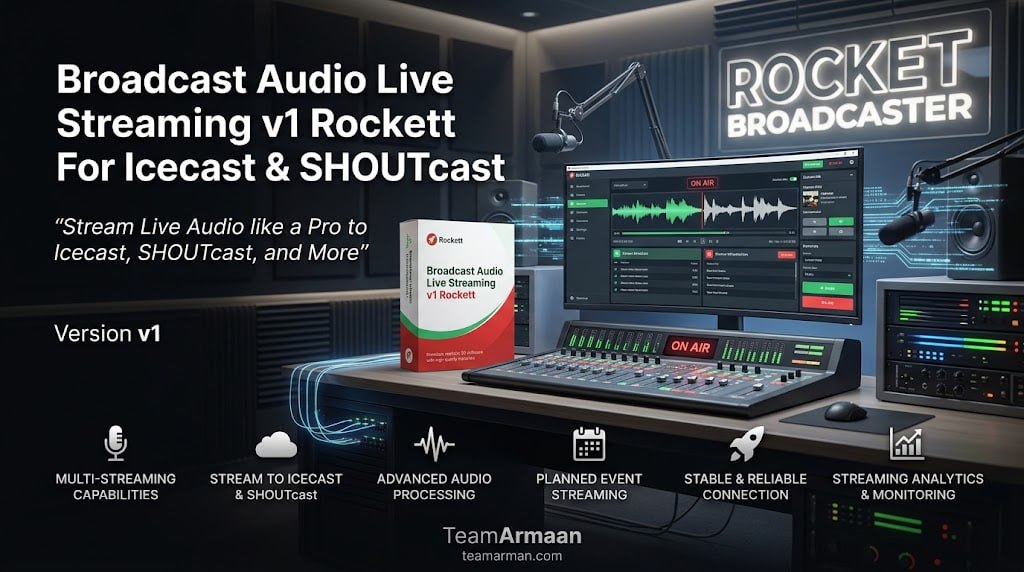
Rocket Broadcaster v1 is a professional live audio streaming encoder designed to broadcast live audio to Icecast, SHOUTcast, and other online streaming services. The software is used by internet radio stations, podcasters, musicians, and content creators who need to stream high-quality audio to online audiences without requiring complex server configurations.
By transforming a standard computer into a broadcast studio, Rocket Broadcaster enables users to reach global listeners through popular streaming platforms with professional-grade audio quality. The software’s straightforward interface and comprehensive feature set make it suitable for both beginners launching their first internet radio station and experienced broadcasters managing multiple streams across different servers.
Codec Support And Audio Quality
Rocket Broadcaster v1 streams in multiple audio formats including MP3, AAC, HE-AAC, and more, ensuring compatibility with a wide range of playback devices and streaming platforms. The choice of codec directly impacts audio quality and bandwidth requirements, with AAC and HE-AAC offering better sound quality at lower bitrates compared to MP3.
Users can select their preferred codec based on their target audience and available bandwidth, with the software providing presets for different streaming scenarios. The ability to stream in high-quality formats makes Rocket Broadcaster suitable for music radio stations, talk shows, and live event broadcasts where audio fidelity is essential for listener engagement.
Easy Setup And Stream Configuration
Rocket Broadcaster v1 features an intuitive setup process that guides users through creating and configuring their live audio streams. The software includes a straightforward wizard that helps users select their server type, enter connection details, and choose audio settings without requiring technical expertise in streaming protocols.
Once a stream is configured, the settings can be saved for quick access, allowing broadcasters to switch between different server configurations or stream profiles with just a few clicks. This streamlined workflow is particularly valuable for broadcasters who manage multiple stations or need to adapt to different streaming requirements for various types of broadcasts.
Server Compatibility And Connection Flexibility
The software connects easily to Icecast v2, Icecast KH, SHOUTcast v1, and SHOUTcast v2 with Stream ID support, providing compatibility with the most widely used streaming servers in the internet radio industry. This extensive server support ensures that broadcasters can use Rocket Broadcaster with their existing streaming infrastructure without needing to change their server setup.
The SHOUTcast v2 Stream ID support is particularly useful for broadcasters who manage multiple streams or stations on a single server, allowing them to broadcast different content simultaneously to separate audiences. The connection process is simplified with intuitive configuration screens that guide users through entering hostname, port, mount point, and authentication details.
Diagnostic Tools And Connection Testing
The software includes built-in diagnostic tools that help users test their stream configuration before going live, reducing the risk of connection issues during important broadcasts. Users can run a diagnostic test that checks server connectivity, authentication, and stream settings, providing detailed feedback on any potential issues.
This proactive approach to troubleshooting helps broadcasters resolve problems in advance, ensuring that their live streams start smoothly and maintain reliable connectivity throughout the broadcast.
Metadata Support And Real-Time Updates
Rocket Broadcaster v1 sends real-time track metadata to your streaming server, enabling listeners to see song titles, artist names, and other information on their playback devices. This metadata capability is essential for professional broadcasting where listeners expect to see what is currently playing.
The software can automatically read metadata from your audio source, whether it is a media player, a microphone input, or a mixer feed. For DJs and radio hosts, this means that track information is automatically updated without manual intervention, ensuring that your station always displays accurate information to your audience.
SSL/TLS Streaming Security
The software supports secure connections to modern streaming servers through SSL and TLS encryption, protecting your broadcast data from interception and ensuring compliance with modern security standards. This is increasingly important as streaming platforms and listeners expect encrypted connections to protect content and prevent unauthorized access.
SSL/TLS support also allows broadcasters to use secure streaming protocols that may be required by some hosting providers or for certain types of content. The security features are integrated seamlessly into the connection process, making it easy to enable secure streaming without additional configuration.
System Requirements And Performance
Rocket Broadcaster v1 is designed to run efficiently on standard Windows computers without requiring specialized hardware. The software’s lightweight architecture ensures that it consumes minimal system resources, allowing it to run alongside other applications on the same computer.
Performance is optimized for real-time audio encoding, with low latency and stable streaming even on modest hardware. The software includes diagnostic tools that help users test their connection and configuration before going live, reducing the risk of streaming issues during broadcasts.
Frequently Asked Questions
Q1: What is Rocket Broadcaster used for?
It is a live audio streaming encoder designed to broadcast live audio to Icecast, SHOUTcast, and other online streaming services.
Q2: What audio codecs does Rocket Broadcaster support?
It supports MP3, AAC, HE-AAC, and more for high-quality internet radio broadcasting.
Q3: Can I use Rocket Broadcaster with SHOUTcast v2?
Yes, Rocket Broadcaster supports SHOUTcast v2 with Stream ID support for multiple streams on a single server.
Q4: Does Rocket Broadcaster send track metadata to streaming servers?
Yes, it sends real-time track metadata including song titles and artist information to your streaming server.
Q5: Does Rocket Broadcaster support secure streaming?
Yes, it supports SSL and TLS encrypted connections to modern streaming servers.
Q6: Is there a free trial available for Rocket Broadcaster?
Contact the official website for trial availability and licensing options.