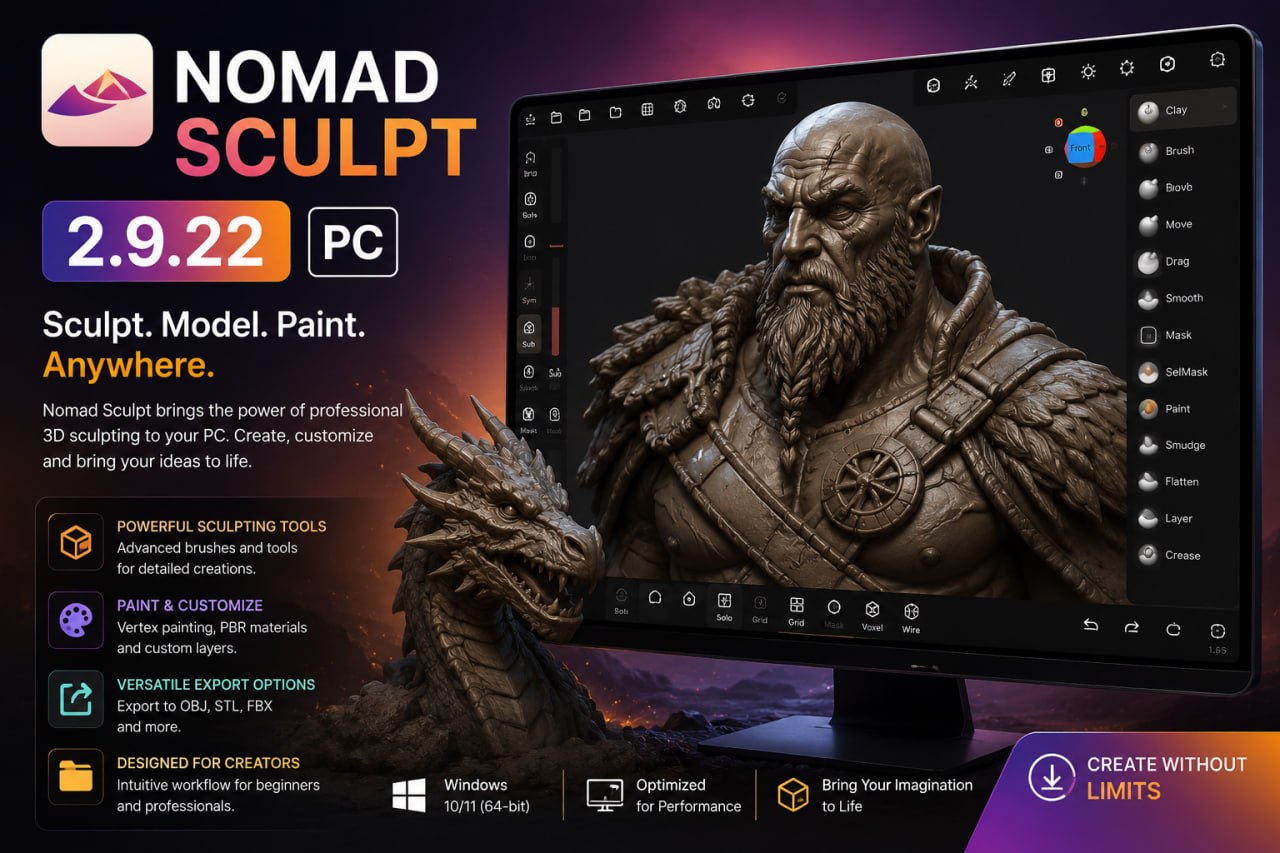
Nomad Sculpt 2.9.22 (Advanced 3D Sculpting Software) Latest 2026
Summary
Nomad Sculpt version 2.9.22 is a professional 3D sculpting and painting application available as a native desktop application for Windows and macOS. The software brings the powerful sculpting capabilities of the popular mobile and tablet version to the desktop environment, offering multi-resolution sculpting, voxel remeshing, and dynamic topology tools that were previously only available on portable devices.
Nomad Sculpt is designed for digital artists, 3D modelers, hobbyists, and professionals who need a versatile and intuitive sculpting tool without the complexity and high cost of traditional 3D software. With its one-time payment model of $35, it provides an accessible entry point for artists looking to create 3D sculptures, characters, and organic models.
Desktop Version Features And Core Tools
The desktop version of Nomad includes the complete feature set from the mobile and tablet versions, optimized for desktop workflows. Core sculpting tools include multi-resolution sculpting that allows artists to work at different levels of detail, voxel remeshing for cleaning up topology, and dynamic topology (Dyntopo) that automatically adds geometry where needed during sculpting.
The software supports real-time PBR rendering, lighting, shadows, and matcap switching, providing immediate visual feedback on the final appearance of models. Artists can import and export standard mesh files including glTF, OBJ, STL, and PLY, making it compatible with other 3D software and pipelines.
Real-Time Rendering And Visual Feedback
It provides exceptional visual feedback through its real-time PBR rendering engine, allowing artists to see how their sculptures will appear under different lighting conditions as they work. The software supports customizable lighting setups, shadows, and matcap switching, enabling artists to evaluate their models from different perspectives and lighting scenarios without interrupting their workflow.
This immediate visual feedback is crucial for artists who need to assess form, volume, and surface detail during the sculpting process, reducing the need for external rendering tools and speeding up the iteration cycle.
Desktop Optimization And Input Support
The desktop version is optimized for mouse and keyboard navigation, alongside full support for graphic tablets and stylus pressure sensitivity, ensuring a natural and responsive sculpting experience. The controls are designed to leverage the precision of desktop input devices while maintaining the intuitive workflow that made the mobile version popular. The software takes advantage of the increased processing power available on desktop systems, allowing for more complex sculpts and higher resolution models compared to the mobile version.
Pricing And Licensing Model
Nomad uses a simple, transparent one-time payment model that requires a license key sent via email upon purchase through the official portal. Unlike subscription-based software, this single payment grants permanent access to the software without recurring fees. The desktop version is priced at a one-time fee of $35, making it one of the most affordable professional-grade sculpting tools available. Each platform is a separate purchase, meaning users who want the software on multiple platforms (desktop, iOS, Android) must purchase it separately for each platform.
Multi-Resolution Sculpting And Dynamic Topology
Nomad multi-resolution sculpting capability allows artists to work at different levels of detail within the same model, enabling efficient workflow from broad shape definition to fine surface detailing. The dynamic topology (Dyntopo) feature automatically adds geometry where needed during sculpting, ensuring that artists always have sufficient resolution to capture fine details without wasting computational resources on areas that don’t need it.
These tools work seamlessly together to provide a fluid sculpting experience that adapts to the artist’s needs, making it possible to create highly detailed organic forms efficiently. The voxel remeshing functionality further enhances workflow by allowing artists to quickly clean up topology and prepare models for further refinement or export.
Cross-Platform Availability
This is available across multiple platforms, with the desktop version being the latest addition to the ecosystem. The software is available on Windows and macOS for desktop users, iPhone and iPad through the App Store, Android devices through Google Play and AppGallery, and a web version (without official support). Each platform purchase is separate, and there are no cross-platform purchases, meaning users who want the software on multiple devices need to purchase it for each platform. This approach allows users to choose the platform that best suits their workflow and budget.
Community And Learning Resources
Nomad has built a strong community of artists who share techniques, workflows, and creations across various platforms. The software’s intuitive interface and affordable price point have made it particularly popular among hobbyists and professionals who need a portable sculpting solution.
Users can find tutorials, tips, and inspiration through the official Nomad Sculpt channels, as well as through community-driven content on platforms like YouTube and social media. The growing ecosystem of learning resources helps new users get started quickly and enables experienced artists to discover advanced techniques.
Painting And Vertex Color Support
Beyond sculpting, it includes comprehensive painting tools that allow artists to add color and texture directly onto their 3D models. The painting system supports vertex color painting, enabling artists to create detailed color maps without needing to leave the software or deal with UV mapping complexities.
This integrated painting capability is particularly useful for creating stylized characters, organic models, and quick concept sculpts where color adds significant visual value. The real-time PBR rendering ensures that painted colors and sculpted details are displayed accurately under various lighting conditions, providing artists with confidence in the final appearance of their work.
System Requirements And Installation
The desktop version of Nomad Sculpt is available for Windows and macOS operating systems. The software is designed to run efficiently on a wide range of hardware configurations, but optimal performance is achieved with a dedicated graphics card and sufficient RAM for handling complex sculpts. Users can download and try the desktop build directly from the official Nomad Sculpt Website. The installation process is straightforward, and the software can be activated using the license key provided upon purchase.
Frequently Asked Questions
Q1: What is Nomad Sculpt 2.9.22 used for?
It is a 3D sculpting and painting application for creating digital sculptures, characters, and organic 3D models.
Q2: What platforms does Nomad Sculpt support?
This is available on Windows, macOS, iOS, Android, and web (unofficial support).
Q3: How much does Nomad Sculpt cost?
The desktop version is priced at a one-time fee of $35. Mobile versions have separate pricing on their respective app stores.
Q4: Does Nomad Sculpt support graphic tablets?
Yes, the desktop version supports graphic tablets and stylus pressure sensitivity for a natural sculpting experience.
Q5: What file formats can Nomad Sculpt import and export?
The software supports glTF, OBJ, STL, and PLY file formats.
Q6: Is an internet connection required to use Nomad Sculpt?
The offline grace period is 15 days. For limited network access, users can whitelist the license server.