Cimetrics BACnet Explorer v11.0.0.1 (Smart BACnet Network Discovery And Troubleshooting)
Summary
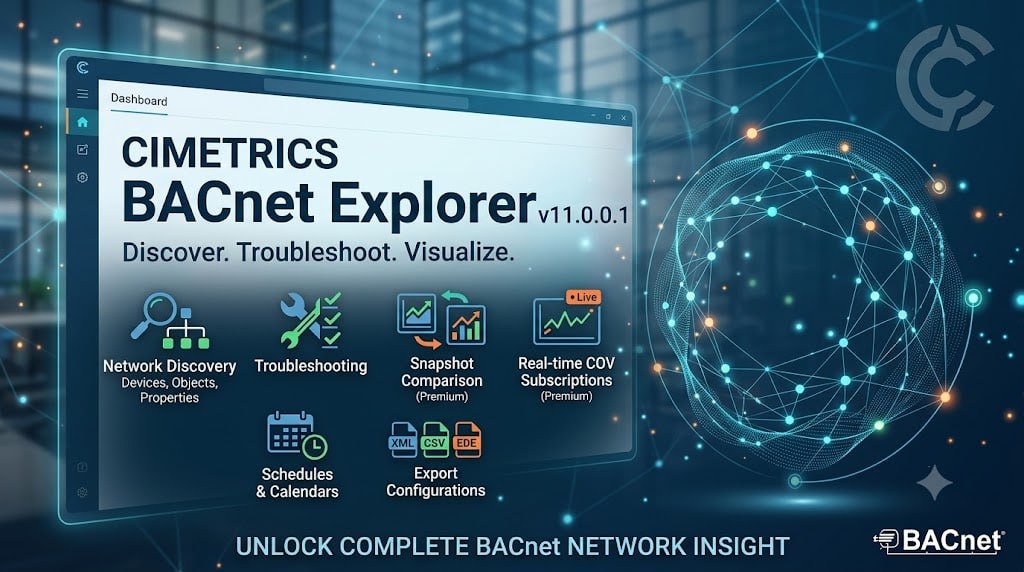
Cimetrics BACnet Explorer version 11 is a Windows software tool for discovering, viewing, and troubleshooting BACnet/IP and BACnet MS/TP building automation networks and devices. It is designed for building automation professionals, system integrators, facility managers, and control engineers who need to monitor, configure, and troubleshoot BACnet networks efficiently. The software provides real-time network discovery, object enumeration, and data export capabilities, making it an essential utility for maintaining and diagnosing building automation systems across various facility types, including commercial buildings, hospitals, universities, and industrial facilities.
Understanding The Challenge Of BACnet Network Management
BACnet networks in modern buildings can contain hundreds of devices from different manufacturers, each with multiple objects and properties. Identifying all devices on a network, understanding their configuration, and troubleshooting communication issues is a significant challenge without the right tools. Network problems can lead to system failures, energy waste, and uncomfortable building conditions. Cimetrics BACnet Explorer addresses these challenges by providing a comprehensive view of the network and its devices, enabling quick identification and resolution of issues.
Network Discovery And Real-Time Monitoring
Cimetrics BACnet Explorer automatically finds BACnet devices on the network and displays them in real-time. This automatic discovery eliminates the need for manual device identification, saving significant time during system setup and troubleshooting. The software continuously monitors the network and updates the display as devices come online or go offline, providing instant visibility into network health and device availability. The software’s ability to display all network devices in a clear, organized view makes it easy to identify missing or misconfigured devices.
Manual Network Configuration And Hidden Device Support
Cimetrics BACnet Explorer v11.0.0.1 allows users to manually add hidden networks, devices, or properties that may not be automatically discovered during the initial network scan. This feature is particularly useful in complex building automation systems where some devices may be configured not to broadcast their presence or may be located on network segments that require specific routing. The ability to manually add these elements ensures that technicians can access and configure all devices on the network, even those that are not automatically visible.
Object Enumeration And Property Inspection
The software allows users to inspect objects and properties across most standard BACnet types, providing detailed insight into device configuration and status. Users can drill down into individual objects to view specific properties, including their current values and data types. This detailed visibility is essential for diagnosing device configuration issues, verifying correct operation, and understanding how devices are interacting with the building automation system.
Advanced Troubleshooting
The snapshot comparison feature provides a powerful troubleshooting tool for building automation professionals. By capturing network layouts at different points in time, technicians can quickly identify what has changed between a working and non-working state. This capability dramatically reduces the time required to diagnose network problems, as it eliminates the need to manually compare configurations. The XML format of saved snapshots also allows for easy sharing between team members and integration with other diagnostic tools.
Snapshot Comparison And Data Export
The software enables users to capture network layouts and save them as XML files, allowing for comparison of changes over time. This feature is invaluable for troubleshooting, as it allows technicians to identify what has changed between a working network state and a current problematic state. The software supports exporting discovered details to CSV, XML, and EDE formats, facilitating data analysis, documentation, and integration with other building management tools.
BACTrax Explorer As A Free Alternative
For users seeking a free BACnet explorer tool, BACTrax Explorer offers a completely free solution for network browsing and monitoring. Available for Windows and Linux, BACTrax Explorer provides editing of all standard BACnet properties, quick reports for monitoring, trend log viewing, and support for 100 users and user groups. It also includes a built-in web server that allows remote access to the explorer through a standard browser, making it a versatile option for facilities with limited budgets.
Licensing And Availability
Cimetrics BACnet Explorer v11.0.0.1 is available through Cimetrics official channels. The software requires Windows operating system and relies on the Cimetrics BACstac service for network adapter communication. Licensing options are available for individual users and enterprise deployments. For organizations requiring additional BACnet tools, Cimetrics offers other products in the BACstac family. A free alternative, BACTrax Explorer, is available for download from Custom Software Engineering for users who need basic BACnet browsing functionality without cost.
Protocol Stack And Communication Architecture
Cimetrics BACnet Explorer v11.0.0.1 relies on the Cimetrics BACstac service for network adapter communication, ensuring reliable and robust network connectivity. The software’s updated support for .NET Core 8.0 and BACstac/DN 2.4 provides enhanced performance and compatibility with modern Windows environments. This communication architecture ensures that the software can effectively interact with BACnet/IP and BACnet MS/TP networks, providing stable and consistent performance even in complex building automation environments.
Frequently Asked Questions
Q1: What is Cimetrics BACnet Explorer used for?
It is a Windows software tool for discovering, viewing, and troubleshooting BACnet/IP and BACnet MS/TP building automation networks and devices.
Q2: How does BACnet Explorer discover devices?
The software automatically finds BACnet devices on the network and displays them in real-time.
Q3: Can I save and compare network layouts?
Yes, the software captures network layouts to save as XML and compare changes over time.
Q4: What export formats are supported?
Data can be exported to CSV, XML, and EDE formats.
Q5: Is there a free alternative to Cimetrics BACnet Explorer?
Yes, BACTrax Explorer is a completely free BACnet explorer/network browser available for Windows and Linux.
Q6: What BACnet protocols are supported?
The software supports BACnet/IP and BACnet MS/TP networks and devices.