Gerber 10.2 Complete Guide For Pattern Makers, Powerful Markers And Cutters
Summary
Gerber 10.2 is a pattern design, grading, and marker making software for the apparel and fashion industry. Garment manufacturers use this software. You can create digital patterns, grade sizes, and arrange markers on fabric. Gerber is a very old and trusted name in apparel CAD. This software is specially designed for the cutting room. Pattern makers, graders, and markers use this software daily.
It is used for making garments. First a designer creates a sketch. Then a pattern maker converts that sketch into a pattern. This pattern is a paper piece. In Gerber 10.2 you can create digital patterns. Then you do grading. Grading means creating other sizes from one size pattern. Small, medium, large. Then you do marker making. Marker means arranging patterns on fabric. Minimum fabric waste. Maximum pieces cut. Who uses it? Pattern makers. Graders. Markers. Cutting room supervisors. Apparel manufacturers. Fashion export houses.
The First Time You Open Gerber 10.2
You open it. A blank screen appears. Toolbar on top. Tools on the left side. Your pattern appears in the centre. Properties on the right side. The interface is simple. Old style but work gets done. For pattern design you get drawing tools. Line tool, curve tool, arc tool, notch tool. For grading you can define grade rules. For marker you set fabric width. Then patterns arrange automatically. For a beginner, the first step is learning to make a pattern. Then learn grading. Then marker. Do one thing at a time. You will learn quickly.
Can You Create A Pattern
Set a timer for three minutes. Open it. First, create a simple rectangle. This could be a shirt front panel. Add points using the point tool. Connect them using the line tool. The shape is created. Now create an armhole using the curve tool. Now add a notch using the notch tool. Now check the measurements. Rectangle length is 70 cm. Width is 50 cm. Now define a grading rule. How the pattern changes from size S to M. The software grades automatically. Within three minutes you created a pattern and defined a grading rule. That is how easy it is. Beginner test passed. Basic pattern making in Gerber is simple.
What You Can Generally Do In Gerber 10.2
Here is a list of common tasks that you will do daily in Gerber 10.2:
-
Create digital patterns (shirt, pant, jacket, any garment)
-
Edit existing patterns (change size, change shape, add notch)
-
Perform grading (create multiple sizes from one size)
-
Perform marker making (arrange patterns on fabric)
-
Check fabric utilization (how much waste is happening)
-
Generate cutting plan (for cutting machine)
-
Print on plotter (real size on pattern paper)
-
Import patterns from digitizer (convert paper pattern to digital)
All these tasks are built into Gerber 10.2. You can design, grade, and make markers all in one software.
Where This Software Is Used
This is used in garment factories around the world. First example is a menswear shirt factory. Thousands of shirts made daily. Patterns made in Gerber. Grading automatic. Marker optimal. Fabric waste less than 5 percent. Second example is a womenswear factory. Designer in New York. Pattern maker in India. Gerber files are shared. Marker made in Bangladesh. Cutting done in China.
Third example is a denim factory. Jeans come in multiple sizes. Its grading is very strong. 20 sizes generated with one click. Fourth example is sportswear. Activewear with stretch fabric. It has special tools for stretch fabric. You can set stretch allowance in marker. Fifth example is technical textiles. Not clothing. Bags, shoes, automotive upholstery. This software can handle it.
Honest Problems
No software is perfect. Gerber 10.2 also has problems. The first problem is the interface. Old style. Does not feel as smooth as modern software. The second problem is the price. This is expensive. A small factory may find it difficult to afford. The third problem is the learning curve. Basic pattern making is easy. Advanced grading and marker take time to learn.
The fourth problem is updates. This 10.2 is an old version. New features do not come. The fifth problem is support. Older versions get less support. A smaller problem is hardware. Runs on old computers. But on new high resolution monitors, the interface looks small. These problems are real. But it is still trusted in the industry.
Problems That Get Solved
Some problems happen daily in factories. This solves those problems. Problem one is manual pattern cutting. Making paper patterns. Takes time. Errors happen. It creates digital patterns. Less errors. Less time. Problem two is manual grading. Making each size separately. Too much work. It does automatic grading. Third problem is manual marker making.
Too much fabric waste. It creates optimal markers. Waste is reduced by 10 to 15 percent. Fourth problem is pattern storage. Paper patterns get damaged. Digital patterns stay safe forever. Fifth problem is communication. Factory in one city. Pattern maker in another city. Gerber files sent by email. Work gets done.
How Gerber Works With Other CAD
This does not work alone. It talks to other software. Design software. Illustrator. Photoshop. It can read AI and PDF formats. Designer made a sketch in Illustrator. Import into it. Make the pattern. You can import from a digitizer. Scan a paper pattern like a scanner. It appears in the computer. You can print to a plotter. Real size on pattern paper. It talks to cutters. Generate cutting file from it. Send to automatic cutting machine. The machine cuts the fabric. DXF format is also supported. You can exchange files with other CAD software. This has its own format .pds. This is industry standard.
How Fast Is It And What Computer Do You Need
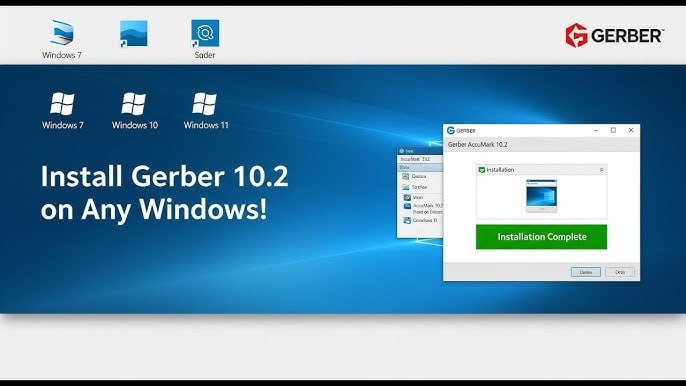
This is old software. So it runs on small computers too. Runs on Windows 7, 8, 10, 11. 4 GB RAM is enough. 8 GB RAM is more than enough. Intel Core i3 or i5 processor is enough. Graphics card not needed. Integrated graphics works. Storage needs 10 GB free. About speed. Pattern design is fast. Drawing tools are responsive. Grading is also fast.
Marker generation may take time. If you have 50 patterns and 2 meter fabric width. Marker generation takes 1 to 2 minutes. Slower than modern software. But work gets done. Plotter printing is slow. Printing on pattern paper. Depends on fabric size. Takes 5 to 10 minutes.
What Users Like And What They Do Not Like
After using it for three months, users like some things. They do not like some things. What they like. Reliability. Software does not crash. It has been used for years. What they like. Marker efficiency. Less fabric waste. Money saved. What they like. Grading accuracy. All sizes come accurate. What they like. File sharing. Send patterns anywhere in the world. What they do not like.
Interface. Looks old. Not smooth like modern software. What they do not like. Speed. Marker generation is slow. What they do not like. Price. License is expensive. What they do not like. Support. Old version gets less support. Overall, users use this because work gets done. Industry standard. Suppliers and buyers expect Gerber files.
Do You Actually Need Gerber 10.2
This is an honest question. You have to answer it yourself. Do you work in a small factory? 10 to 20 people. Manual pattern cutting is working. Then you do not need this software. Do you work in a medium or large factory? Export orders. Buyers ask for its files. Then you need it. Are you a freelance pattern maker? Clients want this software files. Then you need it.
Are you a student? Studying fashion design. Then learn this software. It will be useful in the future. Do you want to switch to new software? But buyers ask for Gerber. Then keep both. The simple question has a simple answer. If you are working in the industry, this version 10.2 is useful. If you are small scale, manual work may be fine.
FAQ
Q1: What is Gerber 10.2?
It is pattern design, grading, and marker making software. Used in the garment industry.
Q2: Is Gerber 10.2 difficult to learn?
Basic pattern making is easy. Grading and marker take time to learn. Takes 4 to 6 weeks.
Q3: Who uses Gerber?
Pattern makers, graders, markers, apparel manufacturers, fashion export houses.
Q4: Is there a free trial available?
You can get a trial from the official Gerber website. Contact them. Try first before buying.
Q5: Can Gerber import PDF files?
Yes. PDF, AI, and DXF formats are supported.
Q6: Does Gerber connect to cutting machines?
Yes. It generates cutting files. You can send them to automatic cutters.