ABB Drive Composer Pro v2.9.3.25584 (Drive Commissioning Software) 2026
Summary
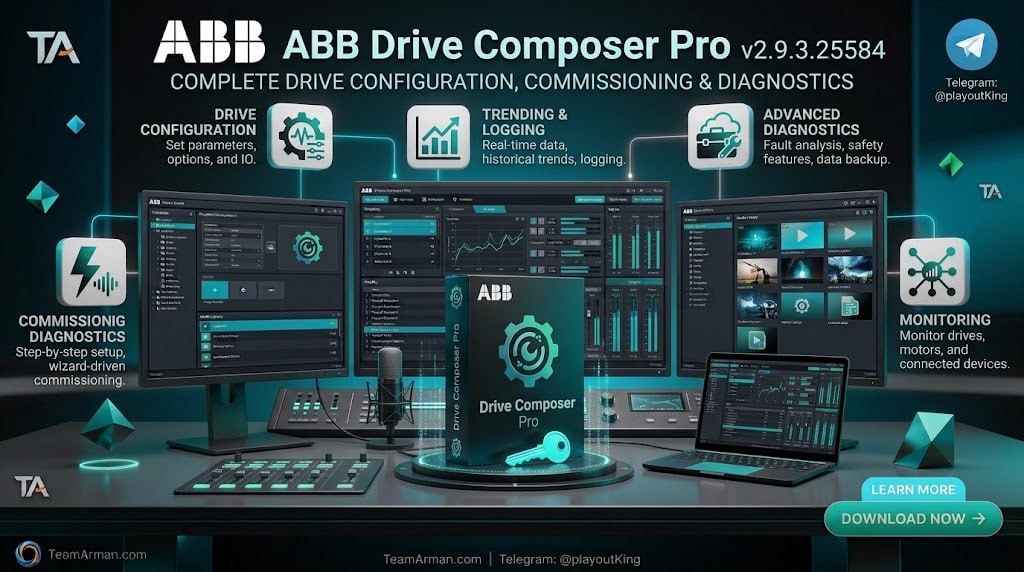
ABB Drive Composer Pro v2.9.3.25584 is the full-featured commissioning, configuration, and maintenance PC software tool for ABB’s common architecture variable frequency drives (VFDs). Unlike the free “Entry” version, Drive Composer Pro provides professional engineering environments with advanced capabilities for drive parameter setting, monitoring, and diagnostics.
The software is designed for automation and electrical engineering professionals who are familiar with drive products and the concepts of their commissioning and operation. System integrators, maintenance and service teams, and original equipment manufacturers (OEMs) use this tool to streamline drive setup, troubleshoot issues, and optimize process performance.
Advanced Monitoring And Control Capabilities
It offers advanced monitoring features that allow engineers to diagnose real-time process performance with precision. The software supports fast monitoring, control diagrams, and custom graphical data loggers, enabling users to visualize drive behavior and identify issues quickly. Unlike the Entry version, which monitors up to 6 signals at 100ms resolution, the Pro version can monitor up to 32 signals simultaneously, including 8 fast signals with 1ms resolution.
The software also includes control diagrams that provide a graphical representation of the drive’s configuration, making it easier to understand complex parameter relationships. These advanced monitoring tools are essential for commissioning and optimizing drives in demanding industrial applications.
Multi-Drive Networking And Automation
It supports working with multiple drives simultaneously over an Ethernet-based fieldbus network or Panel bus. This multi-drive capability is particularly valuable for system integrators and maintenance teams managing large installations with dozens or hundreds of drives. The software also includes support for macro script editing, which allows automation of parameter modifications across multiple drives.
This automation capability significantly reduces commissioning time for projects involving many identical or similar drive configurations. The Pro version also supports parameter conversion from ACS800 to ACS880 drives, simplifying upgrades and migrations from older drive platforms.
Safety Configuration And Compliance
It includes dedicated settings for configuring the safety functions of your drives, including support for FSO-12 and FSO-21 safety modules. These modules provide extended safety functions such as Safe Stop 1 (SS1), Safe Brake Control (SBC), Safely Limited Speed (SLS), and Prevention of Unexpected Start-up (POUS).
The software allows engineers to configure and monitor these safety functions directly from the PC, ensuring that machinery meets relevant safety standards. For applications requiring functional safety compliance, this integrated safety configuration capability streamlines the engineering process and reduces the risk of configuration errors.
Firmware Updates And Drive Maintenance Workflows
It includes integrated firmware update capabilities that allow engineers to keep their drives running the latest software versions without requiring separate tools. The software can update drive firmware, fieldbus adapter firmware, and safety module firmware directly through the PC connection.
Maintenance workflows are streamlined through the software’s ability to save and restore drive parameters, create backup files, and compare parameter sets between different drives or versions. This capability is invaluable for service teams who need to quickly restore a drive to a known working configuration after a failure or replacement, minimizing downtime and ensuring consistent operation across the installed base.
Virtual Drive Simulation And Offline Configuration
The Pro version includes virtual drive functionality that allows engineers to configure and test drive setups without needing physical hardware connected to the PC. This capability is particularly valuable for system integrators working on projects where drives are not yet installed, or for training purposes where physical drives may not be available.
Virtual drives support the same parameter sets and functionality as their physical counterparts, enabling complete offline configuration before deployment. This offline workflow reduces commissioning time on site and allows multiple engineers to work on drive configurations in parallel, accelerating project timelines.
Supported Drives And Connectivity Options
This supports a wide range of ABB drive families including ACS380, ACS480, ACS580, ACS880, ACH580, ACQ580, and others. For ACS800 drives, the software has limited support and requires DriveWindow 2.40 installation on the same PC.
Connectivity options include USB connection to the Assistant Control Panel (ACS-AP-x), direct Ethernet connections for drives with embedded Ethernet ports, and fieldbus adapter modules including FENA-11/-21, FMBT-21, FEIP-21, and FPNO-21. The software also supports Panel bus network connections for multi-drive configurations.
System Requirements And Installation
To run Drive Composer Pro v2.9.3, your computer should meet specific hardware and software requirements. The operating system can be Windows 10 or Windows 11 (32-bit or 64-bit), with later versions also supporting Windows 11. A minimum of 8 GB RAM is required, though 16 GB is recommended for complex projects.
The processor should be an Intel Core i5 or equivalent at 2.5 GHz or higher. The software requires 3 GB of available hard disk space and a display resolution of 1280 x 1024 or higher. For installation, users should run the setup file as administrator and follow the wizard, selecting the typical installation option for most users.
Licensing And Activation
It includes a license key and requires activation for full functionality. Users can run the software for 30 days in fully functional evaluation mode before activation is required. The license is available as DCPT-01 for single-user, 10-user, or 20-user configurations.
The Entry version remains free, but the Pro features require a commercial license key distributed through official ABB sales channels. Virtual drives, used for simulating drive behavior without physical hardware, also require a valid license for activation using the ABB Drives License Manager.
Frequently Asked Questions
Q1: What is ABB Drive Composer Pro v2.9.3.25584 used for?
It is the full-featured commissioning, configuration, and maintenance PC software for ABB’s common architecture variable frequency drives, used for parameter setting, monitoring, and diagnostics.
Q2: What are the main differences between Entry and Pro versions?
It offers advanced features including multi-drive networking, control diagrams, custom data loggers, safety configuration, and macro script editing, while the Entry version provides basic parameter setting and monitoring.
Q3: What drives are compatible with Drive Composer Pro?
It supports ACS380, ACS480, ACS580, ACS880, ACH580, ACQ580, and other common architecture drives, with limited support for ACS800 requiring DriveWindow.
Q4: What are the system requirements for Drive Composer Pro v2.9.3?
Windows 10 or 11, Intel Core i5 or equivalent at 2.5 GHz, 8 GB RAM (16 GB recommended), 3 GB disk space, and 1280 x 1024 display resolution.
Q5: How can I connect my PC to the drive?
You can connect via a USB cable to the Assistant Control Panel, a direct Ethernet connection, or fieldbus adapter modules including FENA-11/-21, FMBT-21, FEIP-21, and FPNO-21.
Q6: Is there a trial version available?
Yes, the software can run for 30 days in fully functional evaluation mode before a license key is required.