Active Directory Pro Toolkit v3.1.36 AD Management Software
Summary
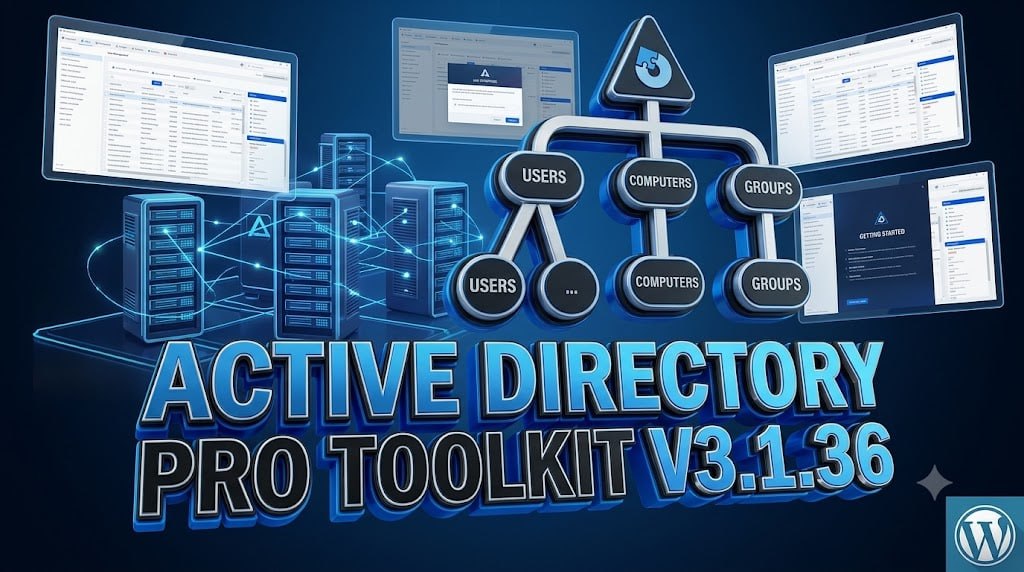
Active Directory Pro Toolkit v3.1.36 is an all-in-one administrative software solution designed to streamline Active Directory management, bulk operations, and reporting from a single console without requiring PowerShell scripts. It features over 200 built-in reports, automated scheduling, user offboarding updates, and security auditing tools that replace repetitive PowerShell scripts with simple, purpose-built tools.
The toolkit is designed for IT administrators, system engineers, and network managers who need to perform bulk changes, generate reports, audit permissions, and manage their directory faster across Windows 10, Windows 11, and Windows Server environments. With 40+ built-in Active Directory tools and over 200 reports, it simplifies user, group, and computer administration for organizations of all sizes.
User Management Tools
The User Management section includes 13 tools designed for daily account work including creating and updating in bulk, resetting passwords, troubleshooting lockouts, and retiring accounts properly. Key tools include Copy User Groups for replicating group memberships, Create Bulk Users for importing from CSV, Offboard Users for proper account retirement, Password Reset & Unlock for bulk password changes, and Lockout Troubleshooter for diagnosing account lockout issues.
The new Offboard Users feature now includes a “Delete User Account” option that supersedes other actions, greys them out, requires a second confirmation, and handles objects protected from accidental deletion. The Create Single User tool now features a new “Custom” tab showing attributes defined in Settings and writes them when creating the user.
Computer And Group Management Tools
The Computer Management section provides 10 tools for working with machines, including checking reachability, pulling BitLocker and LAPS credentials, and restarting or pushing policy without opening a remote session. Key tools include BitLocker Recovery Lookup for retrieving recovery keys, LAPS Password Viewer for viewing local administrator passwords, Connectivity Checker for verifying network reachability, Remote Restart/Shutdown, Group Policy Update, and Uptime/Last Boot monitoring.
The Group Management section provides 7 tools for building groups and keeping membership under control, including Bulk Membership Updates, Bulk Import Groups, Copy User Group Membership, and Group Membership Reports. These tools enable administrators to efficiently manage group memberships and properties across the organization.
Bulk Operations And CSV Integration
The Bulk Management capabilities in AD Pro Toolkit enable administrators to create, update, move, and disable users directly from CSV files, significantly reducing the time required for large-scale directory changes. Group membership management is streamlined with tools for adding, removing, copying, and comparing group memberships across multiple users simultaneously.
The Bulk Update Users CSV tool allows administrators to make mass changes to user attributes without needing to write complex PowerShell scripts. This CSV-driven approach ensures accuracy and consistency across bulk operations while providing an audit trail of all changes made.
Security Tools And AD Health Assessment
The Security Tools section includes 9 tools designed to identify gaps before someone else does, including AD Security Assessment for scoring the directory, Local Admins Report for reviewing who holds local administrator rights, NTFS Permissions Report for auditing file permissions, and AD Health Check and DNS Health Check for verifying directory and DNS health.
The AD Security Assessment provides a scored checklist that helps administrators identify and address security vulnerabilities in their Active Directory environment. The Find Service Accounts tool helps identify service accounts and delegated rights, while the AD Cleanup Tool assists in removing stale objects. These security tools enable proactive identification and remediation of potential security risks, helping organizations maintain a secure and compliant Active Directory environment.
Reporting Tools
The Reporting Tools section provides over 200 built-in reports ready to run, covering computer objects, group memberships, NTFS permissions, and more. The Custom Report Builder allows administrators to create custom reports tailored to their specific requirements, while Scheduled Email Delivery enables automated report generation on daily, weekly, or monthly intervals.
Reports can be exported in Excel, CSV, and PDF formats for easy sharing and auditing. The reporting capabilities include compliance reports for regulatory requirements and filtered, exportable reports that can be scheduled to run automatically. With over 200 real-time reports available, administrators can quickly access the information they need for troubleshooting, auditing, and compliance purposes.
Cleanup Tools And Automation
The toolkit includes cleanup tools for identifying and removing stale user accounts, inactive computers, and misconfigured service credentials. The AD Cleanup Tool helps identify and remove stale user accounts, inactive computers, and misconfigured service credentials, keeping the directory clean and secure.
Scheduled cleanup with a report before it runs ensures administrators can review changes before they are applied. The automation capabilities include scheduling recurring tasks and report generation on daily, weekly, or monthly intervals. This automation reduces the administrative burden on IT teams and ensures that routine tasks are performed consistently without manual intervention.
Offboarding Workflow And Account Lifecycle Management
The One-step offboarding tool provides a comprehensive account retirement workflow that disables accounts, strips group memberships, and relocates users to a designated Organizational Unit in a single operation. The new “Delete User Account” option in the Offboard Users feature includes a second confirmation step to prevent accidental deletions and handles objects protected from accidental deletion.
This streamlined offboarding process ensures that departing employees’ accounts are properly secured and removed from the directory, reducing security risks associated with orphaned or misconfigured accounts. The toolkit also includes user account restoration capabilities for recovering accidentally deleted objects.
Licensing And Availability
Active Directory Pro Toolkit v3.1.36 is available through the official Active Directory Pro Download Page. The software can be installed on domain controllers or member/non-domain-joined machines with network connectivity to your domain using a standard MSI-based deployment wizard. A free trial is available for users to evaluate the software before purchasing. For specific pricing and licensing options, contact the official vendor directly.
Frequently Asked Questions
Q1: What is Active Directory Pro Toolkit v3.1.36 used for?
It is an all-in-one AD management solution with 40+ tools and 200+ reports for streamlining user, group, and computer administration without PowerShell scripts.
Q2: What are the key features of the User Management tools?
User Management includes 13 tools for bulk creation, updates, password resets, lockout troubleshooting, and offboarding with a new delete account option.
Q3: How many reports are included in the toolkit?
The toolkit includes over 200 built-in reports covering computer objects, group memberships, NTFS permissions, and more.
Q4: What security tools are available in AD Pro Toolkit?
Security tools include AD Security Assessment, Local Admins Report, NTFS Permissions Report, AD Health Check, DNS Health Check, and Find Service Accounts.
Q5: Can I schedule automated reports with the toolkit?
Yes, the toolkit supports scheduling recurring tasks and report generation on daily, weekly, or monthly intervals with email delivery.
Q6: What are the system requirements for AD Pro Toolkit?
The toolkit is compatible with Windows 10, Windows 11, and Windows Server environments.