Thunderhead Pathfinder (2026.2.211) Complete Guide For Egress Simulation And Evacuation Modeling
Summary
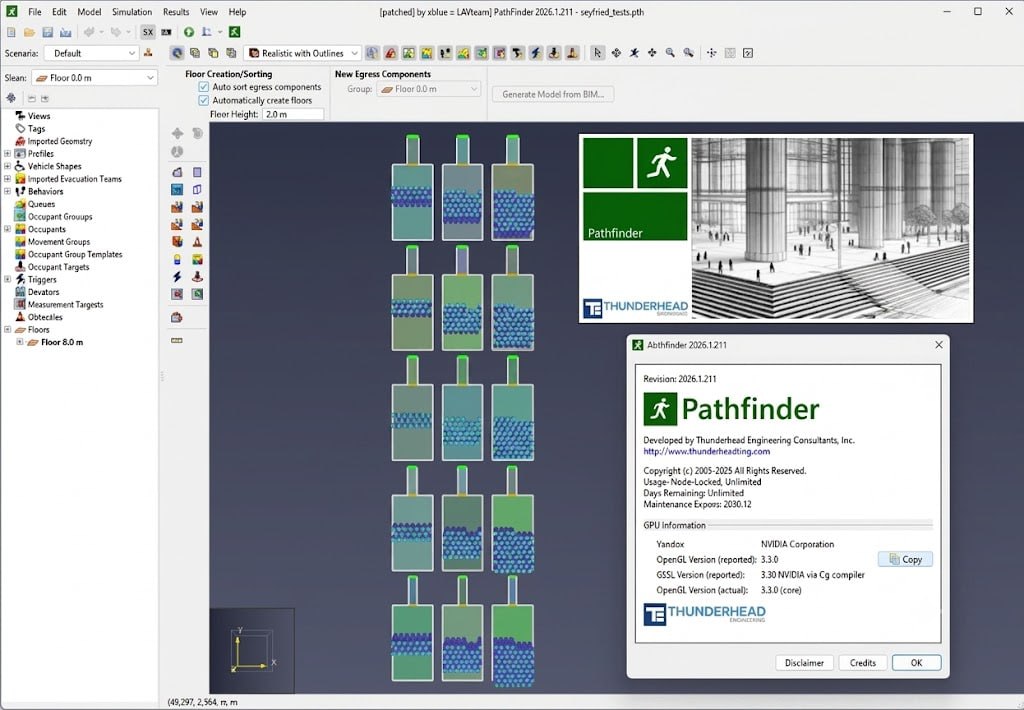
Thunderhead Pathfinder 2026.2.211 is an advanced egress simulation and evacuation modeling software designed for architects, fire protection engineers, and safety professionals to analyze occupant movement, optimize evacuation strategies, and evaluate building performance under emergency scenarios. The software models crowd movement scenarios where people enter, move through, and exit indoor and outdoor environments.
Pathfinder is the #1 egress software in the SFPE Survey and has been trusted by professionals for over 16 years with 19 international partners. The software includes realistic agent-based simulation, customizable occupant behavior, 3D visualization, performance analysis, and seamless integration with modern fire and building design workflows.
What’s New In Pathfinder 2026.2 And 2026.1 Releases
The 2026 release cycle introduces several powerful new features that enhance visualization, analysis, and usability. Occupant Vision Contours provide a new way to understand what parts of a model are actually seen by occupants during a simulation. These contours visualize occupant line-of-sight interactions with geometry and offer three distinct display values: Current Viewer Count (how many occupants are viewing each point at a given moment), Unique Viewer Count (total distinct occupants who have viewed each point), and Vision Time (accumulated amount of time occupants have spent viewing each point).
Travel Distance Contours show how far occupants traveled during a simulation, with Travel Distance Remaining contours highlighting locations where occupants are still far from exits at specific endpoints. The release also includes user experience improvements, stability enhancements, and a new documentation system.
How Pathfinder Works
Pathfinder is a flexible movement simulator that uses steering behaviors to model occupant motion. The software provides two primary options for occupant motion: SFPE mode and Steering mode. SFPE mode implements the concepts in the SFPE Handbook of Fire Protection Engineering, functioning as a flow model where walking speeds are determined by occupant density within each room and flow through doors is controlled by door width. This model is also known as the “hydraulic model of emergency egress”.
Steering mode is based on the idea of inverse steering behaviors, allowing more complex behavior to naturally emerge as a byproduct of the movement algorithms, eliminating the need for explicit door queues and density calculations. Each pedestrian in a Pathfinder model adapts to their surroundings, reacting to changes in door availability, environmental cues, signage, alerts, and more.
Core Capabilities And Features
Pathfinder offers a complete set of tools to import, model, and analyze pedestrian movement. 3D Modeling Interface allows users to design simulations with an intuitive interface, supporting drawing or automatic generation of a navigation mesh from imported geometry including Fire Dynamics Simulator (FDS) files, PyroSim files, and common CAD file formats.
Robust Simulator scales to the size and complexity of your project, with simple experiments set up in minutes. Results Analysis Tools include contour plots and heat maps for visualizing occupant density, congestion, speed, level of service, travel distance, and usage. Validation Testing ensures Pathfinder is consistent with research data, with published validation tests and a Python-based scripting toolkit for creating custom model suitability data.
Geometry And Navigation Mesh
Pathfinder uses a 3D geometry model with a navigation mesh defined as a continuous 2D triangulated surface. The navigation mesh represents areas where occupants can travel, with obstructions represented implicitly as gaps in the mesh. Geometry is organized into rooms of irregular shape, with doors connecting adjacent rooms and exit doors marking building exits.
The software supports stairs, ramps, and inferred stairs that are detected at runtime by analyzing the navigation mesh geometry. Each terrain type (open space, stairs, doors, exits) has specific effects on occupant behavior and speed calculations. Stairs connect rooms on different levels with velocity calculations specific to stairways, while ramps are treated differently and do not affect occupant speed in default SFPE mode.
Occupant Behaviors And Goals
Each occupant in Pathfinder has a behavior assigned that dictates a sequence of goals to achieve in the simulation. Idle goals require occupants to wait at a location until an event occurs, such as a time-interval elapsing or an elevator reaching a discharge floor. Seek goals involve occupants moving toward a destination such as a waypoint, room, elevator, or exit. Instantaneous goals occur in one timestep. In Steering mode, occupants use separation to maintain distance from others while idling, and are assigned a containment area based on their previous seek goal. Behaviors can be customized to model specific scenarios including assisted evacuation, vehicle agents, and elevator usage.
Results Visualization And Analysis
Pathfinder’s results viewer provides powerful tools for analyzing simulation outputs. Contour plots (heat maps) add data visualization overlays to floor surfaces, occupant movement trails, or occupant models for quick and easy understanding of results. Available contours include congestion (current and maximum), density (occupants/m2), level of service (LOS) defined by surface type, speed (actual and normalized), time to exit, travel distance, usage (instantaneous and accumulated), and social distance/social linkage. Vision Contours (2026.1) visualize line-of-sight interactions for signage placement and wayfinding analysis. Filter capabilities allow averaging and maximum calculations on any contour.
Applications And Use Cases
Thunderhead Pathfinder is used in a wide range of applications across multiple industries. Building Design and Code Compliance: Architects and engineers use Pathfinder to validate building designs, ensure fire safety compliance, and generate accurate evacuation analyses. Public Safety and Emergency Planning: Safety professionals model emergency evacuations for stadiums, hospitals, high-rise buildings, and public transport.
Crowd Management: Event organizers and venue managers simulate crowd movement scenarios to optimize circulation and identify potential bottlenecks. Smoke Contaminant Exposure Modeling: The software supports modeling of smoke contaminant exposure and social distancing simulations. Queuing Scenarios: Non-evacuation scenarios such as ticket checkpoints and checkout lanes can be modeled using queue features.
System Requirements And Licensing
Thunderhead Pathfinder 2026.2.211 is available for Windows operating systems through the official Thunderhead Engineering website. A fully featured 30-day free trial is available for users to test the software before purchase. The software can be installed via standard installer or using the Winget command (winget install –id=Thunderhead. Pathfinder. 2026 -e). Licensing options include commercial licenses with professional support, and discounts are available through international partners. Documentation and tutorials are available to help new users get started, including fundamentals tutorials for creating basic evacuation simulations, interpreting results, and modeling mixed-purpose multi-floor buildings.
Frequently Asked Questions
Q1: What is Thunderhead Pathfinder 2026.2.211 used for?
It is an advanced egress simulation and evacuation modeling software used for analyzing occupant movement, optimizing evacuation strategies, and evaluating building performance under emergency scenarios.
Q2: What’s new in Pathfinder 2026.1 and 2026.2?
Key new features include Occupant Vision Contours, Travel Distance Contours, user experience improvements, stability enhancements, and a new documentation system.
Q3: What are the two occupant motion modes in Pathfinder?
SFPE mode (flow model based on SFPE Handbook concepts) and Steering mode (inverse steering behaviors allowing emergent complex behavior).
Q4: What industries benefit from Pathfinder?
Architecture, fire protection engineering, safety planning, crowd management, event planning, urban planning, and public safety.
Q5: Is there a free trial available for Pathfinder?
Yes, a fully featured 30-day free trial is available from the Thunderhead Engineering website.
Q6: What file formats can Pathfinder import?
Pathfinder supports importing Fire Dynamics Simulator (FDS) files, PyroSim files, and common CAD file formats.
Q7: Can Pathfinder model non-evacuation scenarios?
Yes, Thunderhead Pathfinder can model queuing scenarios, crowd movement, social distancing simulations, and pedestrian circulation for events and facilities.
Q8: What validation has Pathfinder undergone?
Thunderhead Pathfinder is validated against research data with published validation tests, included in the NIST Review of Evacuation Models, and supports IMO and SFPE test problems.