Cadsofttools CAD DLL 16 (Smart Developer Library For CAD File Processing) Download
Summary
CAD DLL 16 is a powerful software development library that provides an API for displaying, importing, and converting CAD files in custom applications. Developed by CADSoftTools, this DLL solution allows developers to add comprehensive CAD functionality to applications written in various programming languages including C#, C++, Delphi, Visual Basic, and Java.
The library supports opening and processing of AutoCAD® DWG (up to Autodesk AutoCAD® 2026), DXF, DWF, HPGL, SVG, CGM, and many other vector and raster formats. Version 16 represents a significant upgrade over previous versions, introducing enhanced import and export capabilities, new export formats, and improved performance and stability.
Evolution From Previous Products And Core Architecture
CAD DLL was built on the basis of three previous products: CAD Image DLL, CAD Importer DLL, and DXF Exporter DLL. This consolidation created a unified, comprehensive library that handles both import and export operations. The CADDATA structure serves as the base for all CAD entities, providing a consistent way to access drawing information.
The CADEnum function enables sequential access to all CAD file entities in their drawing order, similar to a linear Windows Metafile structure. All entity data, including coordinates and properties, are converted to real drawing values according to the entity position in the CAD structure, whether inside a block or outside it. The DrawCAD and DrawCADEx functions draw CAD files to a specified rectangle, providing flexible visualization options.
What’s New In CAD DLL 16
The latest version of CAD DLL introduces several significant improvements across 2D and 3D capabilities. The library now supports export to DWG and DXF 2010, 2013, and 2018 formats, keeping pace with modern AutoCAD versions. Import functionality for DWG, DXF, DWF, HPGL, and SVG formats has been improved, ensuring better handling of complex drawings.
For 3D workflows, the library now offers improved import of SLDPRT, SLDASM, STEP, X_T, X_B, and ACIS formats, along with enhanced export to STEP and ACIS formats. The XML API performance has been accelerated, making integration faster and more efficient. All these improvements are backed by bug fixes and overall performance enhancements.
Supported File Formats For Import And Export
CAD DLL 16 supports an extensive range of file formats for both import and export operations. The library can open CAD formats including AutoCAD® DWG (up to Autodesk AutoCAD® 2026), DXF, DWF, HPGL, and PLT. Vector formats such as SVG, CGM, EMF, and WMF are also supported. For 3D data, the library handles STEP, IGES, SLDPRT, SLDASM, X_T, X_B, BREP, STL, SAT/SAB, FSAT, OBJ, 3DS, SMT, IPT, and IFC formats.
Raster formats including PNG, BMP, JPG, GIF, and TIFF are also supported. For saving, CAD DLL supports vector formats like AutoCAD™ DWG, DXF, PDF, SVG, CGM, HPGL, EMF, and WMF; 3D formats including STEP, SAT, SAB, STL, and OBJ; raster formats such as BMP, JPG, GIF, and PNG; and G-code generation from DWG and DXF files.
Key Features And Capabilities For Developers
CAD DLL 16 offers a comprehensive set of features for developers building CAD-enabled applications. The library supports all popular 2D and 3D CAD formats, ensuring broad compatibility with industry-standard files. High speed and accuracy of visualization make it suitable for performance-critical applications. Developers can easily access properties of CAD entities including coordinates, text, and layer information.
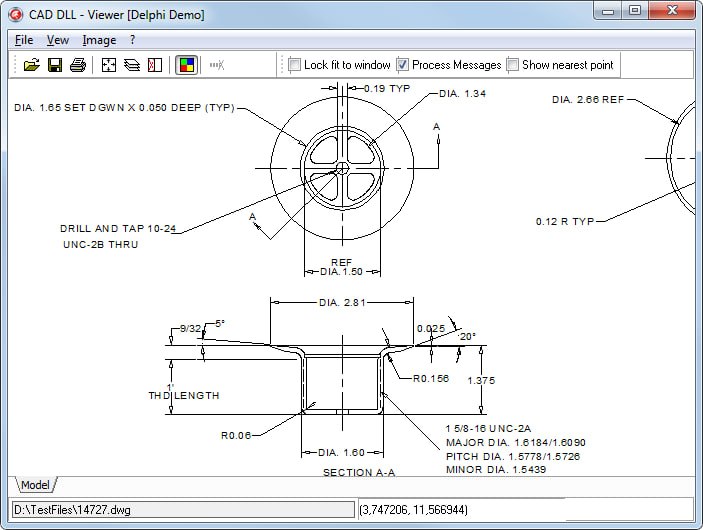
The automatic export to AutoCAD™ DWG and DXF through Windows Metafile technology allows saving everything the software plots or prints to CAD format. The library supports 32-bit and 64-bit architectures, Unicode, and is compatible with any DLL-supporting development environment. Ready-to-use demos are available for C#, Delphi, C++Builder, Visual Basic, Visual C++, ASP.NET, Java, and VB.NET.
Windows Metafile To DXF Translation
A unique feature of CAD DLL is its ability to translate Windows metafiles to DXF format. Developers can draw images using Windows GDI functions onto a Windows Metafile DC and pass it to CAD DLL, which reads the Windows Metafile structure and automatically creates a DXF file. For best translation results, the metafile should be created in 00.1 mm mode with the XP_USE01MM flag enabled. This capability is particularly useful for applications that need to convert printed or plotted output to editable CAD format, bridging the gap between standard Windows graphics and professional CAD workflows.
Editions And Package Contents
CAD DLL is available in two editions: Import and Enterprise. The Import edition provides viewing capabilities, access to entity properties, creation of drawings, and export to raster formats. The Enterprise edition adds viewing of 3D formats, export to vector formats, and DWG/DXF to G-code conversion functionality. The package includes the CAD.dll library, executable files of demo applications, documentation, and complete source code for demo applications in Delphi, C++Builder, MS Visual Basic, MS Visual C++, C#, ASP.NET, and VB.NET. This comprehensive package enables developers to quickly integrate CAD functionality and understand the library’s capabilities through practical examples.
Industry Applications And Use Cases
CAD DLL 16 is used across a wide range of industrial sectors that require CAD functionality. In mechanical engineering, developers integrate the library for visualizing and converting CAD drawings of machine parts and assemblies. In building and architecture, the library supports viewing and editing of floor plans, blueprints, and construction drawings.
Circuit technology applications benefit from the ability to import and export schematic diagrams and PCB layouts. Cartography applications use CAD DLL to work with geographic information systems (GIS) and map data. Analytical systems leverage the library for processing and visualizing technical drawings in various formats. Any software application that needs to display, import, or convert CAD files can benefit from integrating CAD DLL 16.
Frequently Asked Questions
Q1: What is Cadsofttools CAD DLL 16?
It is a software development library that provides an API for displaying, importing, and converting CAD files in custom applications.
Q2: What programming languages are supported by CAD DLL?
The library is compatible with any DLL-supporting development environment, including C#, C++, Delphi, Visual Basic, ASP.NET, and Java.
Q3: What CAD file formats are supported for import?
The library supports AutoCAD® DWG (up to AutoCAD 2026), DXF, DWF, HPGL, and many other vector and raster formats.
Q4: What export formats are available in CAD DLL 16?
The library exports to DWG, DXF, PDF, SVG, CGM, HPGL, STEP, STL, OBJ, and raster formats like BMP, JPG, GIF, and PNG.
Q5: What is new in version 16?
Version 16 adds export to DWG and DXF 2010, 2013, 2018, improved 3D format support, accelerated XML API performance, and bug fixes.
Q6: What is the difference between Import and Enterprise editions?
The Import edition provides viewing and raster export. The Enterprise edition adds 3D viewing, vector export, and G-code conversion.
Q7: Does CAD DLL support Windows Metafile to DXF translation?
Yes. The library can automatically create DXF files from Windows Metafiles through its unique translation capability.
Q8: Are demo projects available for the library?
Yes. Ready-to-use demo applications with full source code are included for C#, Delphi, Visual Basic, Visual C++, and other languages.