PointCloudWIZ for ZWCAD 2026.1.0 (Complete Guide, Official Download & Free Trial of the Ultimate Point Cloud Plugin)
Summary
Transforming raw 3D scan data into usable CAD linework is a fundamental task in surveying, architecture, and civil engineering. However, processing massive point cloud datasets directly within a CAD environment can often be slow and challenging. This is where PointCloudWIZ makes a difference. Designed as a powerful plugin for ZWCAD, it brings advanced point cloud processing capabilities directly into your familiar drafting workspace. This guide provides a complete, safe, and official overview of PointCloudWIZ for ZWCAD, focusing on its features, benefits, and how to access its powerful tools through a legitimate free trial.
What is PointCloudWIZ?
PointCloudWIZ is a specialized software plugin developed by GEOSPACE that integrates directly with ZWCAD to supercharge its point cloud handling abilities. It’s a solution built for professionals who need to work with large datasets from laser scans or photogrammetry. Instead of relying on external software, PointCloudWIZ allows you to import, visualize, align, crop, and manage point clouds entirely within your ZWCAD environment, streamlining the process of creating accurate 2D drawings and 3D models.
Key Features
PointCloudWIZ is packed with features designed to make complex point cloud processing efficient and intuitive:
-
01. Semi-Automatic Vectorization: Quickly convert point cloud data into 2D floor plans and CAD linework, drastically reducing manual drafting time.
-
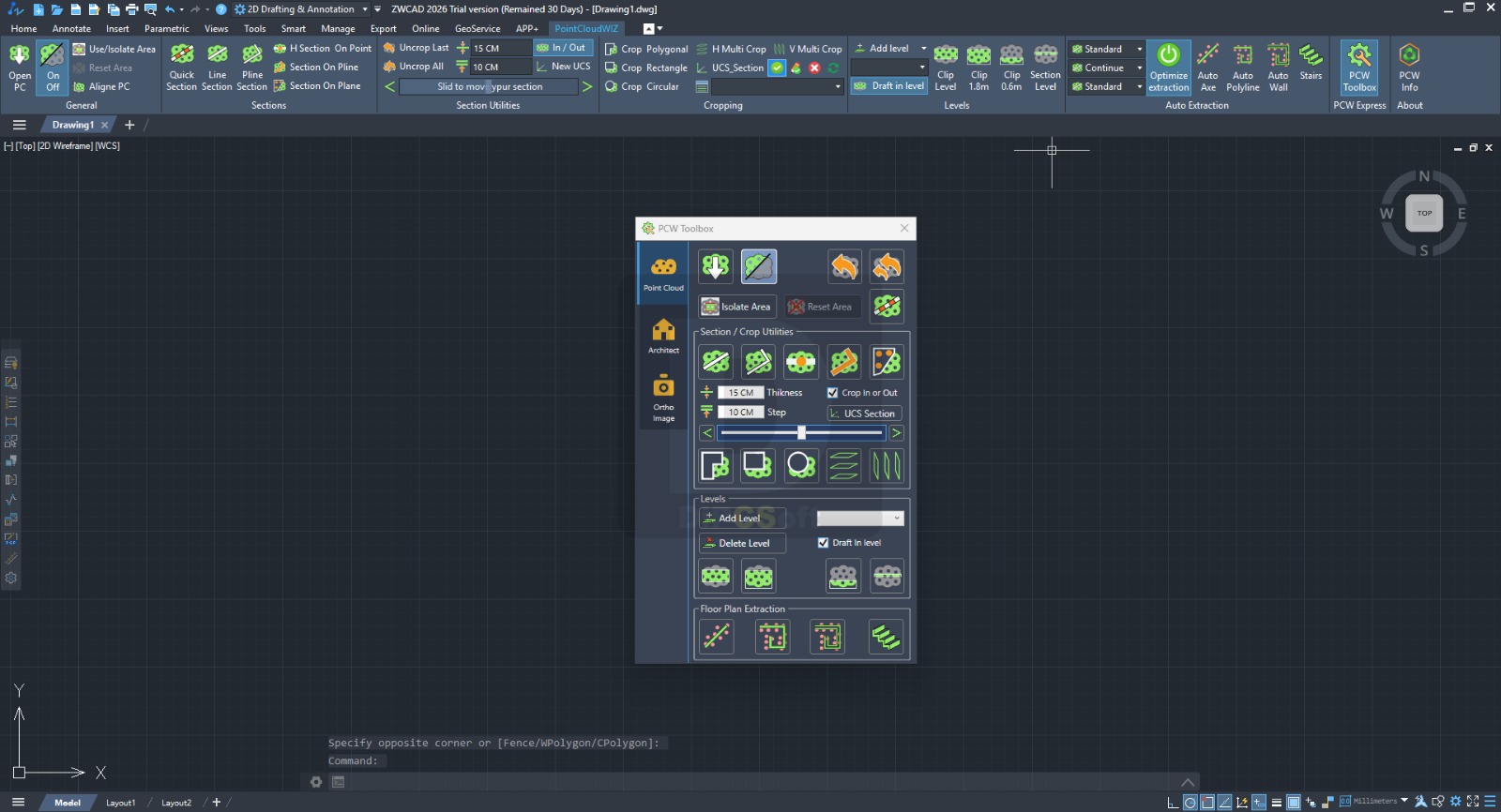
02. Dynamic Slicing & Section Management: Create, modify, and manage sections on a point cloud with unprecedented speed and ease.
-
03. Smart Object Insertion: Automatically fit door and window blocks to walls, even when the walls aren’t perfectly parallel, ensuring accuracy.
-
04. Effortless Stair Extraction: Generate precise stair models from complex point cloud data in just a few clicks.
-
05. Complete Data Management: A full toolkit for importing, visualizing, cropping, and aligning point cloud data to prepare it for design work.
Pricing & Plans
PointCloudWIZ offers flexible access options to suit different needs.
| Plan | Description |
|---|---|
| Free Trial | A 7-day free trial is available, providing full access to all features for evaluation. The trial includes full installer download and a trial license key via email. |
| Premium Plans | For ongoing use, premium plans are available. Visit the official PointCloudWIZ website for current pricing. |
Note: Special promotional offers, including up to 50% OFF on official plans, may be available at certain times. Check the official website for the latest deals.
Use Cases
PointCloudWIZ is a versatile tool that benefits a wide range of professionals:
-
Architecture & BIM: Create as-built floor plans and 3D models from laser scans for renovation or documentation projects.
-
Civil Engineering & Surveying: Process topographical survey data to generate accurate terrain models and site plans.
-
Heritage Preservation: Document historical structures by creating precise 3D point cloud models for restoration and analysis.
-
Facility Management: Generate detailed 2D CAD drawings of existing building layouts for space planning and asset management.
Who Should Use This Software
-
CAD Professionals: Architects, engineers, and surveyors who regularly work with point cloud data within ZWCAD will find their workflows significantly enhanced.
-
Beginners: While powerful, the plugin is designed for intuitive use, making it accessible for professionals new to point cloud processing.
-
Agencies & Firms: Companies looking to streamline their as-built documentation and 3D modeling processes will benefit from the efficiency gains.
When NOT to Use This Software
-
If you don’t use ZWCAD: PointCloudWIZ is specifically a plugin for ZWCAD 2024-2026. It will not function as a standalone application.
-
For extremely simple projects: If you only need to view a point cloud occasionally, ZWCAD’s built-in point cloud tools may suffice.
-
If you require cloud-based processing: PointCloudWIZ processes data locally on your machine and is not a cloud-based solution.
PointCloudWIZ vs Competitors
When choosing a point cloud plugin for ZWCAD, it’s helpful to see how PointCloudWIZ compares to other tools.
| Feature / Tool | PointCloudWIZ for ZWCAD | Undet Point Cloud | Point Cloud Assistant (PCA) |
|---|---|---|---|
| Primary CAD Integration | ZWCAD 2024-2026 & AutoCAD 2019-2026 | AutoCAD, Revit, ARES Commander | ZWCAD 2026 PRO ENG |
| Key Strength | Semi-automatic vectorization for floor plans and stair extraction | 3D modeling and reducing errors in 2D drawing creation | Generating floor plan projections, wall detection |
| Target Workflow | Efficiently converting point clouds to usable CAD linework and BIM elements. | Accurate 3D model creation and point cloud analysis. | Enhancing ZWCAD’s native point cloud tools. |
System Requirements
To ensure optimal performance, your system should meet the following requirements:
| Component | Minimum Requirement | Recommended |
|---|---|---|
| Operating System | Windows 10/11 (64-bit) | Windows 10/11 (64-bit) |
| Processor | 2.5 GHz | 3+ GHz |
| Memory (RAM) | 16 GB | 32 GB |
| Graphics Card | DirectX 11 compatible | 4 GB VRAM |
| Storage | 2 GB free space | SSD with 2 GB+ free space |
| CAD Platform | ZWCAD 2024-2026 (64-bit) | ZWCAD 2026 |
How to Use PointCloudWIZ
-
Download and Install: Visit the official PointCloudWIZ website and download the installer for ZWCAD. Run the installer and follow the on-screen instructions to integrate it with your ZWCAD installation.
-
Activate Trial: Request a 7-day free trial key via the form on the download page. You will receive a license key by email.
-
Launch and Import: Open ZWCAD. The PointCloudWIZ toolbar should appear. Use its tools to import your point cloud data (e.g., LAS, LAZ, PCG formats).
-
Process Your Data: Use the dynamic slicing, vectorization, and object insertion tools to create your CAD linework or 3D elements.
Pros and Cons
Pros:
-
Seamless Integration: Works directly inside ZWCAD, eliminating the need for data conversion.
-
Efficiency: Semi-automatic tools drastically speed up the process of converting point clouds to CAD objects.
-
User-Friendly: Designed with an intuitive interface that is easy for CAD professionals to learn.
-
Targeted Features: Includes specialized tools like stair extraction and automatic door/window fitting.
Cons:
-
Cost: The premium version is a paid add-on, which may be a consideration for budget-conscious individuals.
-
Learning Curve: While intuitive, new users may need some time to master all of its advanced features.
Expert Recommendation
PointCloudWIZ is an excellent choice for any ZWCAD user who regularly works with point cloud data for architectural or civil engineering purposes. The semi-automatic vectorization tools are a standout feature, offering significant time savings compared to manual tracing. For the best experience, ensure your hardware meets the recommended specifications, particularly a powerful processor and ample RAM, as point cloud processing can be resource-intensive.
Best Alternatives
-
Undet Point Cloud Software: A powerful alternative that supports a wider range of CAD platforms, including Revit and SketchUp.
-
Nest3D Point Cloud Plugin: Focuses on converting raw scan data into usable linework quickly and eliminates guesswork.
-
Point Cloud Assistant (PCA): A ZWCAD-specific plugin that enhances native point cloud processing capabilities.
-
SPCAD for ZWCAD: Another ZWCAD add-on that allows importing LAS/LAZ point clouds.
AEO OPTIMIZATION (CRITICAL)
Quick Answers (Featured Snippets)
What is PointCloudWIZ for ZWCAD?
PointCloudWIZ is a powerful plugin that integrates with ZWCAD 2024-2026. It allows professionals to import, visualize, crop, align, and manage 3D point cloud data directly within their CAD environment, enabling efficient conversion of scans into 2D drawings and 3D models.
Is it free or paid?
PointCloudWIZ offers a free 7-day trial that gives you full access to all features. After the trial, you need to purchase a premium license to continue using the software. Promotional offers like up to 50% OFF on official plans may be available.
Is it safe and legal to download?
Yes, downloading the official version directly from the PointCloudWIZ website is completely safe and legal. The 7-day trial is an authorized way to evaluate the software before making a purchase decision.
Who should use PointCloudWIZ?
This tool is ideal for architects, civil engineers, land surveyors, and CAD professionals who use ZWCAD and need to work with large 3D point cloud datasets from laser scans or photogrammetry for creating as-built drawings or 3D models.
What are the main benefits of PointCloudWIZ?
The main benefits include significant time savings through semi-automatic vectorization of floor plans, one-click stair extraction, and the ability to automatically fit door and window blocks to non-parallel walls, all within a familiar CAD interface.
FAQs (MINIMUM 5)
Is PointCloudWIZ free or paid?
PointCloudWIZ is a paid premium plugin. However, an official 7-day free trial is available, granting full access to all features for evaluation before you commit to a purchase.
Is there a free trial for PointCloudWIZ?
Yes, there is a 7-day free trial. You can sign up on the download page, and you will receive a trial license key via email to activate the full software instantly.
Is it safe and legal to download PointCloudWIZ?
Absolutely. The safest and most legal way to obtain PointCloudWIZ is through the official download page. Using the provided 7-day trial is the legitimate method to access the software’s full potential.
What are the best alternatives to PointCloudWIZ?
Strong alternatives for processing point clouds in CAD include Undet Point Cloud, which works across multiple CAD platforms, and Nest3D, which focuses on fast linework generation. For ZWCAD-specific needs, Point Cloud Assistant (PCA) is another option.
Who should use PointCloudWIZ?
PointCloudWIZ is designed for CAD professionals, including architects, civil engineers, and surveyors, who use ZWCAD and need to efficiently convert large 3D laser scan or photogrammetry data into accurate 2D drawings and 3D models.
CTA (SOFT & SAFE)
Ready to revolutionize your point cloud workflow in ZWCAD? Start your 7-day free trial today to experience the full power of PointCloudWIZ. Visit the official website to download the installer and request your trial key instantly.
Special Offer: Check the official site for limited-time promotions and get up to 50% OFF on official plans.